A0U571B - KelNet Lock - User Guide 3. USING THE LOCK
11
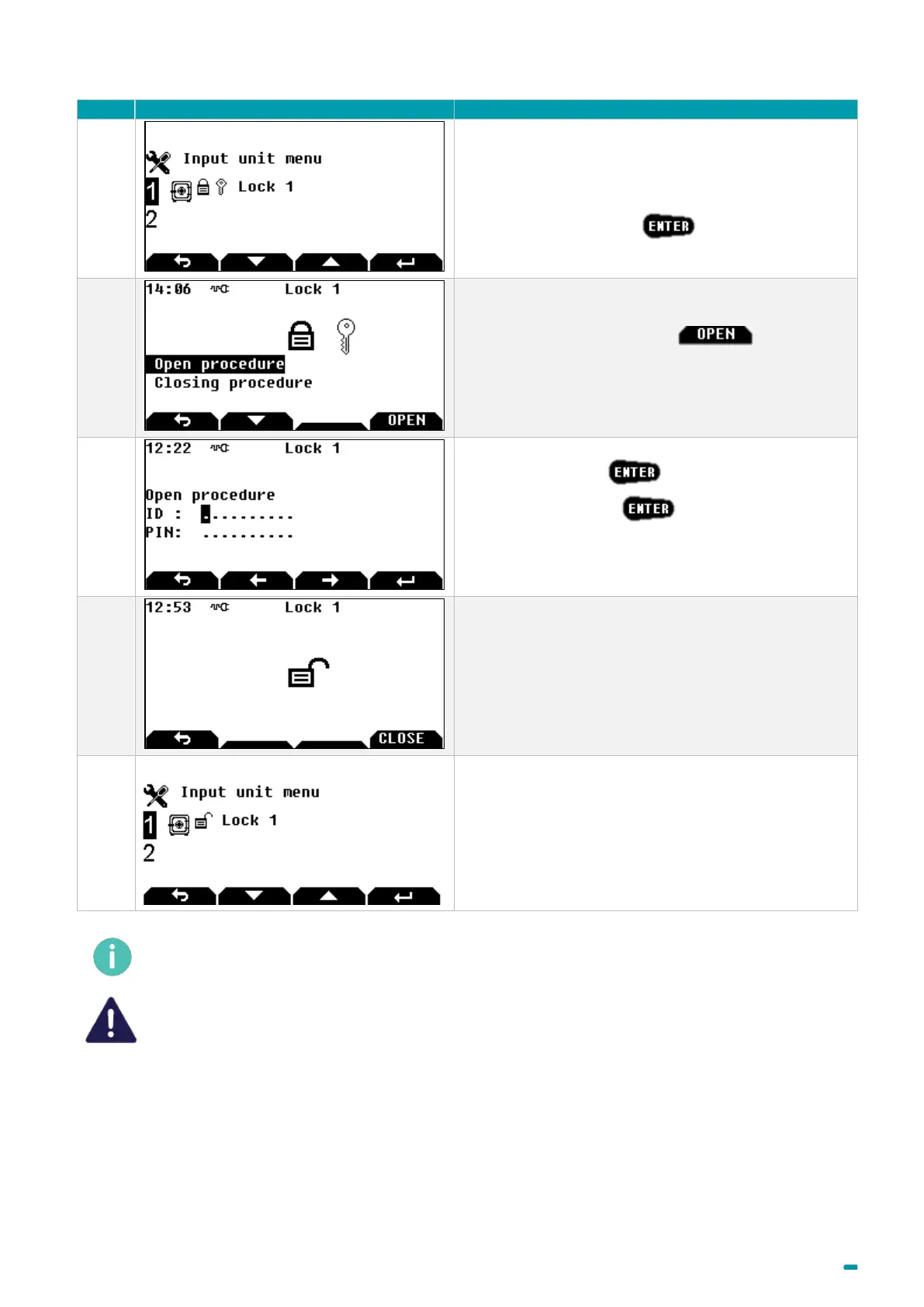
This main screen means that a second identification is
necessary.
Select the lock and press
Select Open procedure or the button to
continue the opening procedure or Closing procedure
to abort opening.
Enter your user ID + .
Enter your PIN code + .
The second user shall enter their ID and PIN code.
The lock is unlocked.
This main screen means the lock is unlocked.
When the opening procedure is started, if no entries are made on the keypad within 20 seconds, the
opening procedure is aborted, and the main screen is displayed.
The opening code is confidential and must be entered exclusively in a safe environment.



 To Next Page