General operation
16.1.15 Kapitel/Chapter 11: General operation - Seite/Page 175
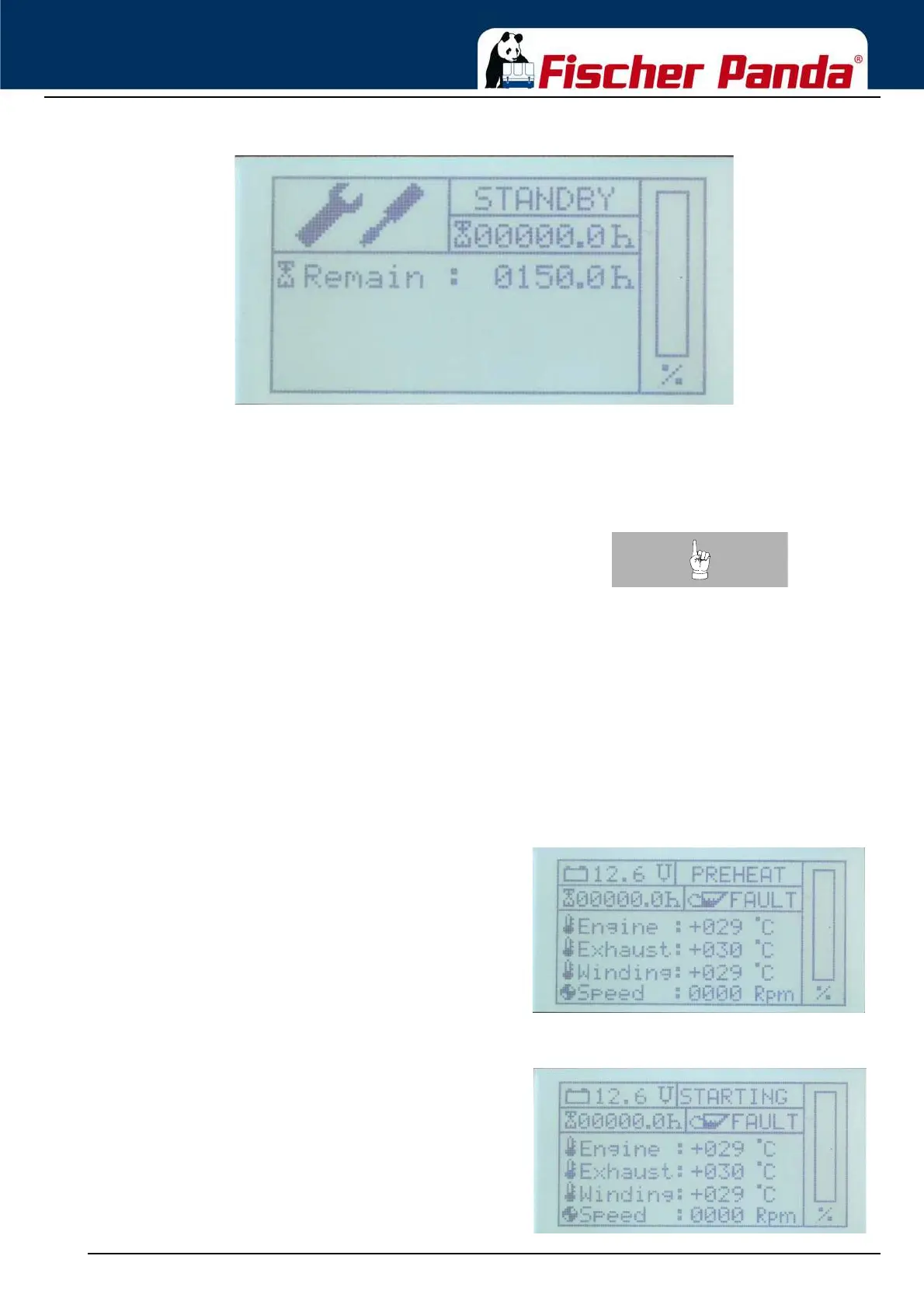
Fig. 11.3.3.1-1: Service information screen
The total operating hours of the generator are given on the default display screen and on the service information
screen. By actuating the cursor-up and cursor-down button in stand-by mode, the service screen can be accessed.
This screen is marked with a screwdriver/spanner symbol. Here, the time until the next service is given. By actuating
the cursor-up or cursor-down button, you can return to the default screen.
Note:With the dynamic operation hours the service interval can be
raised up to 30% (200h max.). Make sure that the dynamic
operation hours are not reset accidently between the service
interval. see “Resetting the service interval ("Service")” on
page 185.
In the set-up menu of the controller, you can reset the service interval after performing maintenance. Siehe “Set-up
menu” auf Seite 181.
11.3.3.2 Start-up mode
The start-up mode represents the transition from stand-by mode to operation mode, i.e., generator operation. By
actuating the Start/Stop button in stand-by mode, you can initiate the start-up process of the generator.
The pre-heating is the first step. During this stage, the status field at the top right of the default display screen shows
the word "PREHEAT".
Fig. 11.3.3.2-1: Default display screen during pre-heatingThe pre-heating is always implemented for a duration of
10 seconds, regardless of the cylinder head temperature.
In temperatures below 0°C, the pre-heating time is always 40
seconds.
Fig. 11.3.3.2-2: Default display screen during start-up After pre-heating, the starter is initiated, accompanied by
the text output "STARTING" in the status field of the
default display screen.



 To Next Page