Installation
16.1.15 Kapitel/Chapter 12: Installation - Seite/Page 189
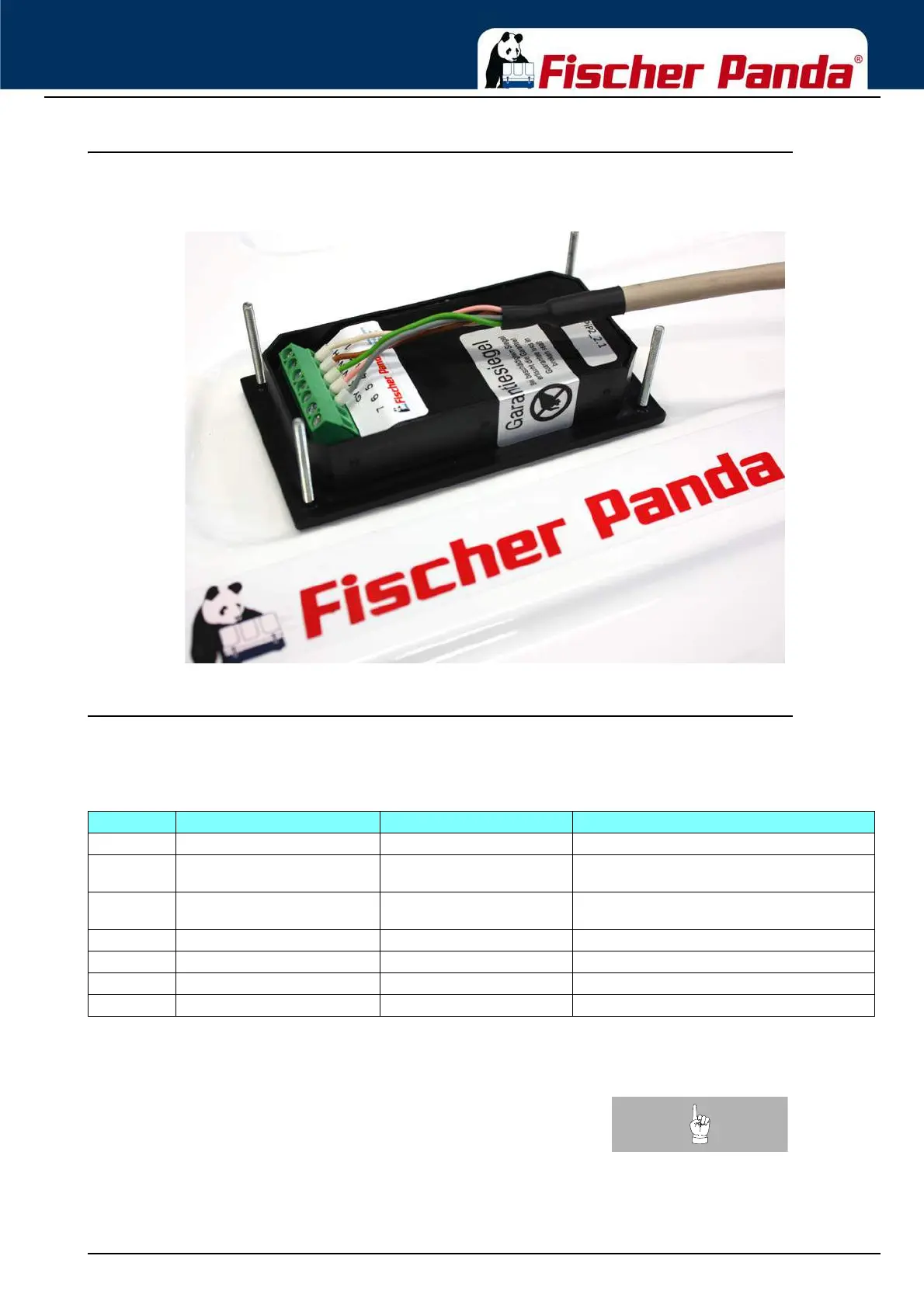
12.2.1 Panda iControl2 panel with installation housing
Fig. 12.2.1-1: Panda iControl2 panel with panel connecting cable and closed housing
12.2.2 Terminal assignments on the Panda iControl2 panel
The Panda iControl2 panel is connected via a 7-pin Phoenix jack.
Fig. 12.2.2-1: Terminal assignment on the Panda iControl2 panel
Note:Use only original Fischer Panda connecting cables.
Terminal Terminal description Cable colour Function
1 UBUS white (WH) Bus supply voltage
2 GND brown + shielding (BN) Fischer Panda bus ground, ground connection
between Panda iController and Panda iControl panel
3 REIZ green (GN) Exciter wire, is switched to ground if the controller is to
switch on
4 DATA-A pink (PK) Fischer Panda bus data line A
5 DATA-B Grey (GY) Fischer Panda bus data line B
6UBATT -- Autostart
a
a. A jumper between terminal 6 and 7 closes the autostart contact.
7 USTART/STOPP -- Autostart
b
b. A jumper between terminal 6 and 7 closes the autostart contact.



 To Next Page