6 Installation of the Transmitter FLUXUS WD100, WD200
UMFLUXUS_F5WDV1-1EN, 2016-04-08 27
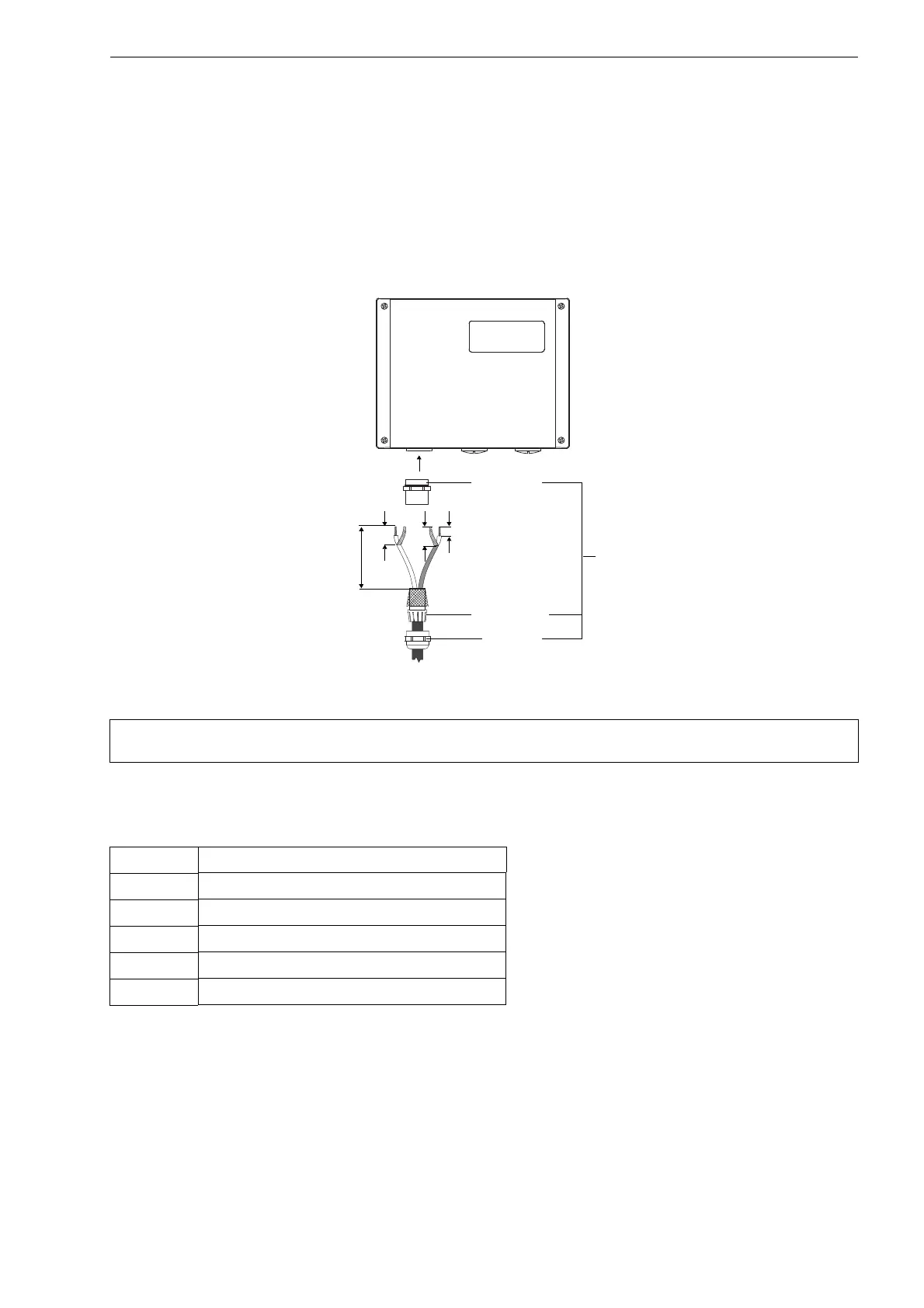
6.3.2 Connection of the Extension Cable to the Transmitter
• Remove the left blind plug for the connection of the transducers (see Fig. 6.7).
• Open the cable gland of the extension cable. The compression part remains in the cap nut.
• Push the extension cable through the cap nut and the compression part.
• Prepare the extension cable with the cable gland. Cut the external shield and brush it back over the compression part.
• Screw the gasket ring side of the basic part tightly into the housing.
• Insert the extension cable in the housing.
• Fix the cable gland by screwing the cap nut on the basic part.
• Connect the leads to the terminals of the transmitter (see Fig. 6.7 and Tab. 6.2).
Fig. 6.7: Connection to the transmitter
Attention! For good high frequency shielding, it is important to ensure good electrical contact between the exter-
nal shield and the cap nut (and the housing).
Tab. 6.2: Terminal assignment of FLUXUS WD100, WD200
terminal connection
10 white or marked cable (core)
11 white or marked cable (inner shield)
12 not connected
13 brown cable (inner shield)
14 brown cable (core)
20 mm
cable gland
7 mm
45 mm
25 mm
basic part
compression
part
cap nut











 To Next Page