FT-107 Weighing Terminal, Technical Manual, Rev. 1.0.0, August 2019 Page 19 of 46
5.2 Advanced Functions
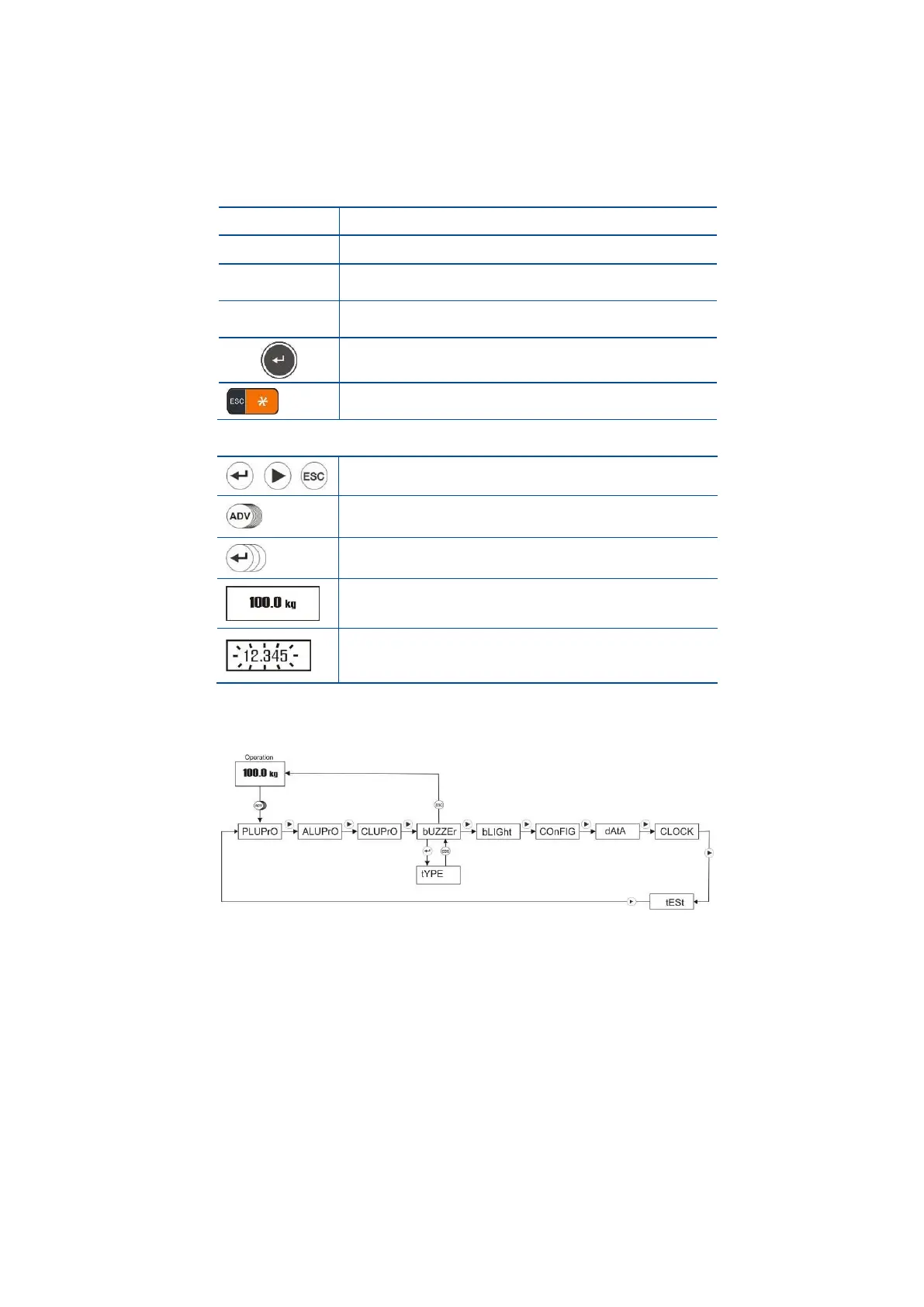
You can change the instrument advanced functions in set-up menu by pressing ADV key longer than one
second.
In ADV menu the navigation key functions are;
- Increase the selected digit value.
- Decrease the selected digit value.
- Next menu item,
- Shift the digit to the right to change the value.
- Previous menu item,
- Shift the digit to the left to change the value.
- Enter the menu and menu item,
- Enter the next item.
- Return from item,
- Return to operation from menu.
The symbols in ADV programming diagrams are;
- Press the key in the circle to enter the next step.
- Press the key longer than 1 second until the next
prompt appears.
- Press the key the circle quantity times.
(3 times for the symbol on the left)
- Enter the value by pressing navigation keys. Press
► or ◄ keys to shift the digit; press ▲ or ▼
keys to increase or decrease the selected digit.
With the ► key change to the next item. Press Enter key to access items in the selected menu or press
Esc key to return to previous step.
The advanced functions set-up are described in the flow diagrams above.
5.2.1 PLU Memory Menu
PLU memory is used in checkweighing operation. This memory use and data input are described in
checkweighing operation in Section 5.2.1 (Page 32).
5.2.2 ALU Memory Menu
ALU memory is used to check the quantity at piece counting. This memory usage and data input are described
in Section 6.2 (Page 32).
5.2.3 CLU Memory Menu:
CLU memory is used in piece counting operation. This memory usage and APW saving after sampling are
described in to the piece counting operation in Section 6.1 (Page 29).



 To Next Page