FT-107 Weighing Terminal, Technical Manual, Rev. 1.0.0, August 2019 Page 8 of 46
3.3 The Front View and Key Functions
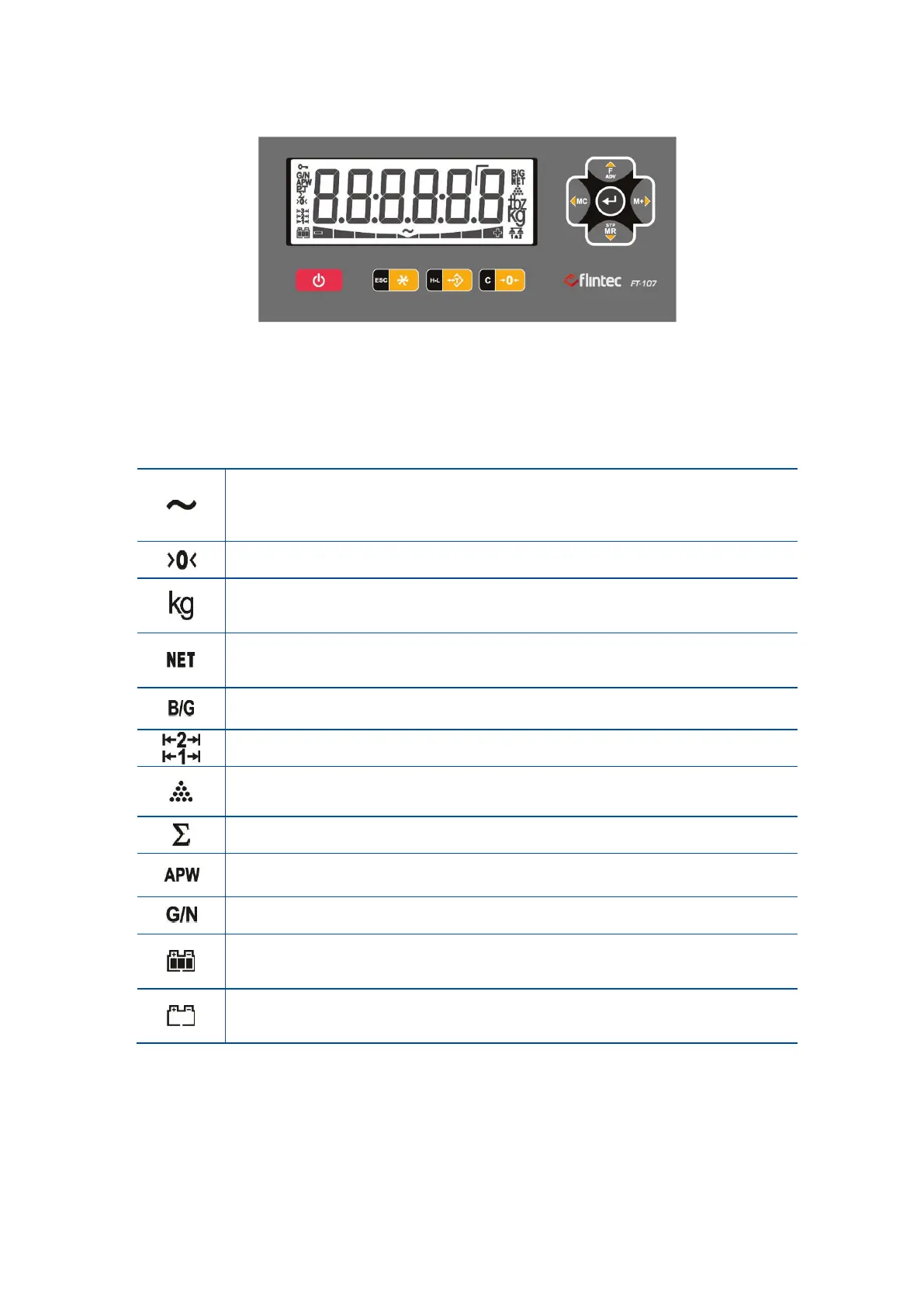
Figure 3.1 – Front view of FT-107(S)
3.3.1 Display
The meanings of the announcement symbols on the display are:
Unstable: This sign appears if the load on the scale is not stable. The weight
value of the object should be read if the scale is stable. The taring, zeroing, printing
and accumulation are available when the scale is stable.
Center of zero: This sign appears if the weight is ±0.25e of the center of the zero.
(Page 17)
Weight unit: The weighing unit is located on the right of the weighting display
as kg, g, lb, and oz.
(Page 29)
Net weight: This sign indicates that the weight indication is in net.
(Page 17)
Gross weight: This sign indicates the displayed weight value is gross.
Operation range: Announces the operation range of the multi range scale.
Piece counting mode: The value on the display indicated the quantity.
(Page 29)
Total: Signs the displayed value is the accumulation in the memory
(Page 18 in weighing and page 30 in piece counting)
APW: Announces the displayed value is the average piece weight.
(Page 31)
Gross / Net: Temporary gross indication.
(Page 18)
Battery charging level: This sign indicates the battery charging level. Moving
level indicates the battery charging.
Battery is empty: Announces the battery is discharged and should be charged in
a first convenient time.



 To Next Page