FT-107 Weighing Terminal, Technical Manual, Rev. 1.0.0, August 2019 Page 27 of 46
After changing the data format with ▲ key, press Enter key to enter the next step, baud rate
adjustment. Two digits on the right of the display indicates the baud rate as;
Press Enter key to enter the next following item or press Esc key to return to the previous step after
selecting baud rate by ▲ key.
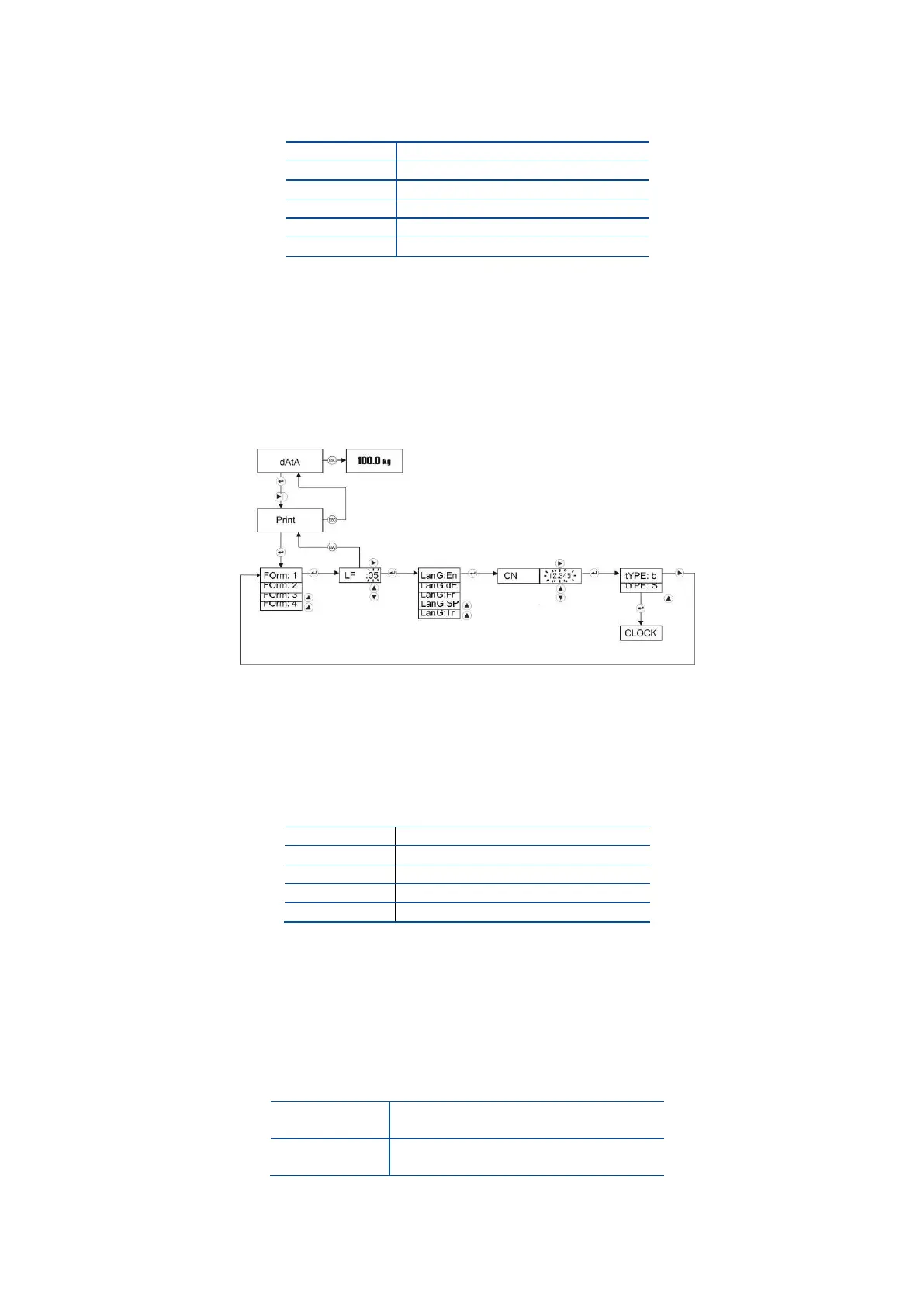
5.2.9 Printer setting
Press ► key several times until printer item seen.
The first item of printer setting is the printout format. Printer data output can be set to 4 different print form.
The printout form differs also with operation mode as described on Page 18. Select the printout format
from this table.
Select the format by pressing the ▲ key and press the Enter key to enter the next item, line feed.
After changing LF item with navigation keys for feeding the printout from printer, press Enter key.
The language selection item appears.
Press Enter key to enter the next item or press Esc key to return to the previous step after printout
language setting.
[ CN ] Weighing Ticket Number
Press Enter key at [ CN ] prompt to adjust the printing number in this item. CN number can be re-
entered by pressing navigation keys. If the number exceeds 999999, it automatically returns to 1.
[ tyPE: S ] Printer Type
Print-out for narrow printers.
Maximum 16 characters per line.
Print-out for wide printers.
Maximum 26 characters per line.
After changing the printer type with ▲ key, press Enter key to enter the next item.



 To Next Page