FT-107 Weighing Terminal, Technical Manual, Rev. 1.0.0, August 2019 Page 29 of 46
5.3 Unit Change
You may need to change the unit in your application. One of the function keys should be programmed to Unit
change function to use this feature. The changeable units are between kg and lb or between g and oz.
1. The weight indication is in power on unit after power on.
2. Press the function key programmed for unit change (Page 23).
3. The indicator switches the unit to the second unit.
4. Press the same function key second time to go back to the first unit.
Warning:
1. The PLU memory and CLU memory data entries should be done in power on unit.
2. Unit change feature is not available after sealing the instrument in legal usage.
6. APPLICATION WEIGHING
6.1 Piece Counting
FT-107 indicator has several powerful features in count weighing as described in this section. It is
recommended to use the * key for piece counting (Page 23).
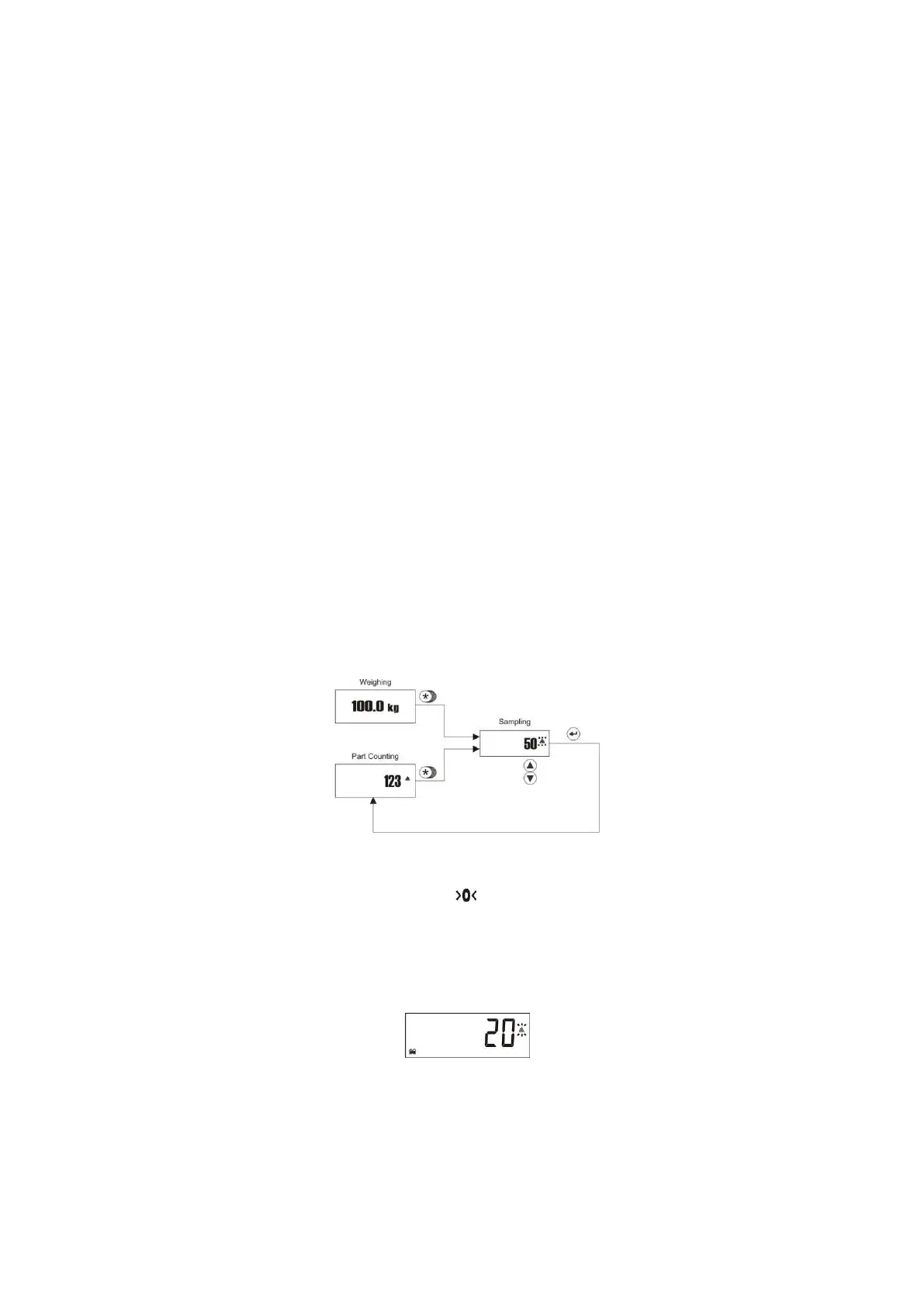
Press * key to enter piece counting operation. The last used average piece weight (APW) value is valid in
counting. APW default is the increment of the scale at power on.
Sampling
The scale counts the pieces on it by using the calculated average piece weight (APW) of the item. In
sampling, FT-107 measures a certain number of pieces total weight in very high resolution and divides it by
the number of pieces (the so-called sampling quantity) to find average piece weight (APW). Based on this
calculated average piece weight, counting can then be carried out.
Sampling should be done very carefully for correct counting.
1. Empty the scale and press Zero key until symbol appears on the display.
2. Press * key longer than a second until [ 10] or any other reference number of pieces appears on
the display. This value is the quantity of pieces you can place on the platform for sampling.
3. If the pieces are small or piece weights are not very close to each other, sampling in high quantity is
recommended to increase the counting accuracy. Press ▲ to change the sampling quantity to 20,
30, 50 or 100. To decrease the quantity press ▼ key.
4. Once the exactly counted quantity is placed on the platform, press Enter key.
5. Display will stop flashing after sampling and start to display the quantity on the scale.



 To Next Page