FT-107 Weighing Terminal, Technical Manual, Rev. 1.0.0, August 2019 Page 31 of 46
The accumulated total count can be retrieved pressing MR key.
While the total count is displayed it can be printed by pressing the Enter key.
To delete the accumulated value, press MC key during count accumulation is displayed.
APW Recording to the memory after sampling
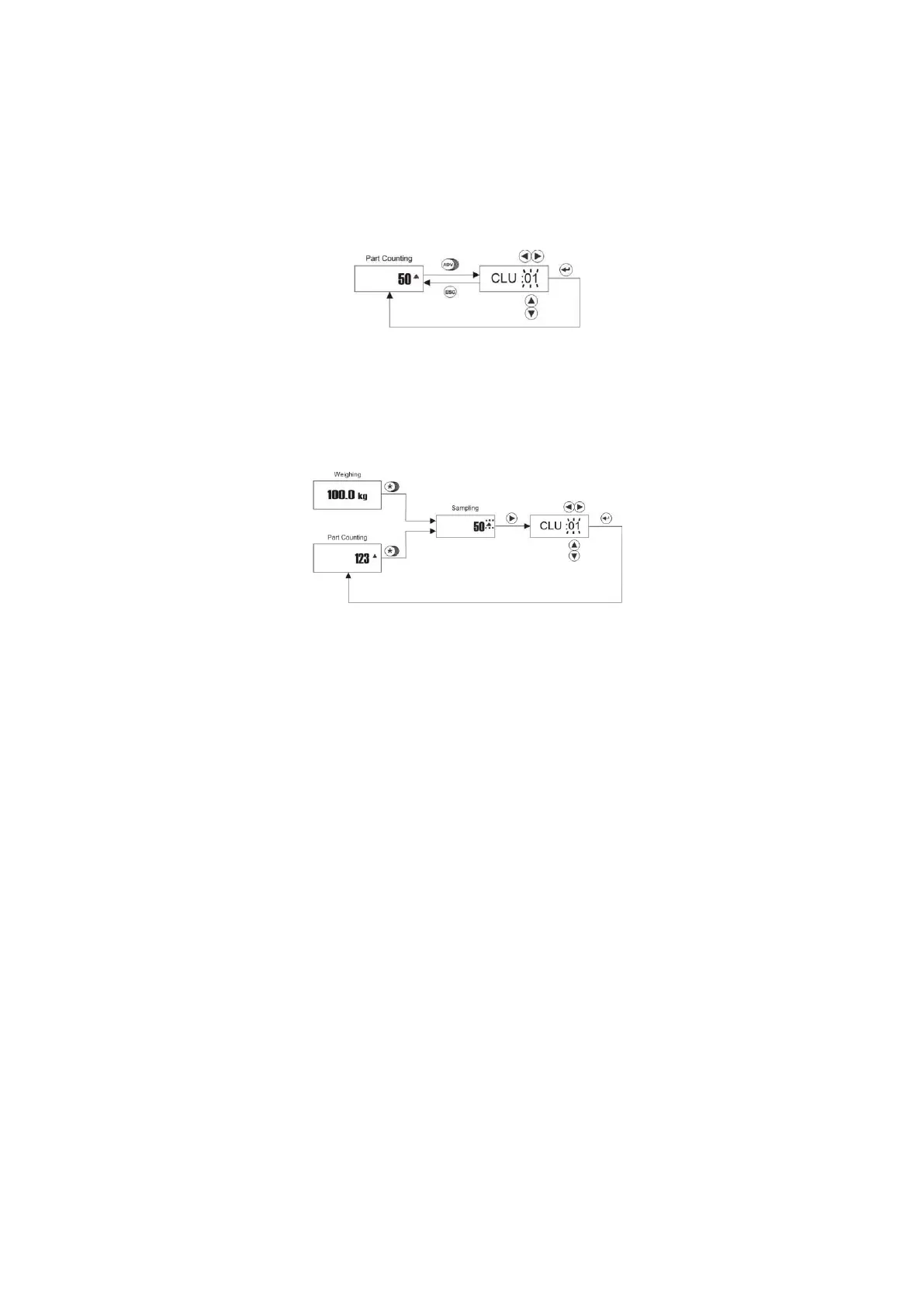
Up to 100 average piece weights APW of the different materials can be saved in the CLU memory. For saving
of APW into the CLU memory, press ADV key in piece counting mode longer than one second
Press ▲ and ▼ keys to increase / decrease the flashing digit. Press ► and ◄ to shift to the next digit..
After accessing the desired memory code, press Enter key for saving. The indicator returns to the counting
operation automatically.
Counting with preset APW record
To access to memory database press * key longer in counting mode or in weighing mode and then ► key.
Press Enter key after accessing the CLU memory code with navigation keys.



 To Next Page