Page 64 CWT Compact Touch Installation and Maintenanace Manual Issue 13
2. Close the SIM card holder.
3. Write the subscription telephone number / SIM card number on the label and
attach the label, fully legible, inside the cabinet, not on the modem itself
because it might be necessary to replace the modem some time.
Installing the external antenna
Cale antenna part nr: 0040-07115
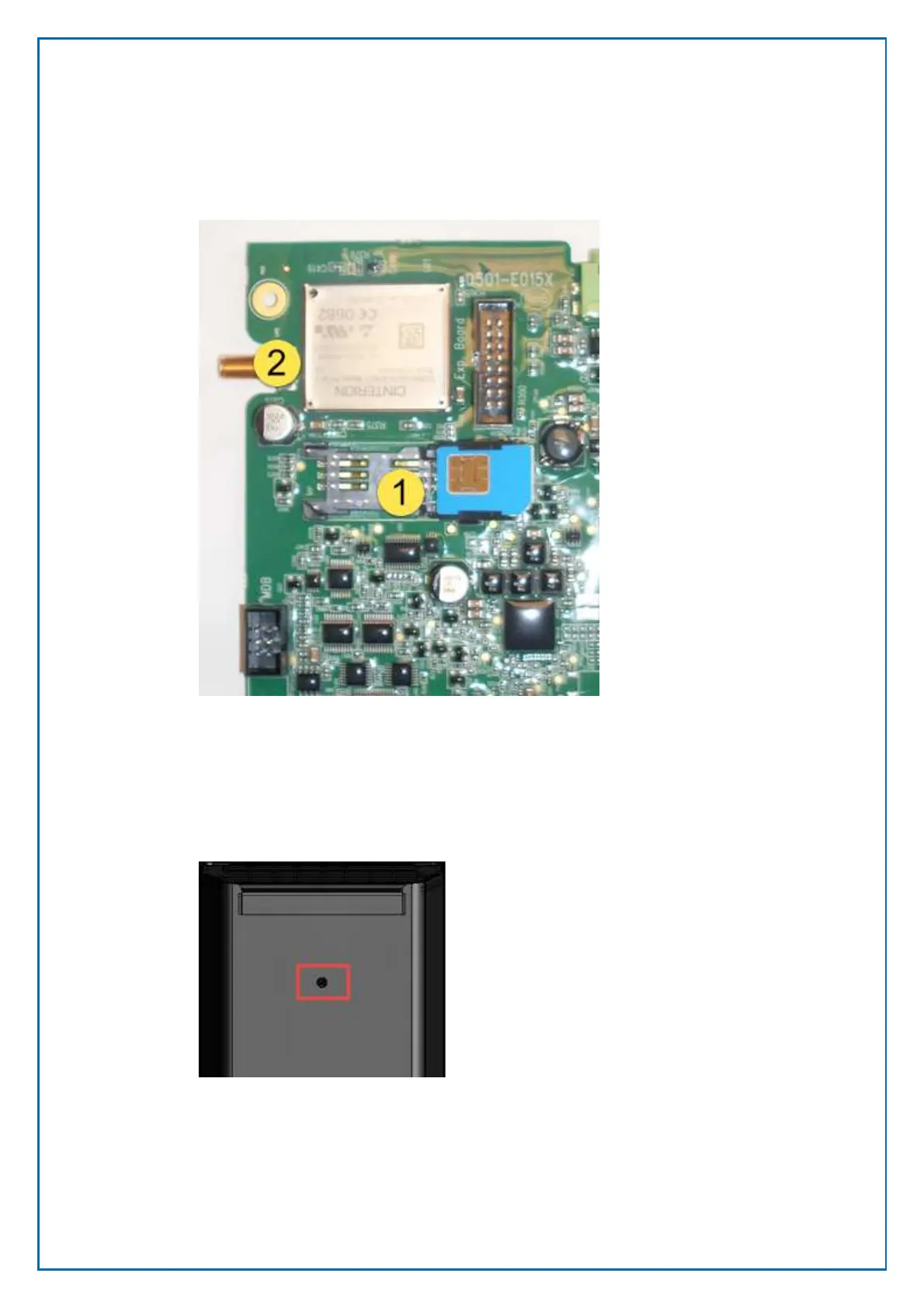
In the back of the CWT Compact there is a prepared hole. The hole is positioned
according to the figure below:
1. Put the antenna in the hole and fasten it with a bolt.
2. Connect the cable to Connector 2 in the image above.
Figure 49, Antenna mpunting hole in a
CWT Compact
Figure 48, SIM card holder in opened position



 To Next Page