Issue 13 CWT Compact Touch Installation and Maintenanace Manual Page 65
5.2.5.1 Checking modem contact with network provider
To check the connection:
1. Switch ON the terminal.
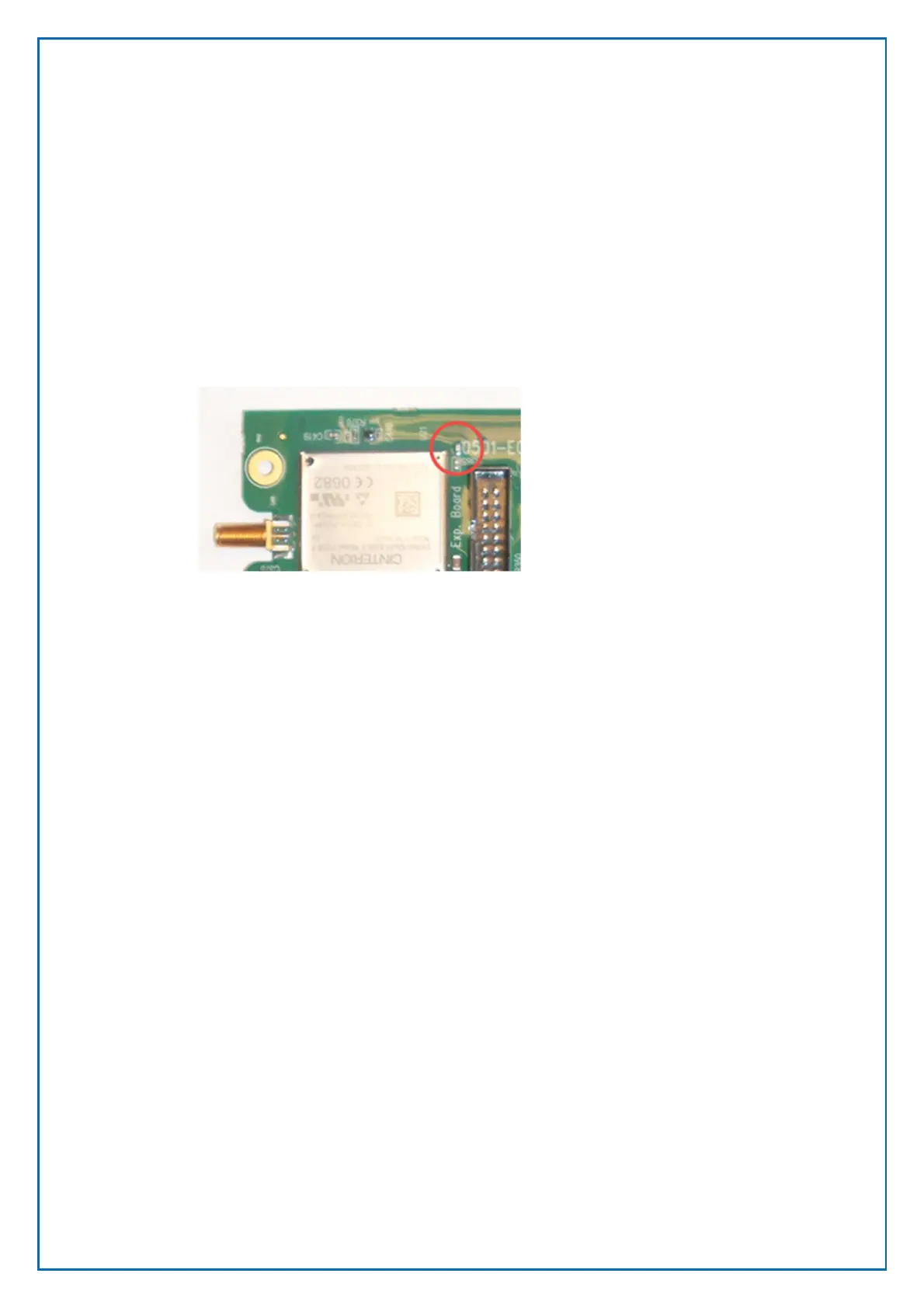
2. Check the LED status indicators on the modem.
LED Status indicator
The LED indicator is located next to the upper right corner of the Modem
processor.
RED Registered in the GSM network. Should always be ON.
YELLOW Connected to the GPRS network. Should always be ON.
GREEN Connected to GPRS network and ready to communicate with, or
communicating with the CWO gateway.
The LED will be turned off when the modem it powered off. If no LED is lit and
the modem is powered on the SIM is not valid or an incorrect PIN code has been
entered in the terminal configuration.
Blinking pattern
10 ms on / 1990 ms off Modem has an active PPP-connection (GPRS and
UMTS) and is ready to communicate.
10 ms on / 3990 ms off Modem registered to a network. No call, no data transfer
active.
500ms on / 500 ms off Limited Network Service (e.g. because no SIM, no PIN
or during network search)
Figure 50, location of the LED status indicator



 To Next Page