Multifunction Tester
How to Zero the Test Leads
25
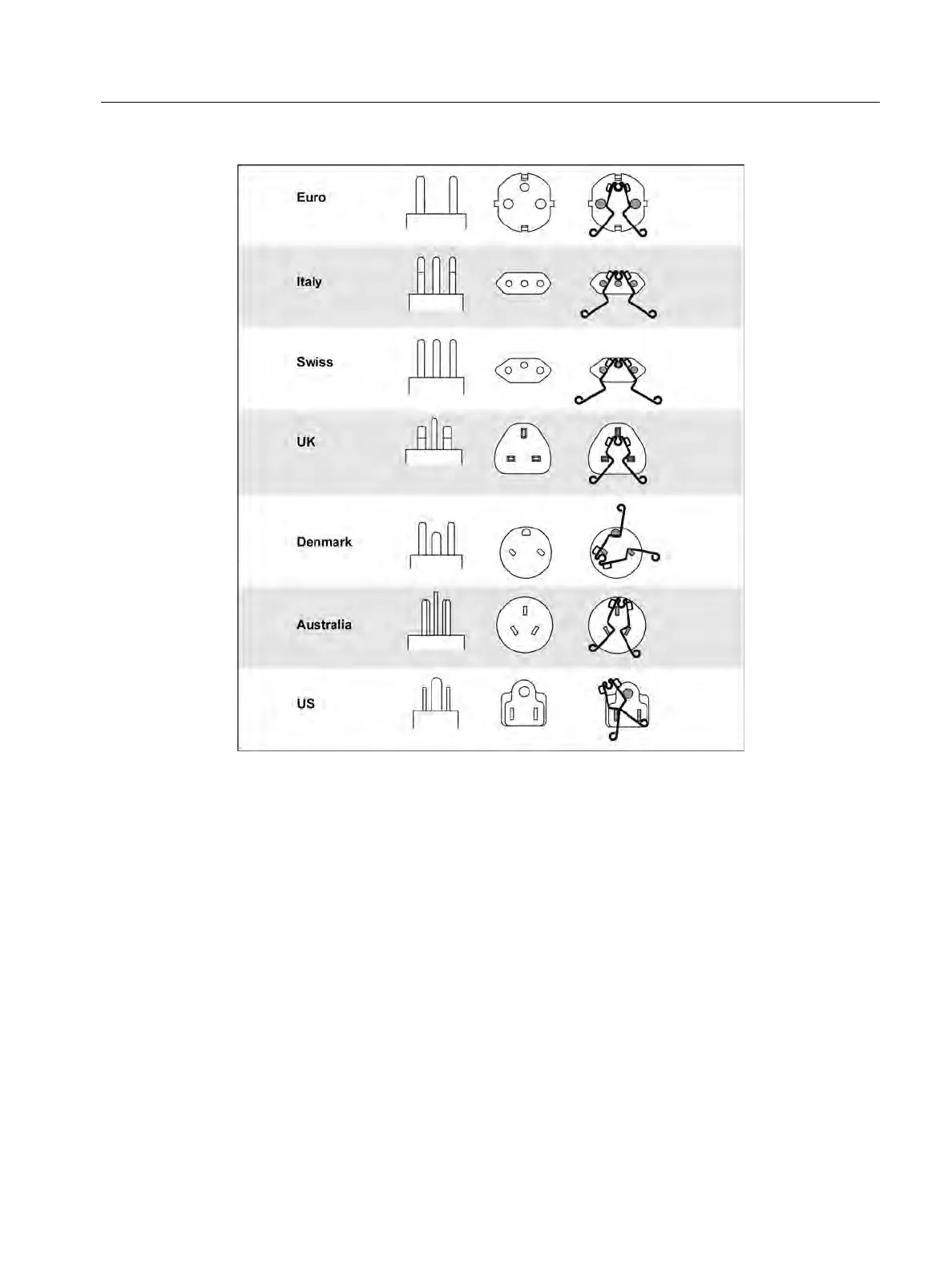
Figure 5. Country-Specific Zero Adapter Configurations
3. Tap ZERO (or navigate to ZERO with the rotary dial and push the center of the dial) to start
the zero operation.
The
annunciator and the offset value show in the primary display.
The beeper sounds when zero value is complete. The Tester measures the lead resistance,
stores the value, and subtracts it from readings. The resistance value is retained when you
turn off the power. If the Tester is in the same function with the same test leads or mains
cord, you do not need to repeat the zero operation.
If the display reads >3.0 Ω, check that all 3 leads are connected and confirm
annunciator
shows. Check for damaged leads. When the measurement has completed and no valid zero
was detected, the zeros are cleared.
Tip: Tap
p to see the connection diagram and more information on screen.
4. For R
LO
, tap to select 10 mA or 250 mA range. A separate zero value is retained for each
range.



 To Next Page