Multifunction Tester
Maintenance
69
The Product has a rechargeable Lithium-ion battery pack.
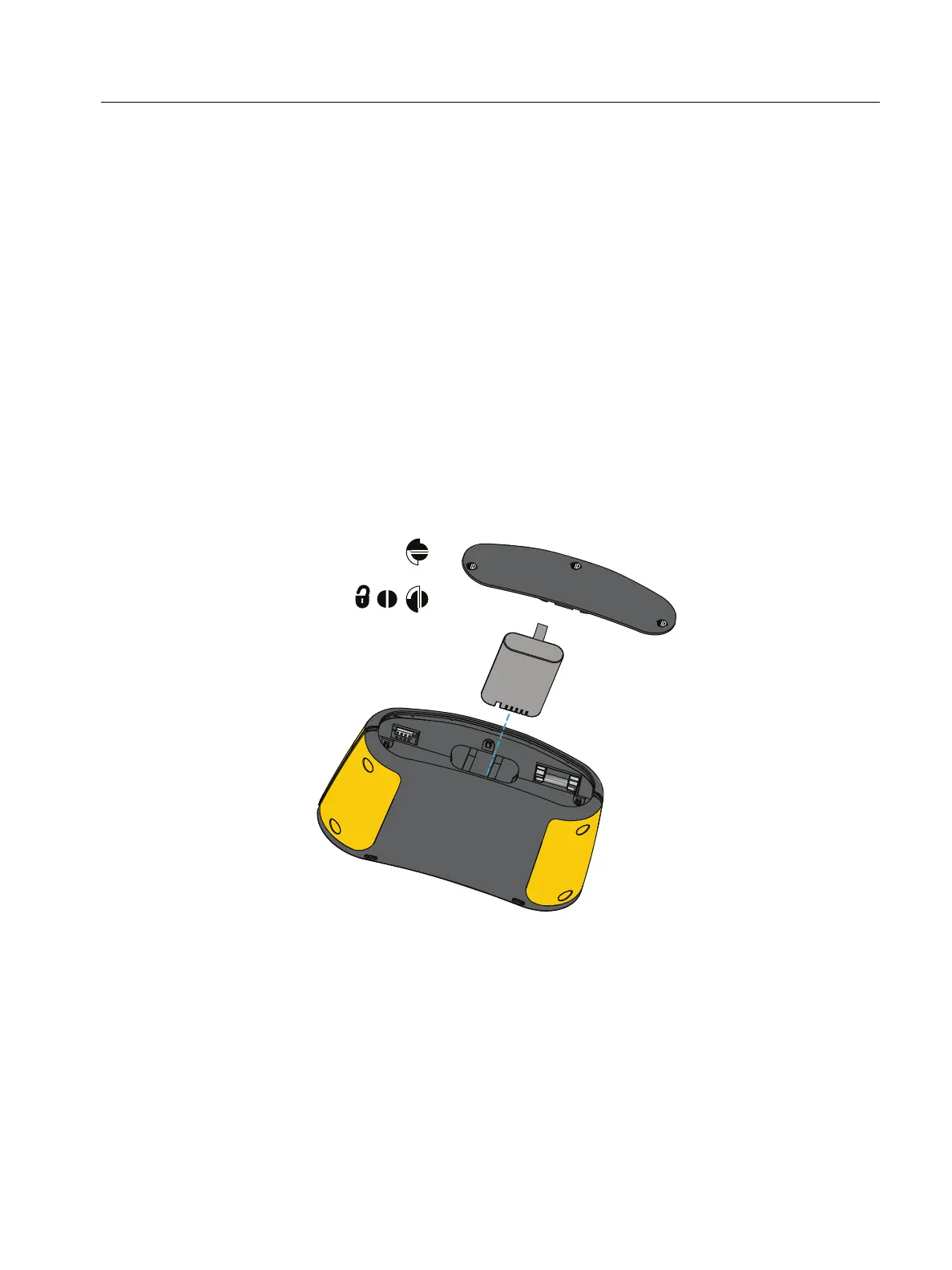
To replace the battery (see Figure 30):
1. Press
A to turn off the Tester.
2. Remove the test leads from the terminals.
3. Use a flat-blade screwdriver to turn the battery door screws (3) one-quarter turn
counterclockwise.
4. Lift up and remove the battery door.
5. Press the release latch and slide the battery out of the Tester.
6. Replace the battery.
7. Replace the battery door.
8. Turn the battery door screws one-quarter turn clockwise to fasten the door.
Figure 30. Battery Replacement



 To Next Page