4.5-8 Section 4: Using the Model 9100: DC Current Function
Final Width = 215mm
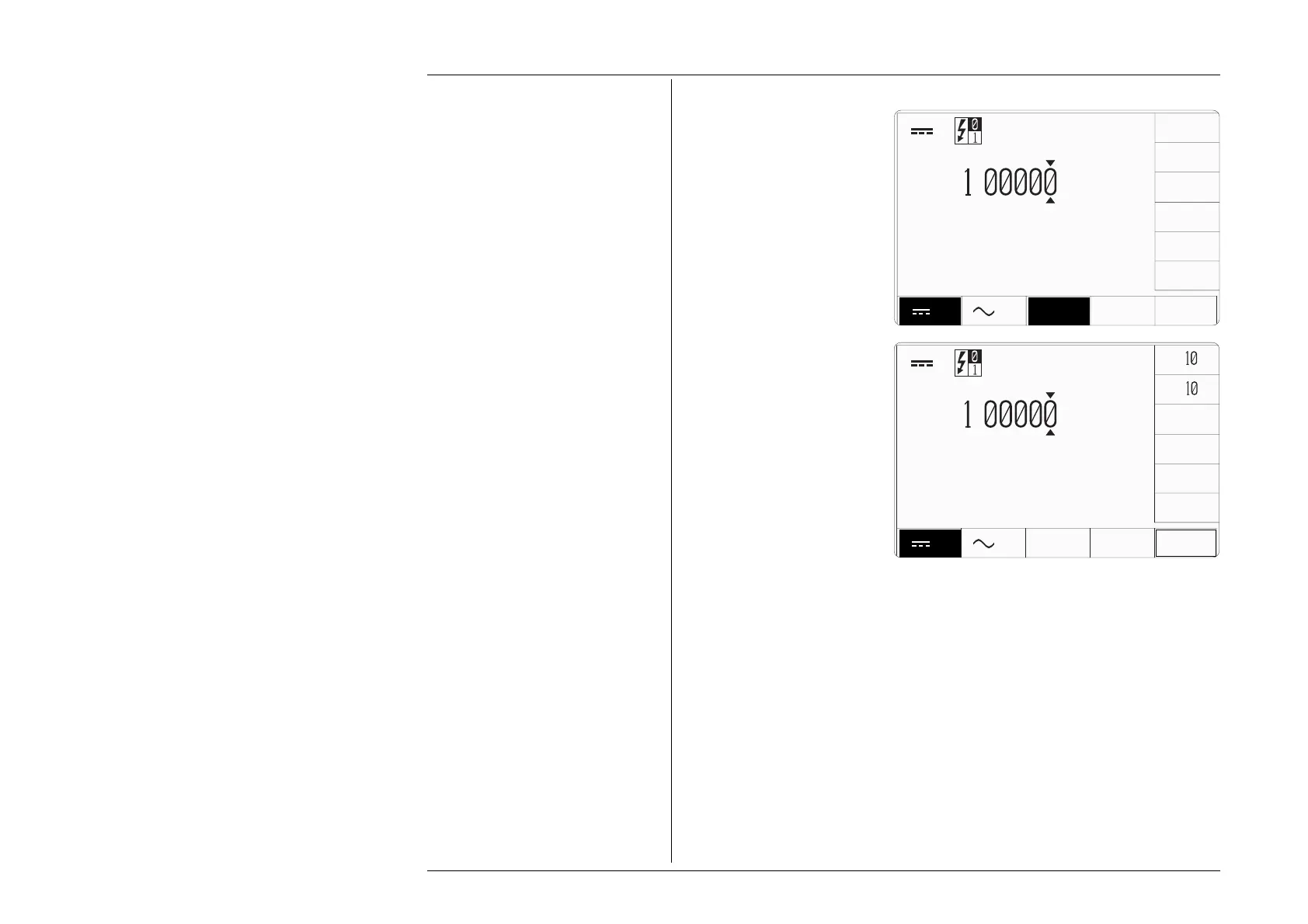
On the DC Current display, a
screen key labelled 'SELECT
OUTPUT
' is located at the center
of the bottom row. After pressing
this key, a menu is presented
against the right-side screen keys,
giving selection from 'Normal
Output', 'Auxiliary Output', '10
Turn Coil' and '50 Turn Coil'.
Pressing one of these keys will
make the relevant connections
and impose the appropriate
internal parameters for the
selected output.
The screen returns to the main
DC Current presentation. No
indication is given on the screen
as to the selected output form.
'SELECT OUTPUT' must be used
to determine which form of output
is active.
4.5.6.1 'NORMAL OUTPUT'
'
NORMAL OUTPUT' is the the default condition, also selectable by the top key on the
'Select Output' menu. DC Current is output via the I+ and I- terminals, with no provision
to guard the output. The maximum span of DC Currents (-20A to +20A) is available from
these terminals.
If the magnitude of the total DCI output (including deviation and offset) is not greater than
10.5A, the 9100 will provide a continuous output.
For a total DCI output with magnitude greater than 10.5A, the length of time that the
output can remain 'ON' is limited by an algorithm:
The total output value is continuously monitored, and the time is counted during
which the output is greater than 10.5A. The maximum time that the output can remain
on and greater than 10.5A is 2 minutes, then its value is reduced by half, and a limit
of 10.5A is imposed. Subsequently, after four times the earlier >10.5A 'ON' time, the
current can once again be raised above 10.5A.
x
∆
÷
A
A
A
ZERO
+
.
A
±
SELECT
OUTPUT
4.5.6 SELECT OUTPUT
∆
A
A
A
+
.
A
SELECT
OUTPUT
NORMAL
OUTPUT
AUX
OUTPUT
10 TURN
COIL
50 TURN
COIL



 To Next Page