EasyManua.ls Logo

Fluke 9100 - Page 365

Fluke 9100
386 pages
Print Icon
To Next Page IconTo Next Page
To Previous Page IconTo Previous Page
Loading...
Section 5: Using the Model 9100: Procedure Mode 5.3-13
Final Width = 215mm
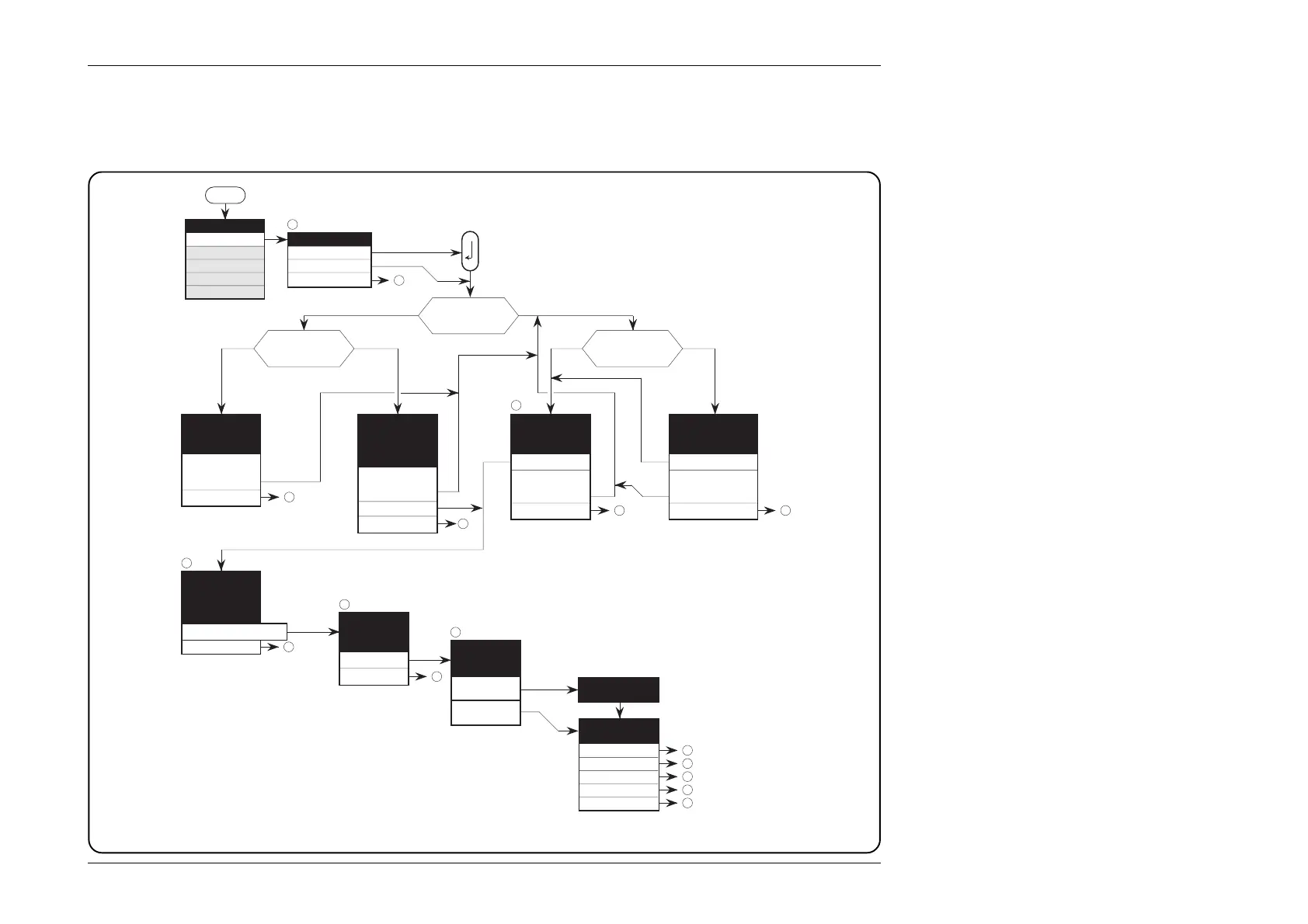
Fig. 5.3.1 Procedure Mode — Access to Procedures
5.3.3.13 Common Operations in Procedure Mode — Summary of Actions
The flow chart in Fig. 5.3.1 summarizes the user actions needed to enter Procedure mode and load the procedure card; then select
the UUT model and its pre-programmed procedures:
1
1
Mode
Mode Selection
PROC
MANUAL
CONFIG
CALIB
TEST
Select USER NAME
XXXXXX
Select
— OK
ABORT
The XXXXX
model has been
loaded
previously
MODEL
Insert new card
NEW CARD
ABORT
Select MODEL
using cursor
keys
Model No. - OK
NEW CARD
ABORT
Insert new card
Select
MANUFACTURER
using cursor keys
Manuf. name. - OK
NEW CARD
ABORT
Insert new card
No
Yes
Is a card loaded
in Procedure slot?
YesNo
Previously-
loaded model?
How many
Manufacturers on
the card?
One
More than
One
There are no
previously
loaded models
NEW CARD
ABORT
Insert new card
1
2
1
1
Select
PROCEDURE
using cursor
keys
1
Procedure Name - OK
ABORT
3
Enter SERIAL
NUMBER of
your meter
OK
ABORT
Selected
Procedure
USER
MODEL
PROC
SERIAL
RETRY
1
2
3
4
5
5
4
1
The procedure has
ended
1
ABORT
END
The procedure has
been ABORTED