FRICK
®
QUANTUM™ LX COMPRESSOR CONTROL PANEL S90-020 M
MAINTENANCE Page 29
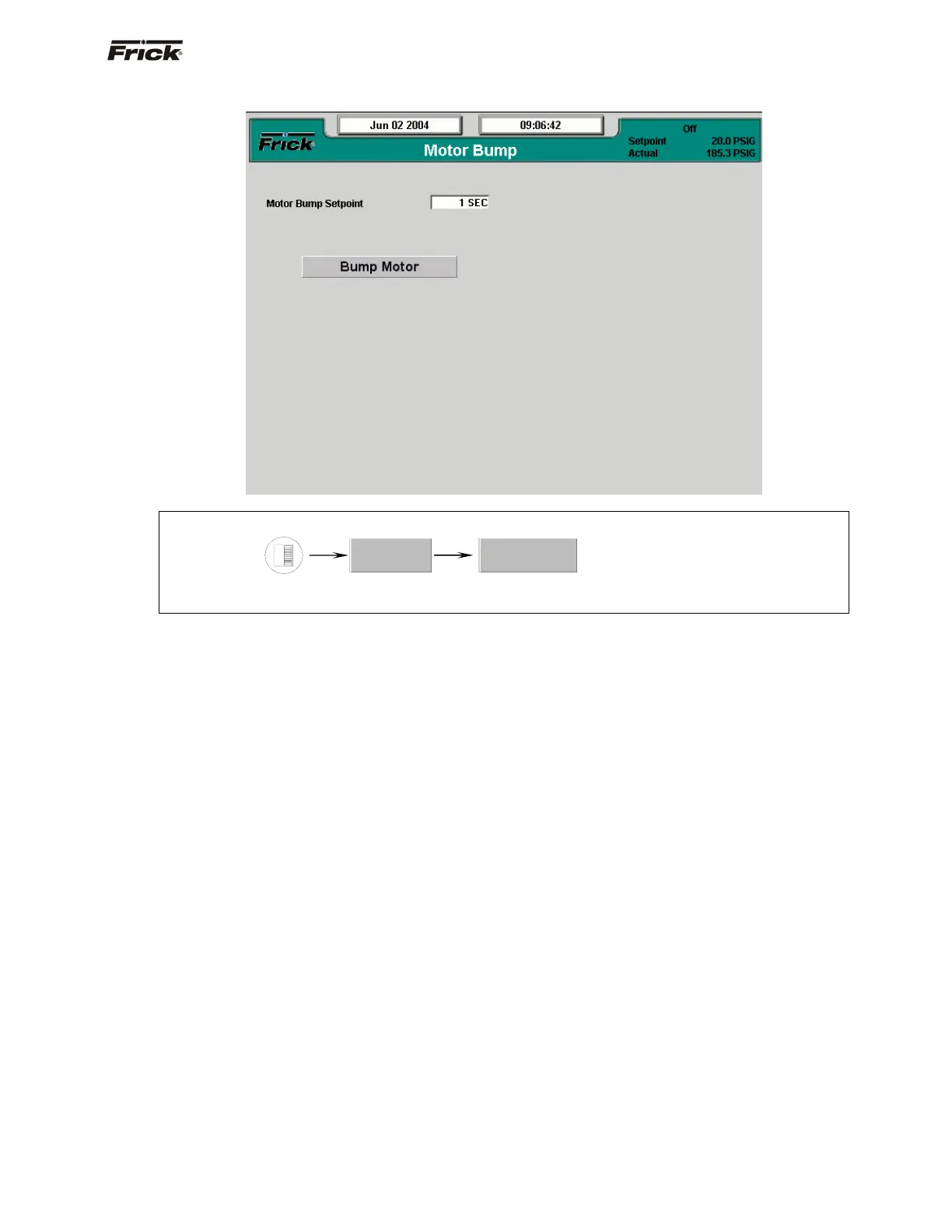
Motor Bump
SCREEN NAME: Analog I/O.
ACCESSING:
DESCRIPTION: The Motor Bump screen has been provided as a way for the service technician to verify
proper motor rotation.
The following setpoint box appears on this screen:
Motor Bump Setpoint - A value form zero (0) to 15
seconds may be entered here. This value is the
amount of time that the compressor motor will be
energized for once the Bump Motor toggle switch has
been selected.
The following toggle switch has been provided:
Bump Motor - When this button has been highlighted,
and the [Enter] key pressed, the compressor motor will be
energized for the period of time as set in the Motor Bump
Setpoint box. It is during this motor spin time, that the
technician can view the motor shaft, for determining
proper rotation. NOTE: Use extreme care in performing
this operation. The compressor shaft linkage must be
disconnected from the motor prior to performing this
test!
For safety reasons, the [Bump Motor] toggle switch only
appears in local mode (at the panel itself). It will not
appear when viewing this panel remotely.
Service…
Motor Bump





 To Next Page