S90-020 M FRICK
®
QUANTUM™ LX COMPRESSOR CONTROL PANEL
Page 30 MAINTENANCE
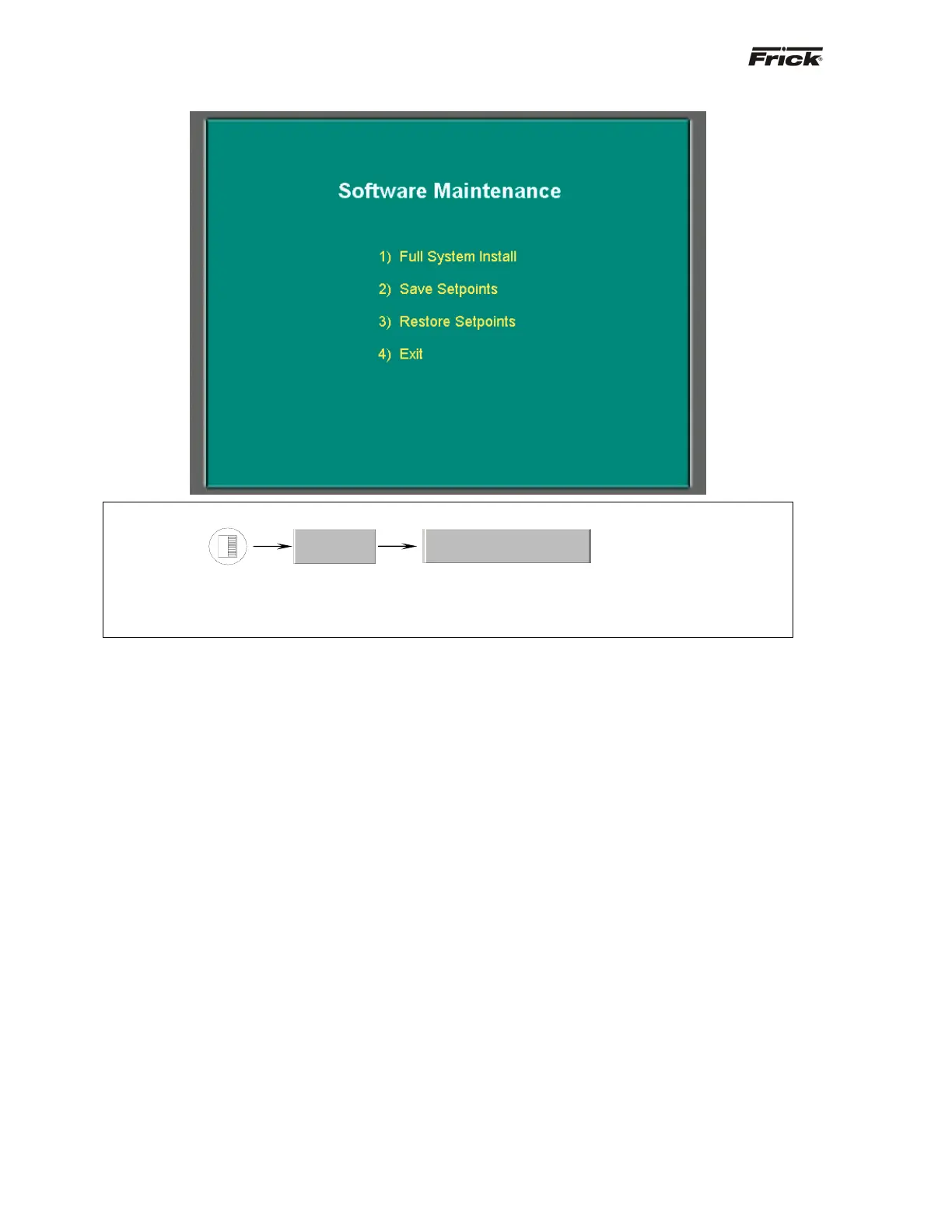
Software Maintenance
SCREEN NAME: Analog I/O.
ACCESSING:
DESCRIPTION: The Software Maintenance screen has been provided as a way for the user to upload the
operating software to their system, to save setpoints or to restore setpoints. NOTE: Before accessing this
screen, it is recommended that a USB adapter, a flash card reader and Frick flash card (P/N 649A0884Gxx)
be plugged into the USB port of the Quantum™.
The following selections have been provided:
1) Full System Install - Use this option to install the
entire operating system. This function will not
overwrite any setpoints or custom text that may have
previously been setup:
• Ensure that a USB Adapter, flash card
reader and flash card have been installed
prior to accessing this screen.
• Ensure that all setpoint values have been
documented as a safety precaution.
• Press numeral [1] on the keypad.
• A status bar will appear on the screen, with
the words Installing Software. As the
software is being uploaded from the flash
card into the Quantum™, this bar will show
the progress.
• When finished, the status bar will disappear,
and the above screen will be shown.
• Press numeral [4] to exit back to the
Operating Status screen.
2) Save Setpoints - Use this option to save all
setpoints and custom text to a flash card as a form of
backup:
• Ensure that a USB Adapter, flash card
reader and flash card have been installed
prior to accessing this screen.
• Ensure that all setpoint values have been
documented as a safety precaution.
• Press numeral [2] on the keypad.
• A status bar will appear on the screen, with
the words Saving Setpoints. As the software
is being uploaded from the flash card into the
Quantum™, this bar will show the progress.
• When finished, the status bar will disappear,
and the above screen will be shown.
• Press numeral [4] to exit back to the
Operating Status screen.
3) Restore Setpoints - Use this option to restore all
setpoints and custom text from a flash card to the
Quantum™. This would be useful in the event that the
original setpoints would need to be re-loaded:
• Ensure that a USB Adapter, flash card
reader and flash card have been installed
prior to accessing this screen.
• Ensure that all setpoint values have been
documented as a safety precaution.
• Press numeral [3] on the keypad.
• A status bar will appear on the screen, with
the words Restoring Setpoints. As the
software is being downloaded from the
Quantum™ to the flash card, this bar will
show the progress.
• When finished, the status bar will disappear,
and the screen will be as shown above.
• Press numeral [4] to exit back to the
Operating Status screen.
• 4) Exit - Use this selection to leave this screen
and return to the Operating Status screen.
Service…
Software Maintenance





 To Next Page