QUANTUM
™
LX EVAPORATOR CONTROL PANEL
COMMUNICATIONS SETUP
090.610-CS (MAY 2016)
Page 46
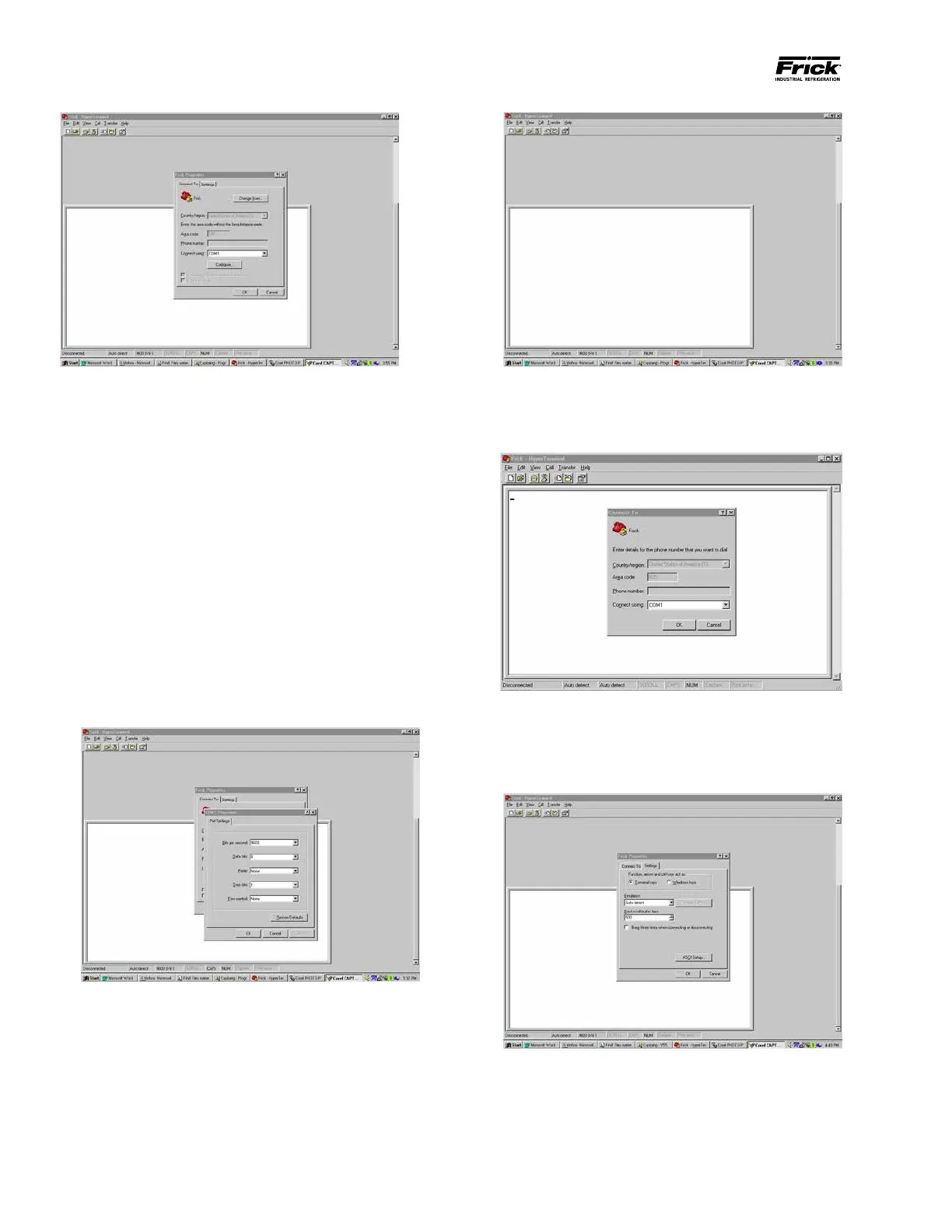
A pull down menu will appear. From this menu, locate
and click on [Properties]. You will once again see the
following screen. This time, click on the [Settings] tab.
The computer will need to be set up to match the doc-
umentation as presented here, for everything to look
and work as shown later. To do this, click on the [ASCII
Setup…] button.
On the ASCII Setup screen, for best results, check the
boxes according to the following chart:
The Com-1 properties dialog box will now appear. The
parameters in this box must match the requirements
of the protocol that you are wishing to use. The one
box that normally would need to be changed from one
protocol to the next is the Data Bits box.
For the purpose of this document, Frick® # protocol
will be used. Refer to the MODBUS® ASCII section of
this manual for information on MODBUS®.
Set the ve boxes as follows, then click [OK].
• Bits per second: 9600 (must match the Quan-
tum™)
• Data bits: 8
• Parity: None
• Stop Bits: 1
• Flow Control: None
The following screen will appear. This is the screen
whereby all communications (out of the computer,
and into it) will be shown. When valid data is typed in
here, then sent, the connected device recognizes and
responds to that data, and a response will be shown
below the sent data. Click on [File].





 To Next Page