Home
fSONA
Touch terminals
Sonabeam E Series
Page 25
fSONA Sonabeam E Series - Page 25
87 pages
Manual
Save Page as PDF
To Next Page
To Next Page
To Previous Page
To Previous Page
Loading...
Preparing Y
our Install
ation Site
w
ireless
at the spee
d of
light
…………
….
15
SONAbeam E
-Series Inst
alla
tion Manual
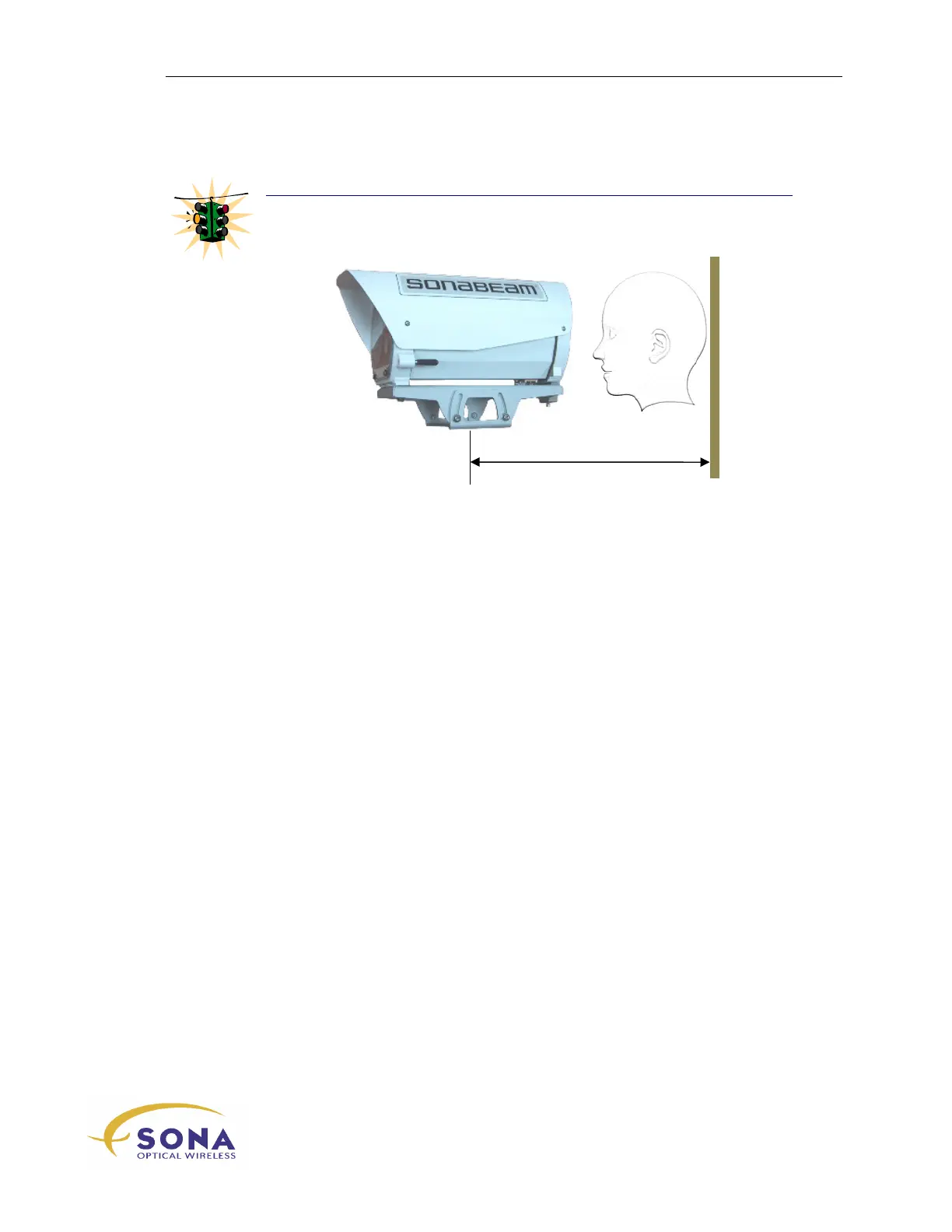
WARNING
!
When moun
ting y
our termina
l on a wa
ll, be sure to
allow for sp
ace BE
HIND the
terminal fo
r installation
and
alignment, a
s illustrated
here.
24
26
Table of Contents
Main Page
Default Chapter
7
Table of Contents
7
About this Manual
11
How this Manual Is Organized
11
Conventions Used in this Manual
12
Safety First
12
Installation Quick Sheet
12
Product Labeling
13
About Your Sonabeam Terminal
15
Preparing Your Installation Site
17
Locating Your Sonabeam Terminals
17
Site Safety
18
Site Accessibility
18
Site Security
18
Site Stability
19
East-West Orientation
19
Accessibility to Power, Ground and Communications Feeds
19
Line of Sight Clarity
20
Generating a Rooftop Site Map
20
Terminal Mounting Options
21
Pole/Wall Mount
23
Pedestal Mount
24
Customer Fabricated Mount
24
Sonabeam Power Requirements
26
DC Power Source
27
AC Power Source
27
Sonabeam Safety Certification
28
Power over Ethernet
29
Sonabeam Fiber Requirements
30
Customer Interface Box
31
Additional Considerations
31
Unpacking Your Sonabeam Terminal
33
The Product Package
33
Optional Accessories
35
Unpacking the Optical Head
37
Unpacking Your Installation Kit
37
Installing Your Sonabeam Terminal
39
Safety First, Safety Always
39
Before You Begin
39
Required Tools and Accessories
40
Installing the (Optional) Pole Mount
40
Installing the (Optional) Pedestal Mount
42
Installing the Optical Head
42
Customer Interface Connections
43
Optional Customer Cabling Kit
44
Sonabeam Customer Interface Area
44
E-Series Customer Interfaces
48
Power Connections
49
Network Communications Cables
51
Terminal Management Connections
53
Terminal Mgmt RS232 Interface
54
Strain Relief for Your Interface Cabling
55
Connections at the Customer Interface Box
56
Initial Power up and Terminal Configuration
57
Sonabeam Utilities CD
58
Sonabeam Terminal Controller Software
58
Connecting a PC to Your Sonabeam Terminal
59
USB Connection
59
RJ45 Serial Adapter
60
Sonabeam Terminal Power up
60
Verifying Initial Power up Operation
61
Sonabeam Terminal Status Led's
61
Verifying Power up Operation with STC
62
Setting up Your Sonabeam Terminal
62
Initial Configuration Wizard
63
Sonabeam Diagnostics
64
Sonabeam Transmitter Orientations
64
Network Connection for Alignment
65
Aligning Your Sonabeam Terminals
67
Before You Begin
67
Alignment Adjustments
68
Coarse Azimuth Adjustment
68
Coarse Elevation Control
69
Fine Azimuth & Elevation Tuning
70
Stage 1 - Visual Alignment
71
Stage 2 - Finding Your FSO Signal
73
Stage 3 - Fine Tuning Your Alignment
76
Received Signal Strength Guide
78
Stage 4 - Locking Your Final Alignment
79
Completing the Installation
80
Deploying Your Sonabeam Link
83
Putting Sonabeam Link to Work
83
System Problems
85



 To Next Page