Installing Your SONAbeam Terminal
38
wireless at the speed of light …………….
NAbeam E-Series Installation Manual
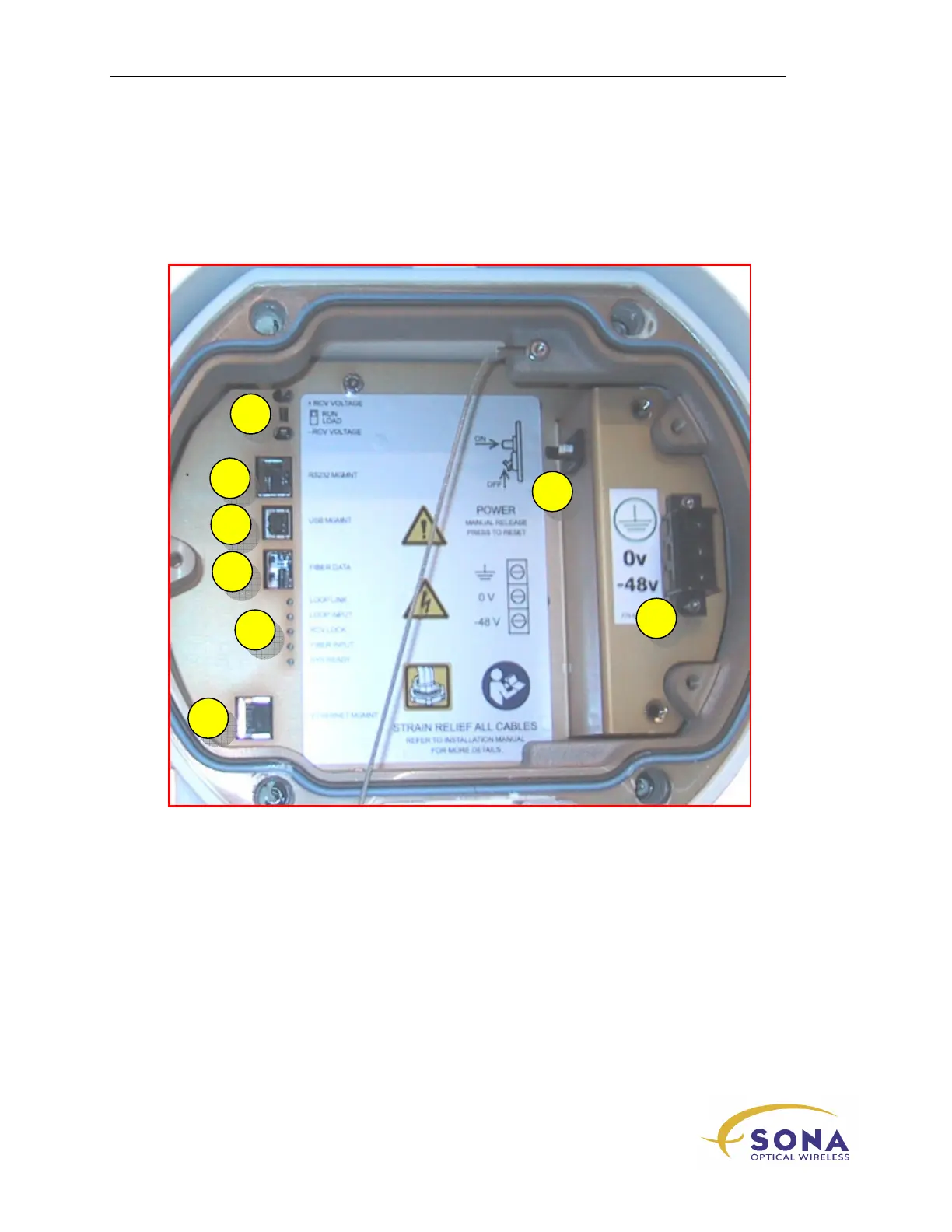
E-Series Customer Interfaces
Your SONAbeam E-Series terminal provides the following customer interfaces:
1
DVM terminals for alignment
5
Terminal Status LEDs
2
Terminal Management port – RS232
6
Terminal Management port –
Ethernet
3
Terminal Management port – USB
7
Terminal Power Circuit
Breaker/Switch
4
Network Traffic SFP
8
Terminal Power Input
2
1
3
4
5
8
7
6



 To Next Page