Initial Power Up and Terminal Configuration
50
wireless at the speed of light …………….
NAbeam E-Series Installation Manual
RJ45 Serial Adapter
To facilitate the connection of the SONAbeam to your PC, a
serial cable adapter is included as part of the optional Basic
Alignment Kit. This adapter provides a Null Modem
interface as well as adapting the computer’s serial port –
typically a DB-9 type connector – to an RJ45 type
connector.
Use this adapter with any standard, straight-through CAT5
cable with RJ45 ends.
SONAbeam Terminal Power Up
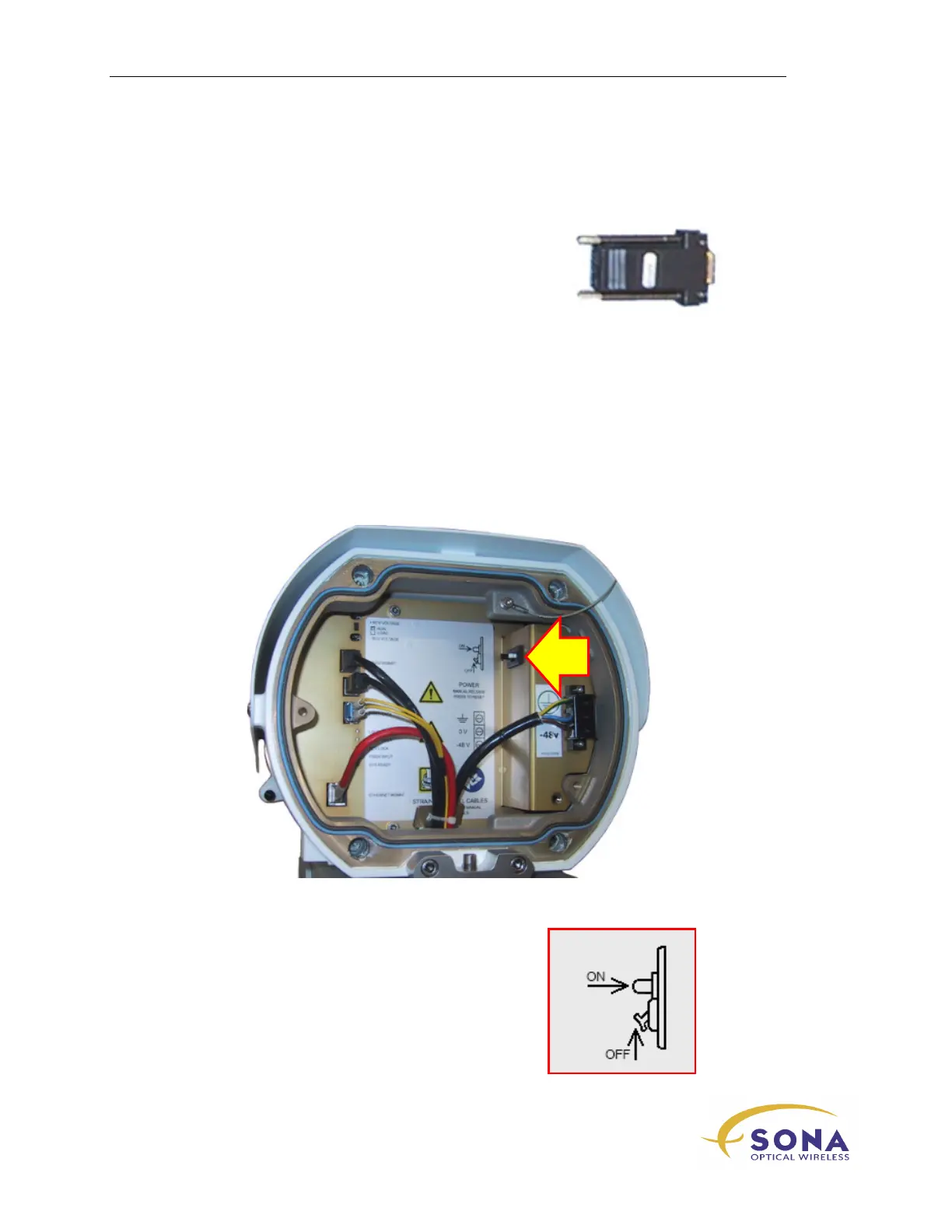
Your SONAbeam E-Series terminal is equipped with a resettable circuit protector with a
manual release mechanism, located in the terminal’s Customer Interface Area, as shown
in Figure 19. This combines the functionality of a power switch with the protection and
convenience of a resettable circuit breaker.
Figure 19 – Terminal’s Resettable Circuit Protector
Operating this circuit switch/protector is illustrated here:



 To Next Page