Installing Your SONAbeam Terminal
wireless at the speed of light …………….
39
-Series Installation Manual
Power Connections
The SONAbeam E-Series terminal receives power at its Power Terminal Strip located in
the Customer Interface Area. Terminating your power cable entails preparing the end of
the power cable, opening the cover to access the power terminals, cinching each wire in
the power cable to its appropriate power terminal and replacing the cover.
These operations are detailed in this section…
WARNING!
Be sure power is DISCONNECTED at the source before terminating the power
cable!
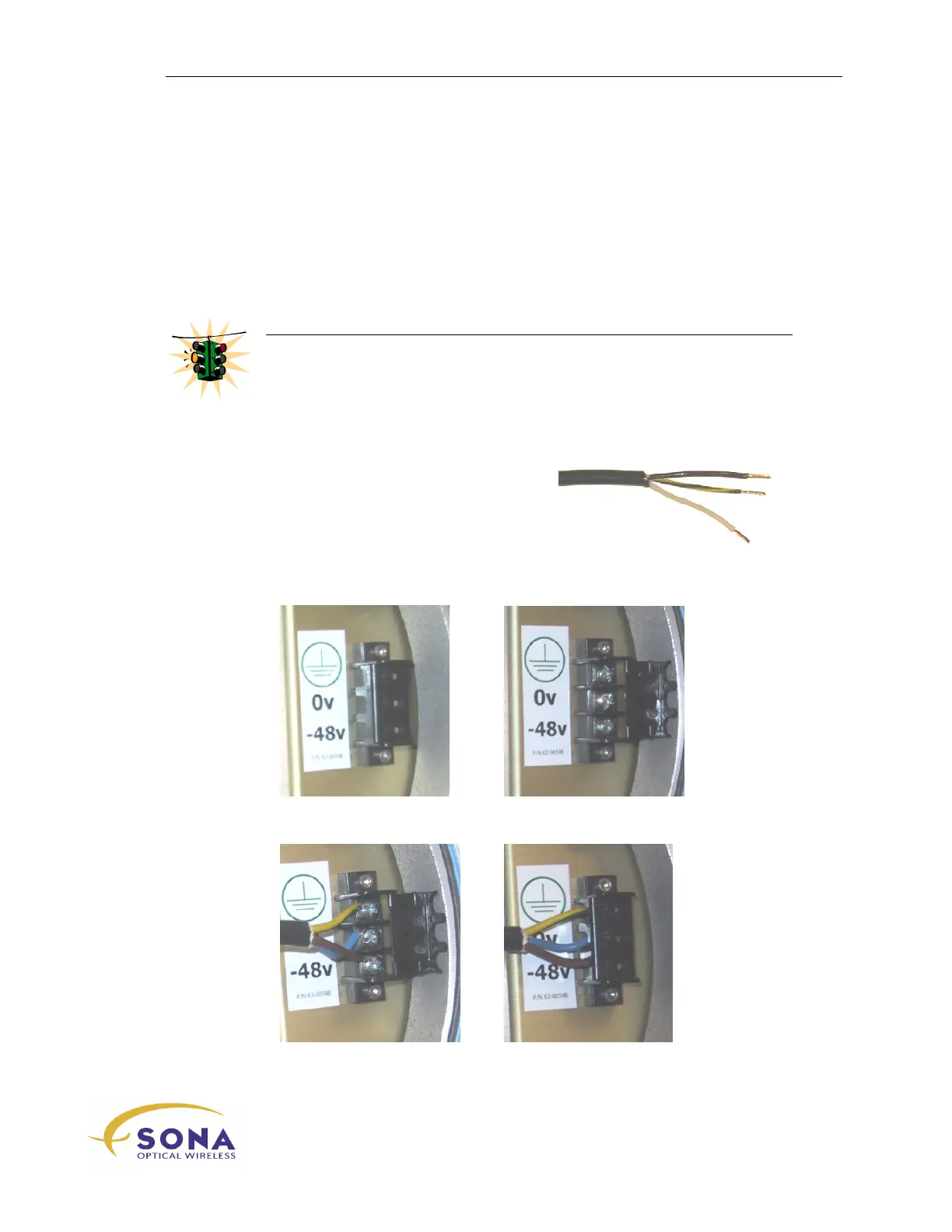
To affix the Power Connector:
1.
Prepare the end of the power cable by
stripping 35mm (1¼”) of jacket from
the cable end and then stripping 6.5mm
(¼”) of insulation from the end of each
of the three wires, twisting them firmly
together...
2.
Snap open the Power Terminal Cover:
3.
Firmly attach your power cable wires and close the Power Terminal Cover:



 To Next Page