Aligning Your SONAbeam Terminals
70
wireless at the speed of light …………….
NAbeam E-Series Installation Manual
Completing the Installation
Completing your installation entails any or all of the following:
1 -
Removing the alignment telescopes.
NOTE…
Take proper care of your Alignment Tool Kits and they will serve you well
for many installations…
2 -
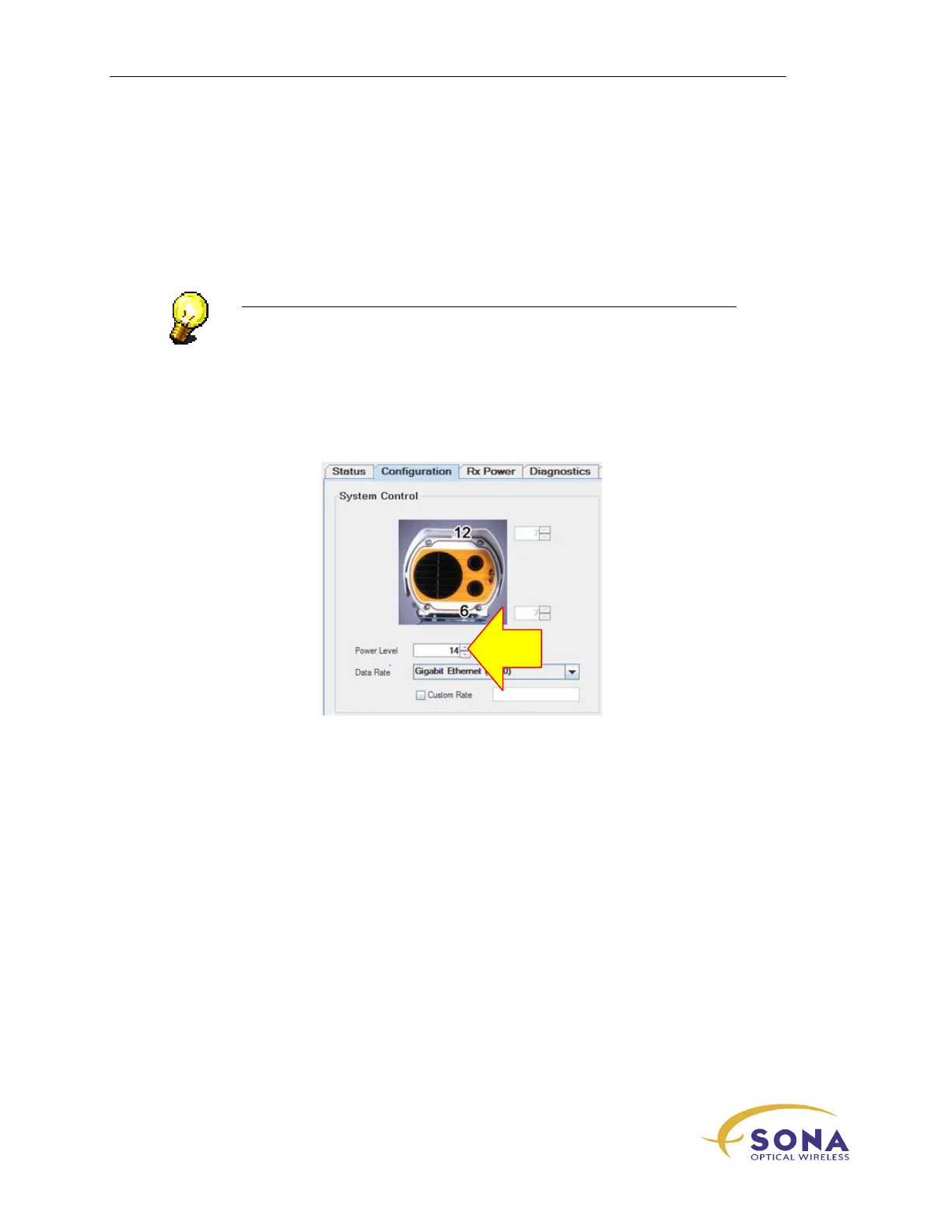
Setup your terminals for maximum power:
If your terminals are both set to maximum
Power Level
(14), nothing further
needs be done.
If you have reduced your terminal’s
Power Level
to avoid receiver saturation
during alignment, use your STC to increase the terminal’s
Power Level
to
either the maximum (14) OR to produce the highest allowable Rx Power reading
according to the following:
Terminal Type Max Allowable Rx Power
155-E 1200µW
1250-E 1500µW
3 -
Removing any temporary connections to the SONAbeams & restoring any
temporary disconnections.
4 -
CAREFULLY replacing the Customer Interface Area cover.



 To Next Page