Aligning Your SONAbeam Terminals
wireless at the speed of light …………….
71
-Series Installation Manual
WARNING!
When replacing the cover to the Customer Interface Area, ensure the cover’s
gasket is properly seated in the terminal’s housing and be careful not to
pinch any of your interfacing cabling!
Sequentially tighten each of the cover screws one turn at a time to ensure the
cover sits true to the housing…
5 -
Replacing the cover to your (customer-supplied) Customer Interface Box.
6 -
Executing an appropriate acceptance test.
NOTE…
It is best to include your Network Management personnel in devising and
implementing a realistic deployment plan suited to the specific application
of your SONAbeam link…
WARNING!
Contact the appropriate Network Management personnel prior to initiating
the live deployment of the SONAbeam link…
NOTE…
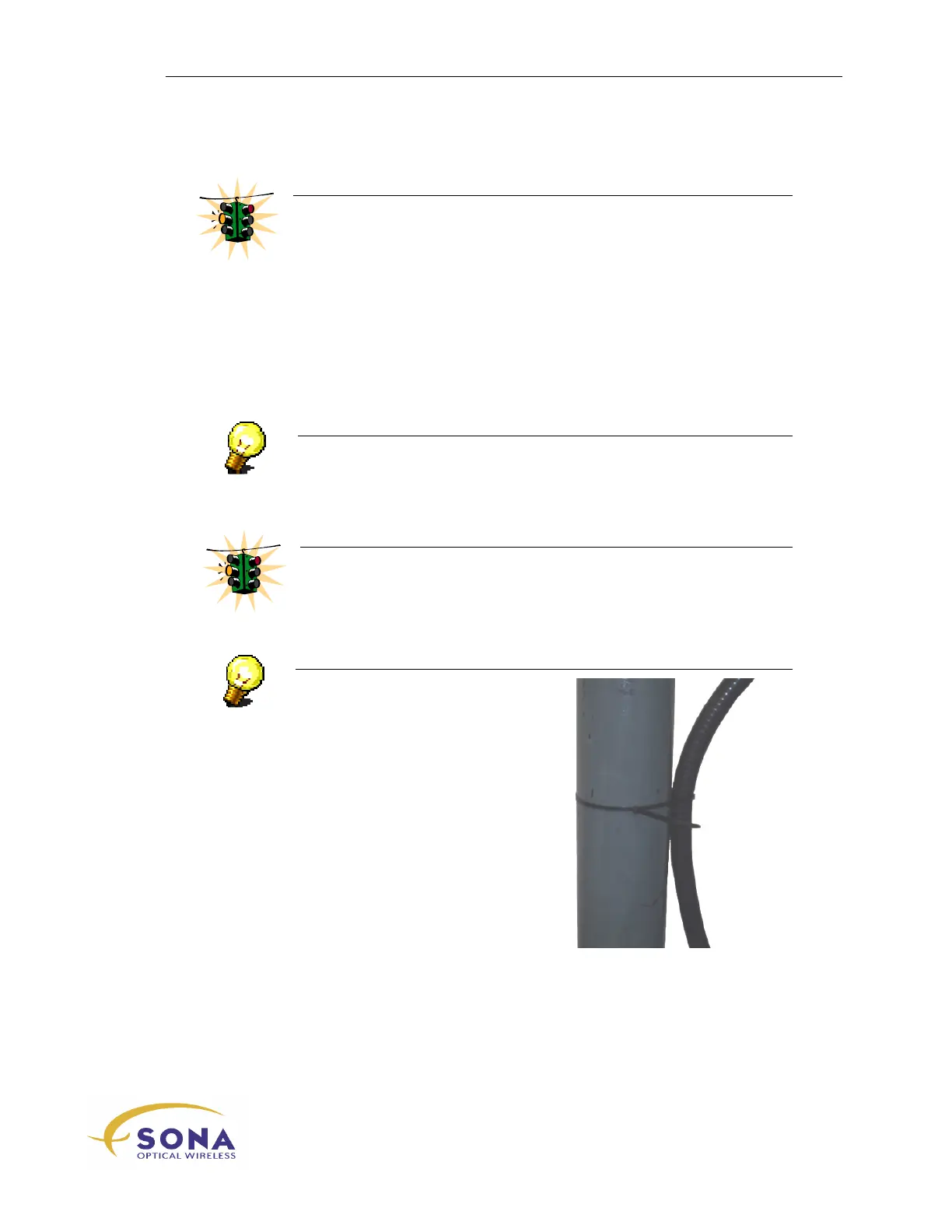
Where applicable, use the large Cable
Ties – included in your Installation Kit
– to secure your Conduit to the
mounting pole, as illustrated here:



 To Next Page