8G093X01 R5
VR Programming Guide
August 2022 Page 61 of 144
5. Programming: For Step 2, Strapped is the preferred configuration. However, if desired,
Selectable may be set instead and then Step 3 is not required. Please note that the
Selectable option requires the end user to follow a two-step process to change talkgroups:
change selector button for PSU channel, and then enter menu to select talkgroup.
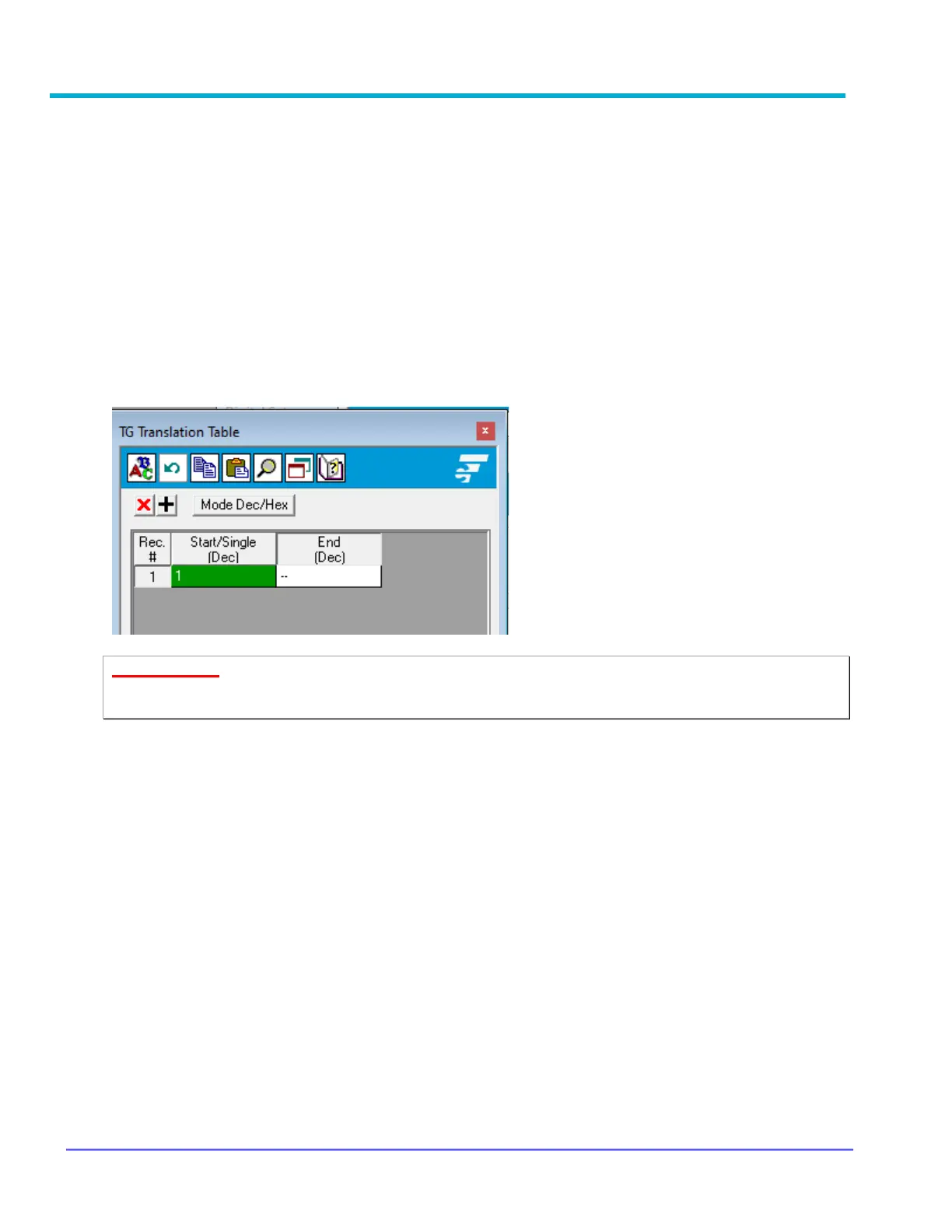
Talkgroup Translation Table
When the local PSU transmits on a TG that is in the VR Translation table, the call will be
transmitted on the TG currently selected on the MSU control head. The local PSUs must be
programmed with Normal squelch or NAC=F7E to be able to receive outbound (system) or MSU
Mic PTT calls when TG Translation is enabled. The TG Translation Table allows the user to
program the Local PSU TG IDs that are enabled for TG Translation. The default list is empty, i.e.,
TG translation is disabled.
To enter a single entry into TG Translation Table, user can enter ‘--' in the end column.
IMPORTANT!
The VR Translation table (and corresponding PSU programming) must not contain TG IDs
that are used by the trunked FNE side.



 To Next Page