2
GPSMAP
®
585 Plus
Keys
Hold to turn the device on or off.
Select to adjust the backlight, adjust the color mode, congure
colors, and enable and disable sonar transmission.
MARK/ WPT
MOB
From a 2D chart or sonar page with the sonar paused, select to mark
your cursor position as a mark.
From a 2D chart with the cursor invisible and no menu shown, select
to mark your boat position as a mark.
From a 2D chart or sonar page, select MENU > MARK/WPT to mark
your boat position as a mark.
From any other page, select to mark your boat position as a mark.
From a 2D chart or sonar page with the sonar paused, hold to mark
your cursor position as a waypoint.
From a 2D chart with the cursor invisible and no menu shown, hold
to mark your boat position as a waypoint.
From a 2D chart or sonar page, select MENU, and hold MARK/WPT
to mark your boat position as a waypoint.
From any other page, hold to mark your boat position as a waypoint.
Hold to open the man overboard (MOB) option.
GOTO Select to go to a selected waypoint or location.
GAIN/
CLUTTER
From a sonar screen, select to adjust the gain.
From a sonar screen, hold to open the clutter menu.
RANGE/ZOOM From a sonar screen, select to adjust the sonar range.
From a sonar screen, hold to open the zoom menu.
Select to scroll, highlight options, and move the cursor.
Select to scroll, highlight options, and move the cursor.
Select to pause sonar.
Select to zoom in to a view.
Select to zoom out of a view.
BACK Select to return to the previous screen. Hold to return to the home
screen.
SELECT Select to select options and acknowledge messages.
MENU Select to open the options menu for each page.
PAGE Select to scroll through pages.
Contacting Garmin Product Support
Go to www.garmin.com.sg/support for in-country support information.
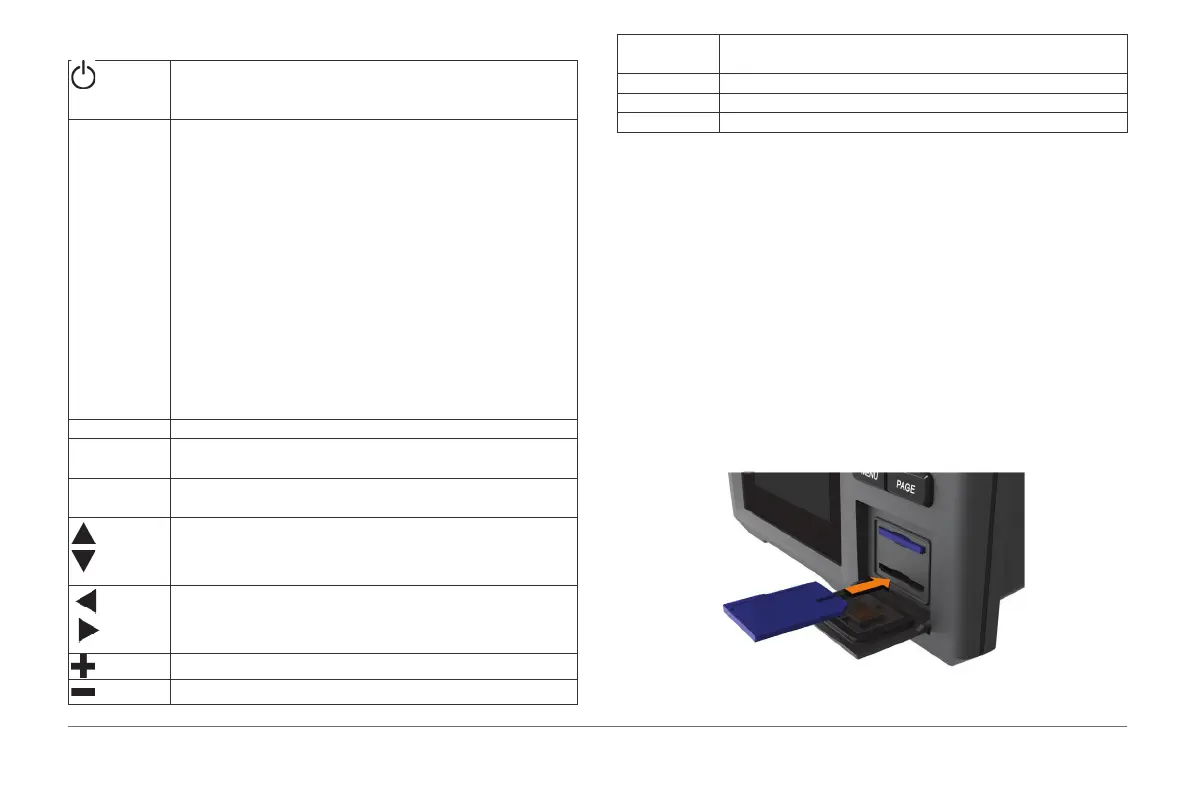
Inserting Memory Cards
You can use optional memory cards in the chartplotter. Map cards allow you
to view high-resolution satellite imagery and aerial reference photos of ports,
harbors, marinas, and other points of interest. You can use blank memory
cards to record sonar/QuickDraw data and transfer data such as waypoints,
routes, and tracks to another compatible Garmin chartplotter or a computer.
1 Open the access ap or door on the front of the chartplotter.
2 Insert the memory card.
3 Press the card in until it clicks.
4 Close the door.



 To Next Page