GPSMAP
®
585 Plus
39
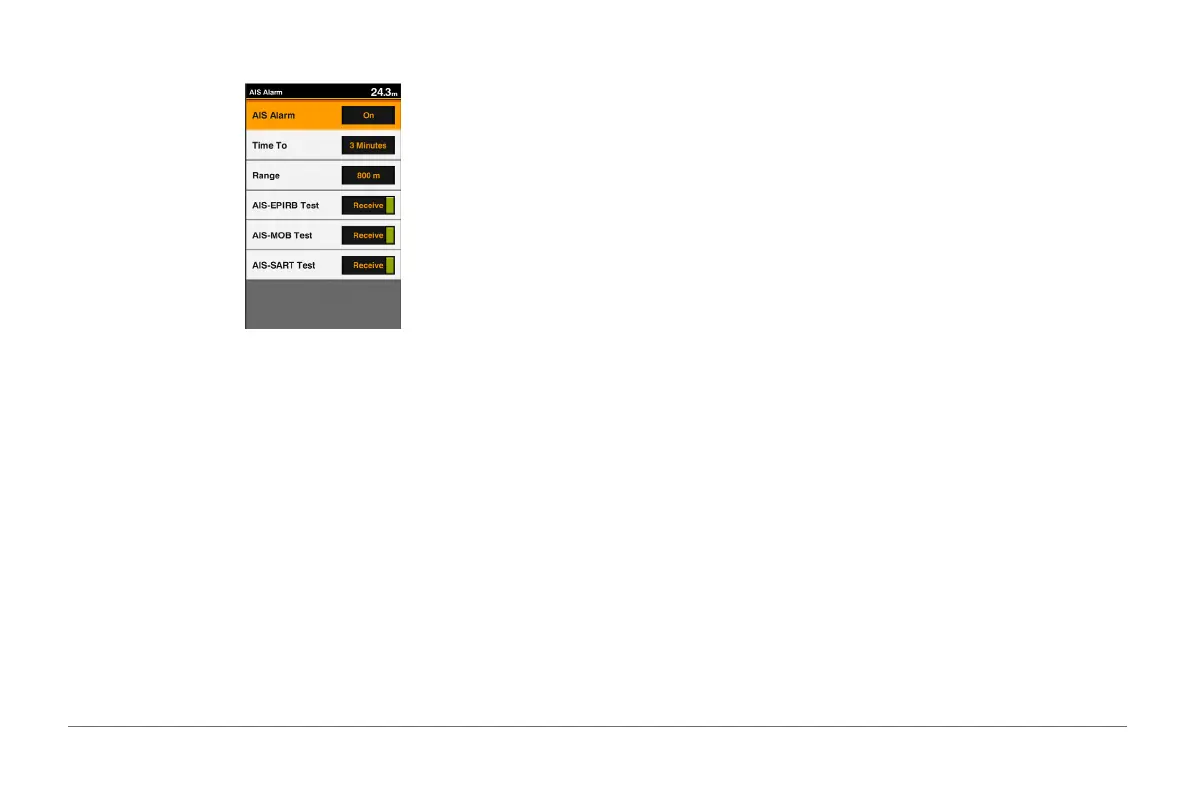
AIS emergency device, you must enable the chartplotter to receive test alerts.
1 From the AIS Radar screen, select MENU > AIS Alarm.
2 Select an option:
• To receive or ignore Emergency Position Indicating Radio Beacon
(EPRIB) test signals, select AIS-EPIRB Test.
• To receive or ignore Man Overboard (MOB) test signals, select AIS-
MOB Test.
• To receive or ignore Search and Rescue Transponder (SART) test
signals, select AIS-SART Test.
Setting the Safe-Zone Collision Alarm
The safe-zone collision alarm is used only with AIS. The safe zone is used for
collision avoidance, and can be customized.
1 From the AIS Radar screen, select MENU > AIS Alarm.
2 Select AIS Alarm > On.
When the AIS alarm is turned off, the message banner and audible alarm
are disabled, but the object is still labeled as dangerous on the screen.
3 Select Range.
4 Select a distance for the safe-zone radius around your vessel.
5 Select Time To.
6 Select a time at which the alarm will sound if a target is determined to
intersect the safe zone.
For example, to be notied of a pending intersection 10 minutes before it
will likely occur, set Time To to 10, and the alarm will sound 10 minutes
before the vessel intersects the safe zone.
A message banner appears and an alarm sounds when an AIS-activated
vessel enters the safe-zone area around your boat. The object is also labeled
as dangerous on the screen. When the alarm is off, the message banner and
audible alarm are disabled, but the object is still labeled as dangerous on the
screen.
VRM and EBL
The variable range marker (VRM) and electronic bearing line (EBL) measure
the distance and bearing from your boat to a target object.
On the AIS Radar screen, the VRM appears as a circle that is centered on the
present location of your boat, and the EBL appears as a line that begins at the
present location of your boat and intersects the VRM. The point of intersection
is the target of the VRM and EBL.
Showing the VRM and EBL
From the AIS Radar screen, select MENU > Show VRM/EBL.
Adjusting the VRM and EBL
Before you can adjust the VRM and EBL, you must show them (page 31).
You can adjust the diameter of the VRM and the angle of the EBL, which
moves the intersection point of the VRM and the EBL.



 To Next Page