GPSMAP
®
585 Plus
11
Split-Screen Frequency
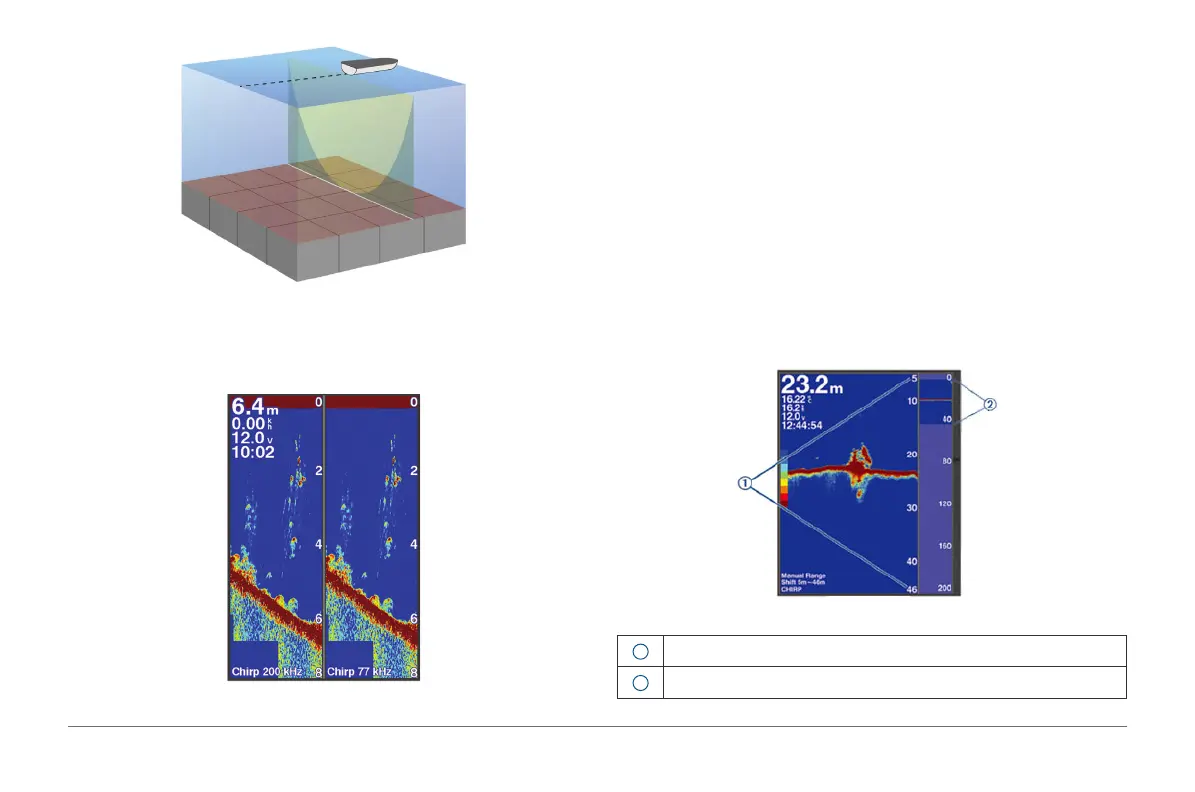
You can view two frequencies from the split frequency screen. This screen is
useful for the same target comparison between two different frequencies.
Shift-Zoom View
On the sonar screen, you can see a full-view graph of sonar readings on the
right side of the screen, and a magnied portion of that graph on the left side
of the screen.
Shift allows you to set the depth range on which the sonar is focused. This
allows you to zoom in a higher resolution in the focused depth.
When using shift, bottom tracking may not work effectively, because the sonar
looks for data within the depth range of the focused area, which may not
include the bottom. Using shift also can impact the scroll speed, because data
outside the depth range of the focused area is not processed, which reduces
the time required to receive and display the data. You can zoom in to the
focused area, which enables you to evaluate target returns more closely at a
higher resolution than just zooming alone.
1
Zoomed depth scale
2
Depth range



 To Next Page