GPSMAP
®
585 Plus
17
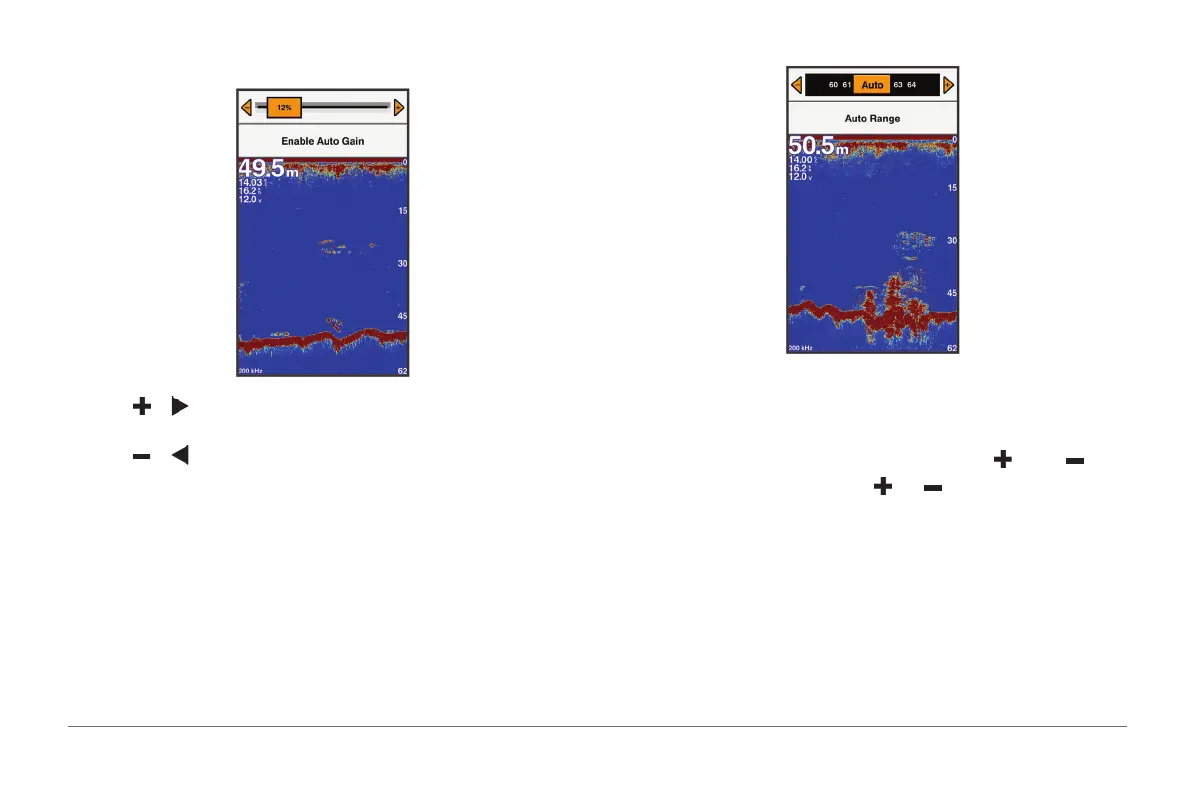
Setting the Gain Manually
1 From a sonar screen, select GAIN.
2 Select or until you begin to see noise in the water portion of the
screen.
3 Select or to decrease the gain.
Adjusting the Range of the Depth Scale
You can adjust the range of the depth scale that appears on the right side of
the screen. Automatic ranging keeps the bottom within the lower third of the
sonar screen, and can be useful for tracking the bottom where there are slow
or moderate terrain changes.
When the depth changes dramatically, like a drop off or cliff, manually
adjusting the range allows a view of a specied depth range. The bottom is
shown on the screen as long as the bottom is anywhere within the manual
range established.
1 From a sonar screen, select RANGE.
2 Select an option:
• To allow the device to adjust the range automatically based on the
depth, select Auto Range.
• To increase or decrease the range manually, select or .
NOTE: From a sonar screen, select and to quickly manually adjust
the range.
Sonar Setup
NOTE: Not all options and settings apply to all models, sounder modules, and
transducers.
Showing and Adjusting the Depth Line
You can show and adjust a horizontal line on a sonar screen. The depth of
the line is indicated on the right side of the screen.



 To Next Page