46
GPSMAP
®
585 Plus
you call using another channel.
1 Select Navigation Info > Other Vessels > DSC List.
2 Select a vessel or a station to call.
3 Select Call With Radio > Channel.
4 Select an available channel.
Making an Individual Routine Call
NOTE: When initiating a call from the chartplotter, if the radio does not have
an MMSI number programmed, the radio will not receive call information.
1 Select Navigation Info > Other Vessels > DSC List.
2 Select a vessel or a station to call.
3 Select Call With Radio.
4 If necessary, select Channel, and select a new channel.
5 Select Send.
The chartplotter sends information about the call to the radio.
6 On your Garmin VHF radio, select Call.
Making an Individual Routine Call to an AIS Target
1 From a chart or 3D chart view, select an AIS target.
2 Select AIS Vessel > Call With Radio.
3 If necessary, select Channel, and select a new channel.
4 Select Send.
The chartplotter sends information about the call to the radio.
5 On your Garmin VHF radio, select Call.
Tide, Current, Lunar Calendar, and Celestial
Information
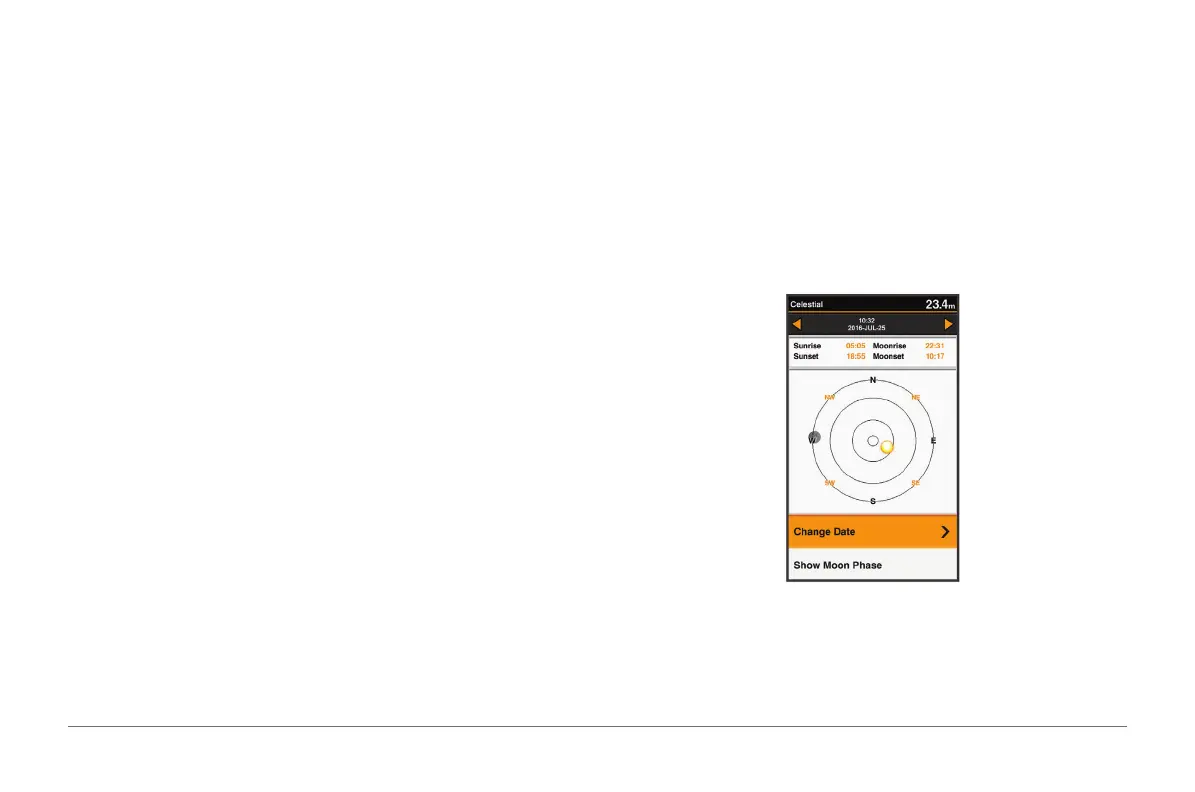
Celestial Information
You can view information about sunrise, sunset, moonrise, moonset, moon
phase, and the approximate sky view location of the sun and moon. The
center of the screen represents the sky overhead, and the outermost rings
represent the horizon. By default, the chartplotter shows celestial information
for the present date and time.
Select Navigation Info > Tides & Currents > Celestial.
Viewing Information for a Different Tide Station
1 Select Navigation Info > Tides & Currents.
2 Select Tides or Currents.



 To Next Page