26
GPSMAP
®
585 Plus
DSC Trails: Shows the tracks of DSC vessels, and selects the length of the
track that appears using a trail.
AIS Alarm: Sets the safe-zone collision alarm (page 30).
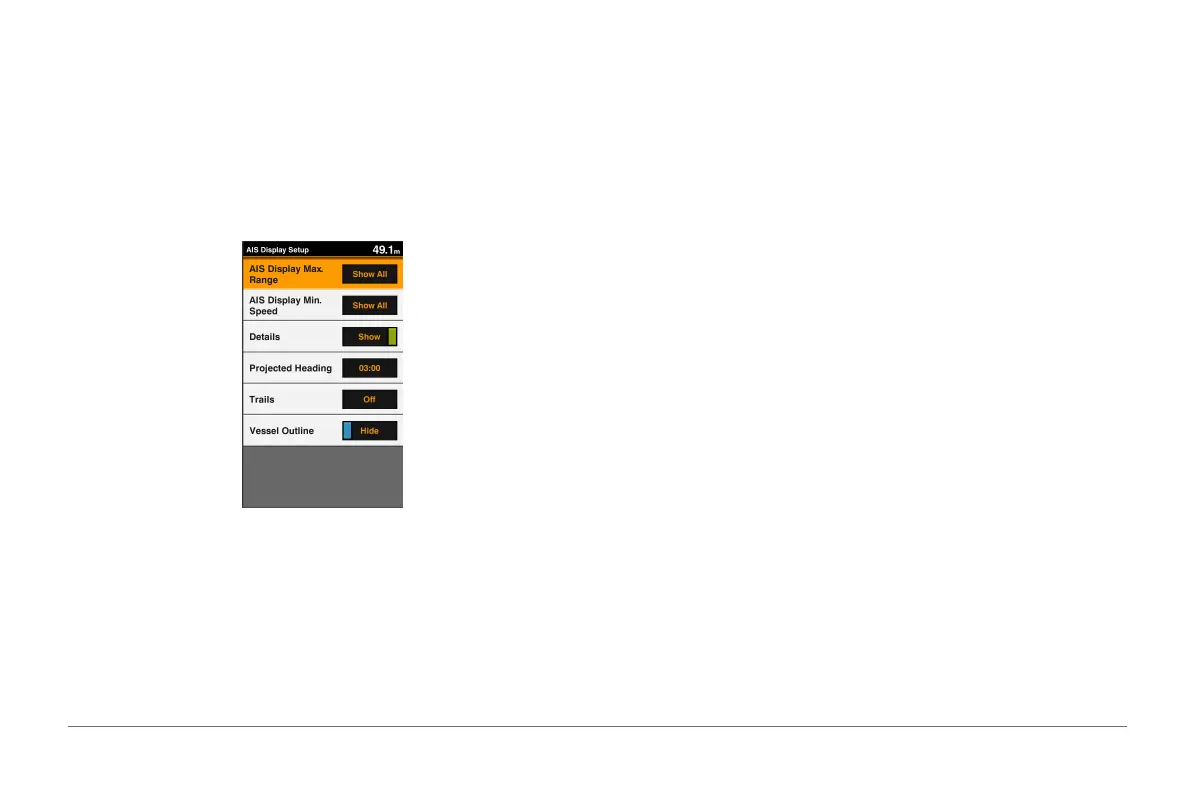
AIS Display Setup
NOTE: AIS requires the use of an external AIS device and active transponder
signals from other vessels.
From a chart or 3D chart view, select MENU > Other Vessels > AIS Display
Setup.
AIS Display Max. Range: Indicates the maxiumum distance from your
location within which AIS vessels appear.
AIS Display Min. Speed: Indicates the minimum speed AIS vessels must
travel to appear on your screen.
Details: Shows details about AIS vessels.
Projected Heading: Sets the projected heading time for AIS vessels.
Trails: Shows the tracks of AIS vessels, and select the length of the track that
appears using a trail.
Vessel Outline: Shows the outline of AIS vessels.
Navigation and Fishing Chart Setup
NOTE: Not all settings apply to all charts and 3D chart views. Some settings
require external accessories or applicable premium charts.
From the Navigation chart or Fishing chart, select MENU > Chart Setup.
Tides & Currents: Shows tide station indicators on the chart and enables the
tides, which sets the time for which tides are reported on the map.
Roses: Shows a compass rose around your boat, indicating compass
direction oriented to the heading of the boat.
A true wind direction or apparent wind direction indicator appears if the
chartplotter is connected to a compatible marine wind sensor. When in
sailing mode, true and apparent wind are shown on the wind rose.
Overlay Numbers: See page 21.
Chart Appearance: See page 22.
Custom Maps: Shows customized maps.
Overlay Numbers
From a chart, 3D chart view, or a combinations screen, select MENU > Chart
Setup > Overlay Numbers > Show.



 To Next Page