GPSMAP
®
585 Plus
41
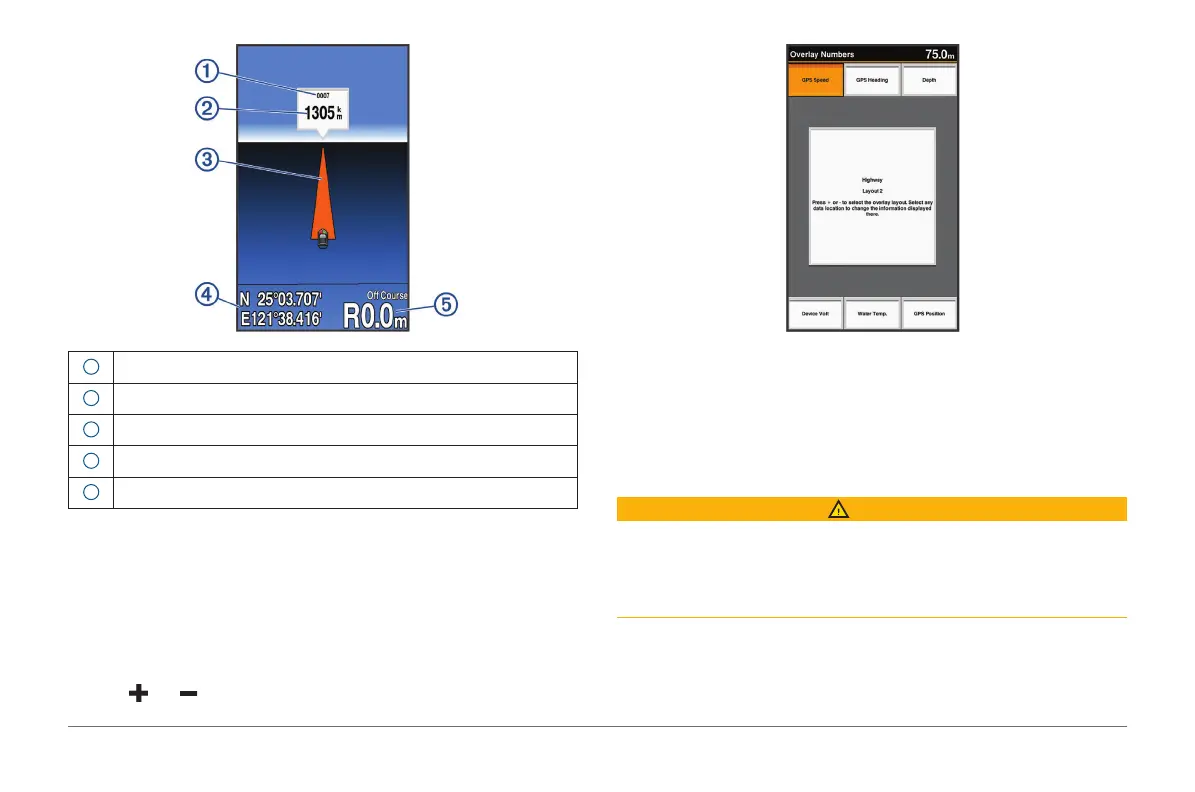
1
Mark or waypoint
2
Distance to destination
3
Track line
4
Coordinates
5
Distance off course
Showing and Customizing the Highway Overlay
Numbers
You can customize the data shown on the screen.
1 From the Highway screen, select MENU > Overlay Numbers > Show.
2 Select Edit Layout.
3 Using and , select a layout.
4 Select an overlay box.
5 Select the data to show.
6 Select BACK.
Auto Guidance
CAUTION
The Auto Guidance feature is based on electronic chart information. That
data does not ensure obstacle and bottom clearance. Carefully compare the
course to all visual sightings, and avoid any land, shallow water, or other
obstacles that may be in your path.
NOTE: Auto Guidance is available with premium charts, in some areas.
You can use Auto Guidance to plot the best path to your destination. Auto
Guidance uses your chartplotter to scan chart data, such as water depth and
known obstacles, to calculate a suggested path. You can adjust the path



 To Next Page