38
GPSMAP
®
585 Plus
Marking a Waypoint on the AIS Radar Screen
1 From the AIS Radar screen, use the arrow keys to select a location.
2 Select MARK.
Viewing a List of AIS Threats
From the AIS Radar screen, you can view and customize the appearance of a
list of AIS threats.
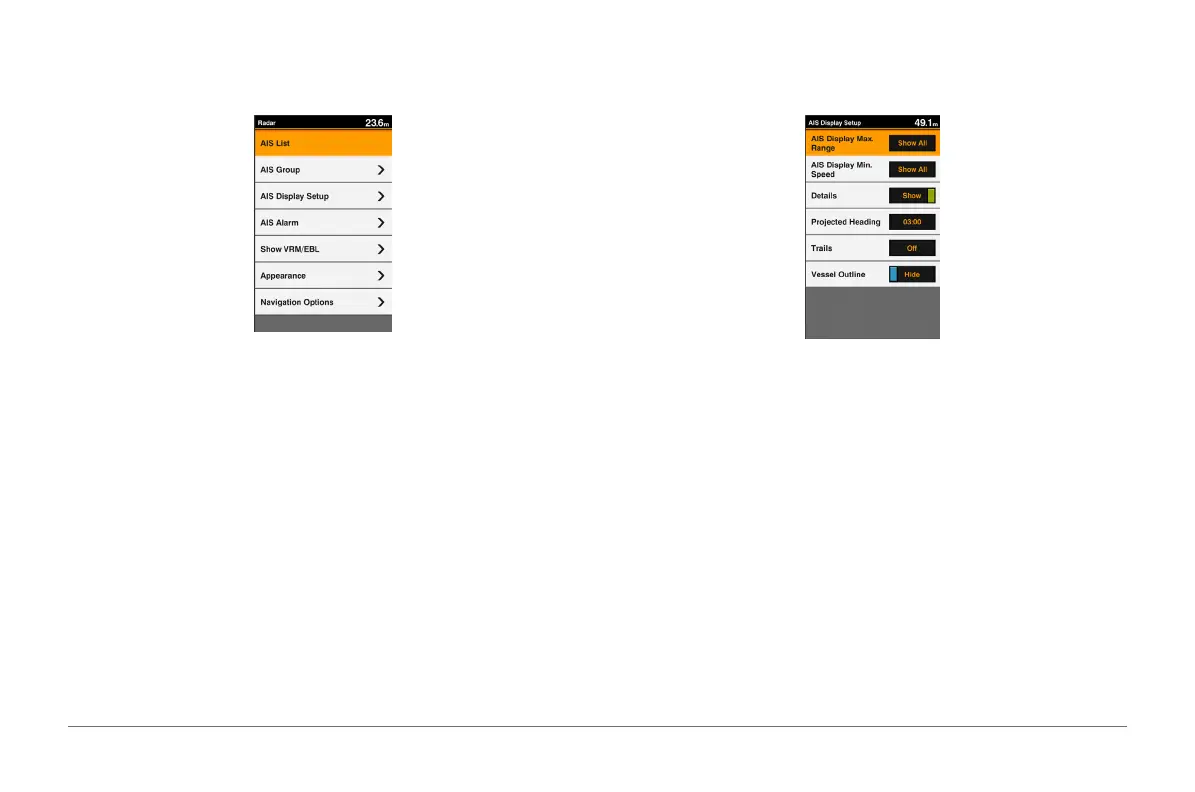
From the AIS Radar screen, select MENU > AIS List.
Creating an AIS Group
An AIS group is a collection of specic vessels, such as a sailing club or
otilla.
1 From the AIS Radar screen, select MENU > AIS Group.
2 Select a group.
3 Select AIS vessels.
4 Select SELECT.
Customizing the Display of the AIS Radar Screen
You can congure how other vessels appear on the AIS Radar screen.
1 From the AIS Radar screen, select MENU > AIS Display Setup.
2 Select an option:
• To set the maximum distance of AIS vessels to display, select AIS
Display Max. Range.
• To set the minimum speed of AIS vessels to display, select AIS Display
Min. Speed.
• To show details about AIS-activated vessels, select Details > Show.
• To set the projected heading time for AIS-activated vessels, select
Projected Heading.
• To show the tracks of AIS-activated vessels, select Trails.
• To show the outlines of AIS vessels, select Vessel Outline.
Enabling AIS Transmission Test Alerts
To avoid a large number of test alerts and symbols in crowded areas such as
marinas, you can select to receive or ignore AIS test messages. To test an



 To Next Page