JF-240UV User Manual
104
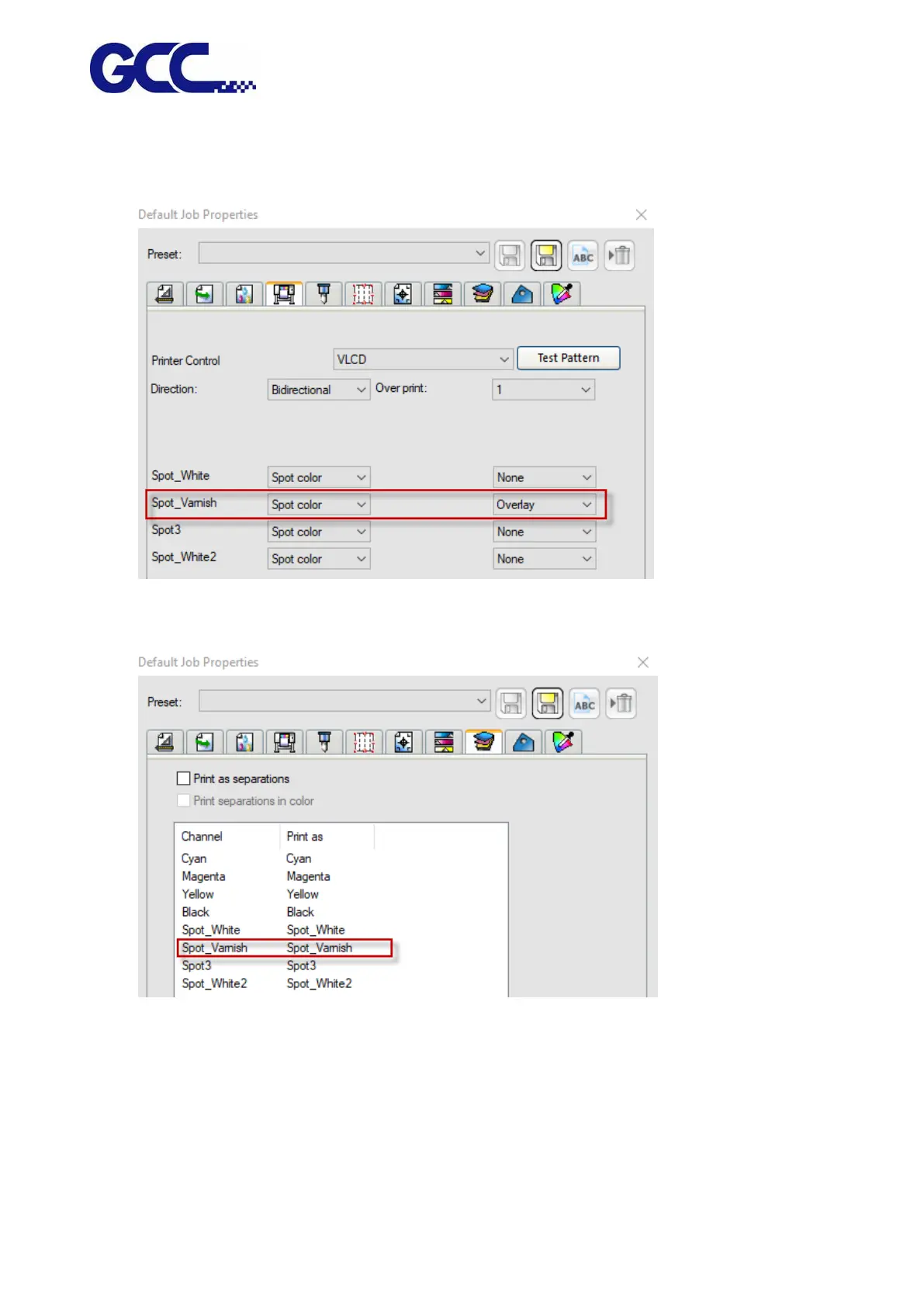
2) Go to Printer Options page, select “Spot_Varnish” and “Overlay” (varnish coating over color)
in the drop-down menu in Spot_ Varnish section.
3) Go to Separation page, select Spot_Varnish and send it to Flexi PRINT.
4) Flexi PRINT will open Spot Colors Settings dialog box
1. Set ink volume in the drop-down menu in Ink Percentage
2. Select the pattern listed in Mark Name column you want to print with varnish and press
save to complete.






 To Next Page