JF-240UV User Manual
19
3.2 Software Setup
3.2.1 Softkey Installation Instructions
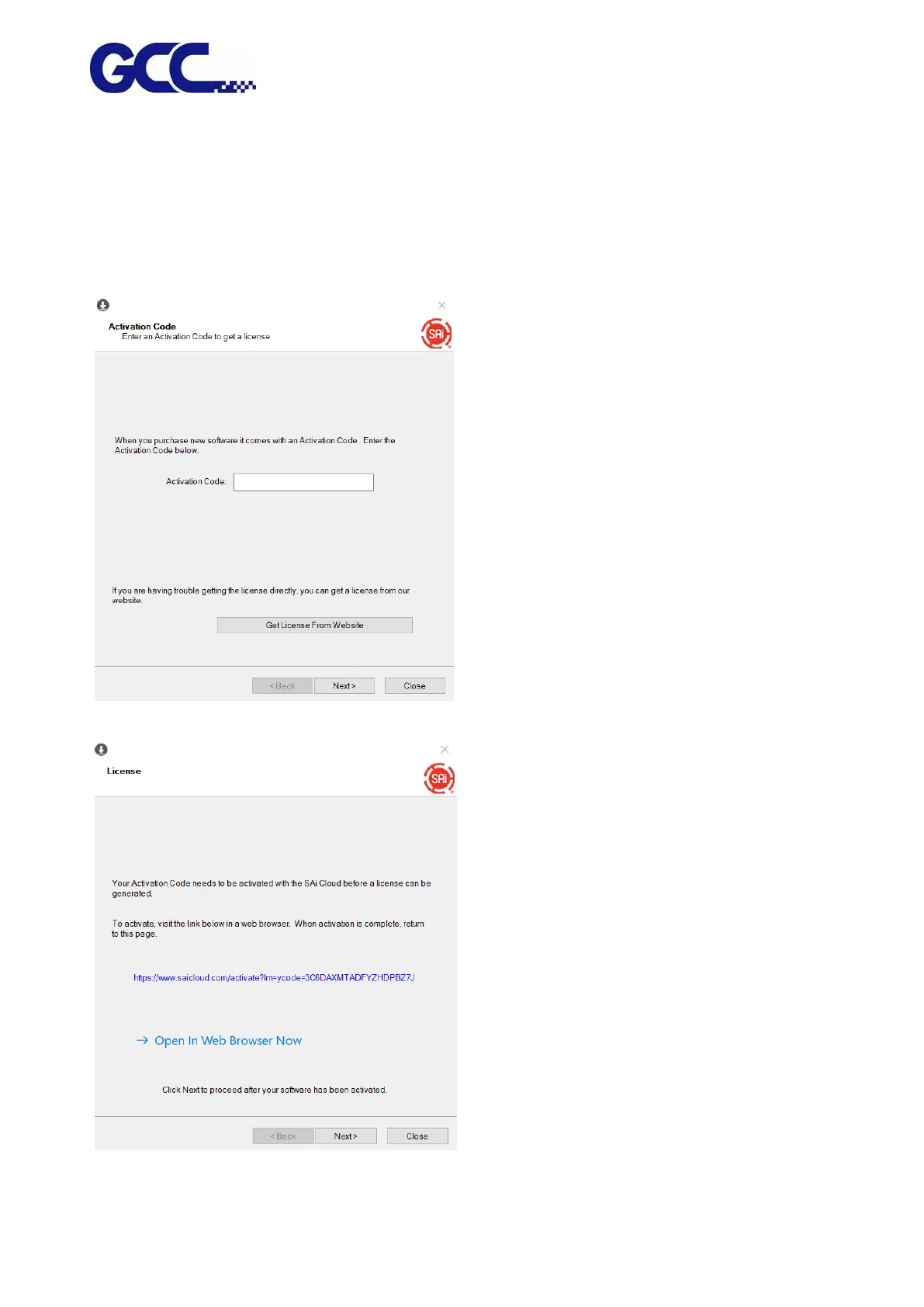
Insert the DVD and run the installation and follow the instructions. Disable your antivirus software
before installing FlexiPRINT GCC Edition.
When the Install Manager dialog comes up, enter your password here:
1. Select "Open In Web Browser Now."
2. Select "I am new to the SAI Cloud", then select Create Account and click confirm






 To Next Page