JF-240UV User Manual
55
5.2.2 How To Setup For Printing and Import File
Before starting Setup process, make sure the Ethernet cable is connected to your computer. For
the installation of FlexiPRINT GCC Edition software, refer to Chapter 3.2.
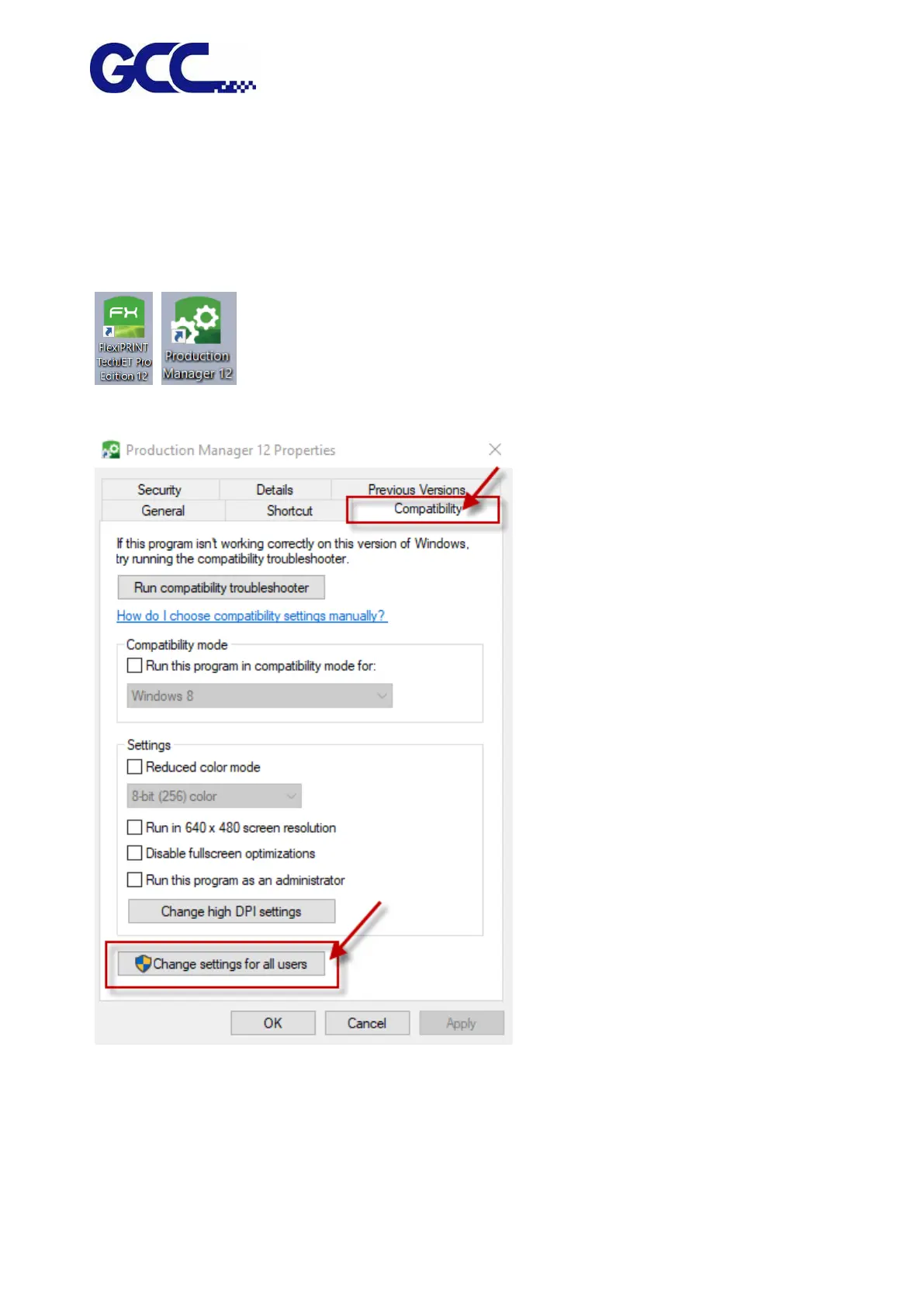
Step 1. Right-click on FlexiPRINT GCC Edition Icon and FlexiPRINT EDITOR Icon and select
properties.
Step 2. Select Compatibility and “Change settings for all users”.
Step 3. Tick “Run this program as an administrator” and select “OK”.






 To Next Page