JF-240UV User Manual
143
NOTE:
Waste ink bottle contains hazardous substances. Please DO NOT dispose the waste ink bottle with
general garbage or discard it into sewage treatment system.
Please follow the local regulations to dispose the waste ink to prevent contaminating the
environment.
6.2.4 Cleaning
Warning: Do not use gasoline, alcohol, or solvent … etc. flammable materials, as they are abrasive
and hazardous, and could damage the equipment.
Note: Please make sure power and ink valve are turned off and JF-240UV is done the printing job
before cleaning process starts.
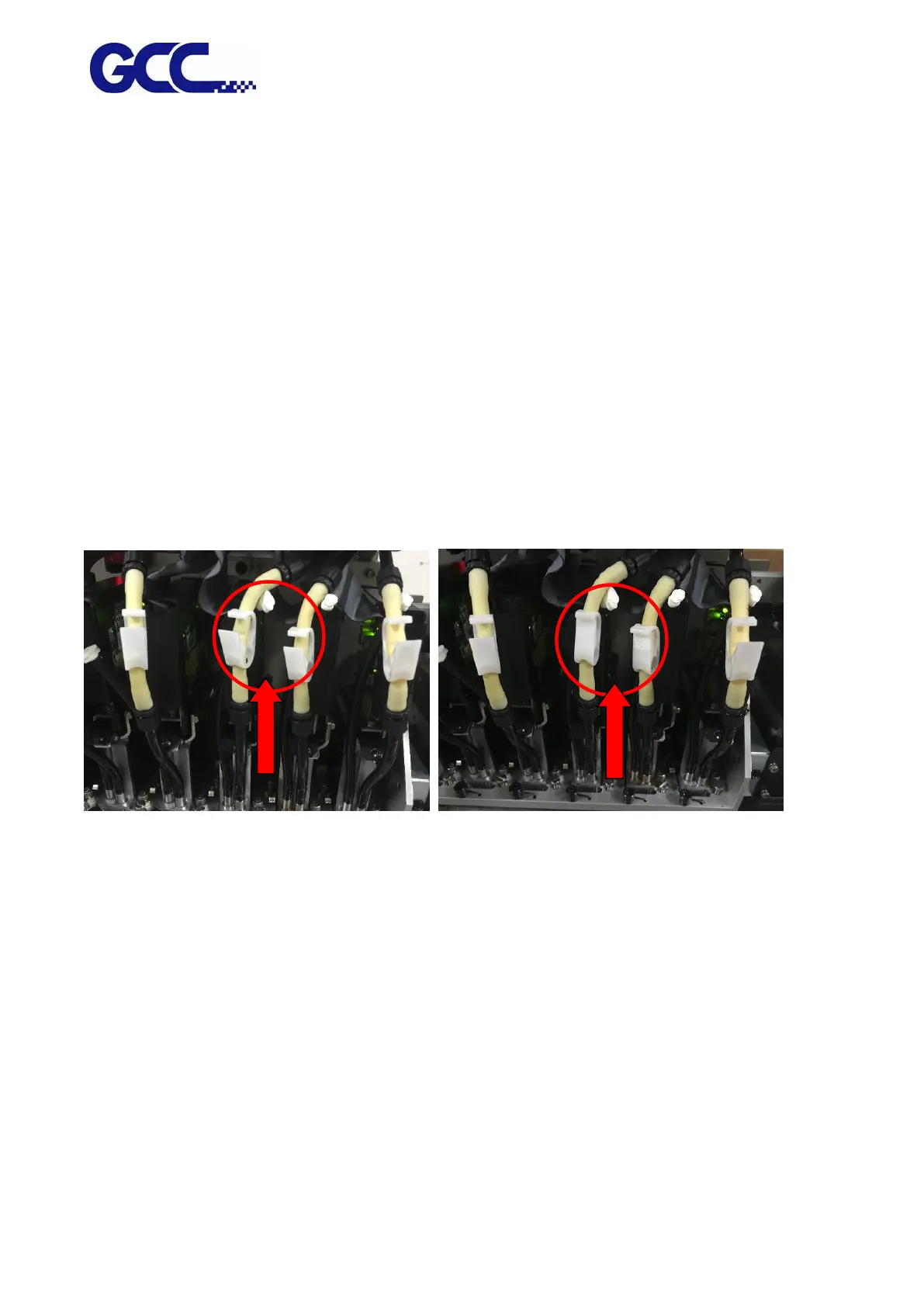
Press the clip of ink valve to switch the ink valve off.
Ink valve is opened Ink valve is closed
Note: When the machine is in printing, the moving parts might cause injury or high temperature
components might cause burns.
While in cleaning up process, please clean up ink residue or printing media on the platform
and other area to avoid deposition. Use cloth moistened with diluted mild cleaning solution or
water to wipe it out.
Note: it is advised to clean the capping area with cleaning cloths every week






 To Next Page