JF-240UV User Manual
120
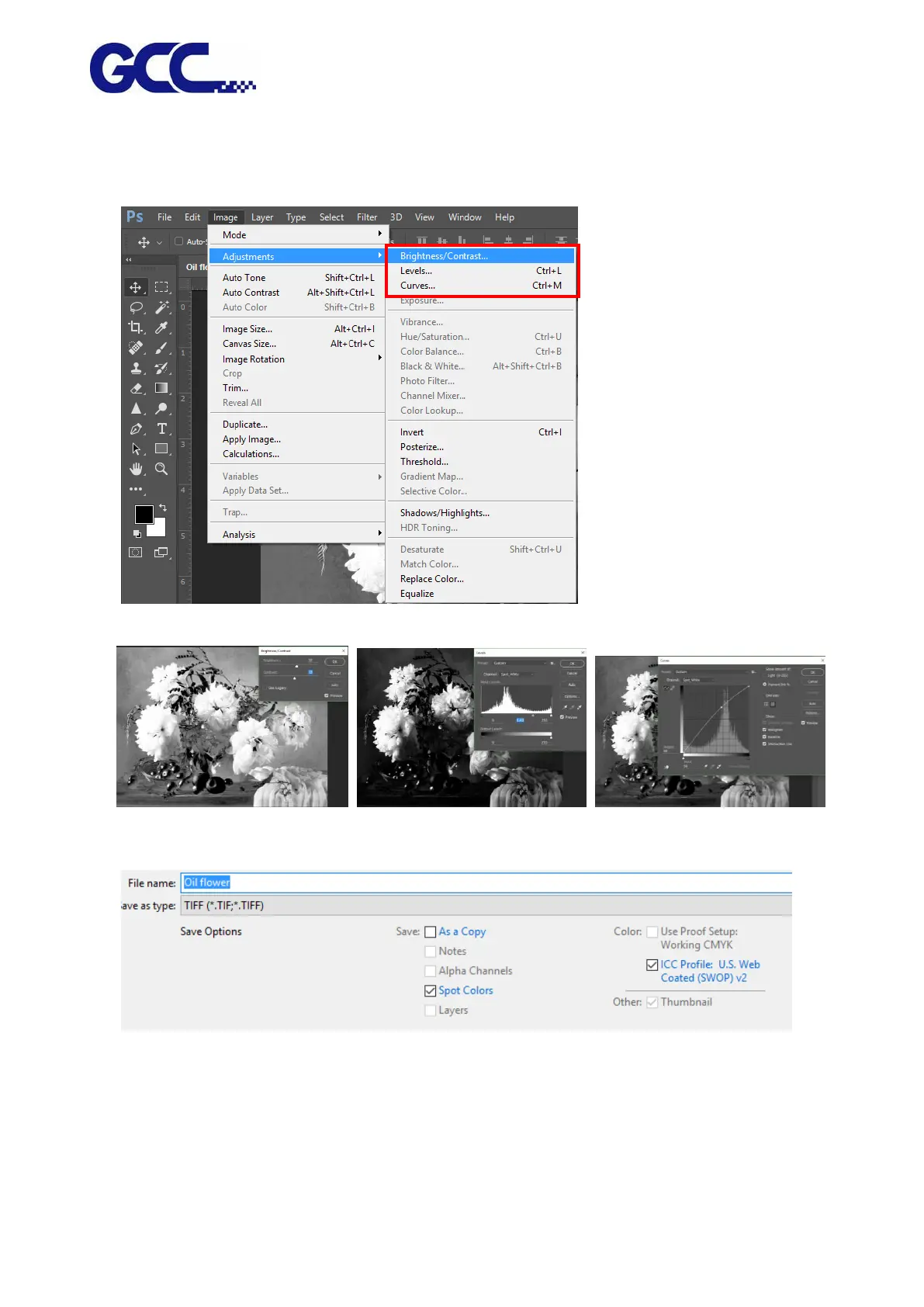
4. Go to Image→Adjustments
Note: The Brightness/Contrast, Levels, Curves value determines the raised printing effect.
Adjust the value according to what printing result you want to create.
Brightness/Contrast Levels Curves
5. Save the file as Tiff format (MUST tick Spot Colors)






 To Next Page