JF-240UV User Manual
98
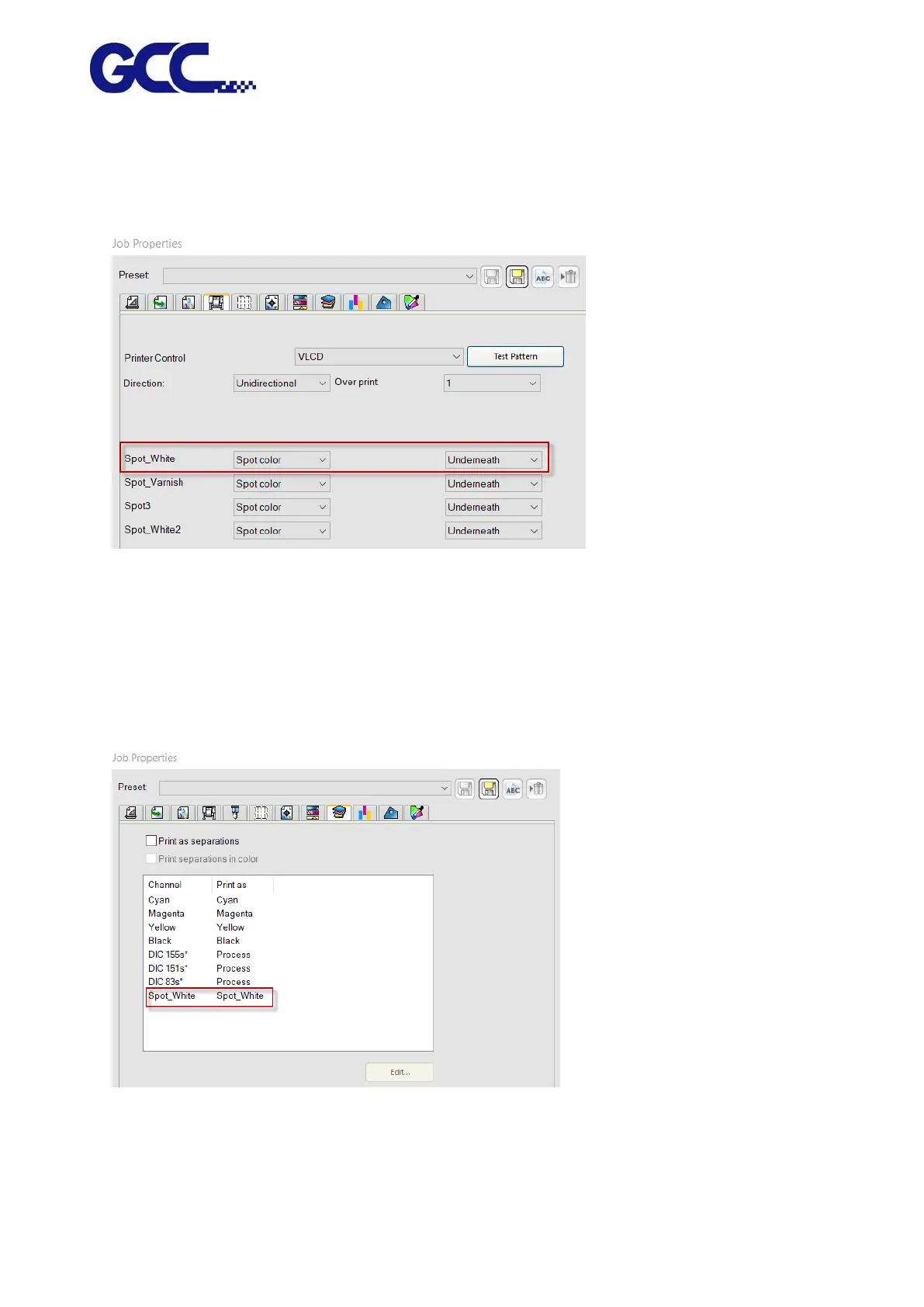
7. Go to Printer Options page, select “Spot color” and “Underneath” (white-color) or “Overlay”
(color-white) in the drop-down menu in Spot_White section.
The definition of the options of Spot_White/Spot_Varnish drop-down menu:
Spot: fill the user defined area with white/varnish color
Substrate: fill the entire file with white/varnish color
Under Color: fill colored area with white/varnish color
Fill color: fill the entire file except colored area with white/varnish color
8. Go to Separation page, select Spot_White and press send.
9. Flexi PRINT will open Spot Colors Settings window, tick “White Ink Percentage” or “Multiple
Layers” and set white ink volume, and then press Save. The settings is complete.






 To Next Page