4-16 Expanding Your Computer
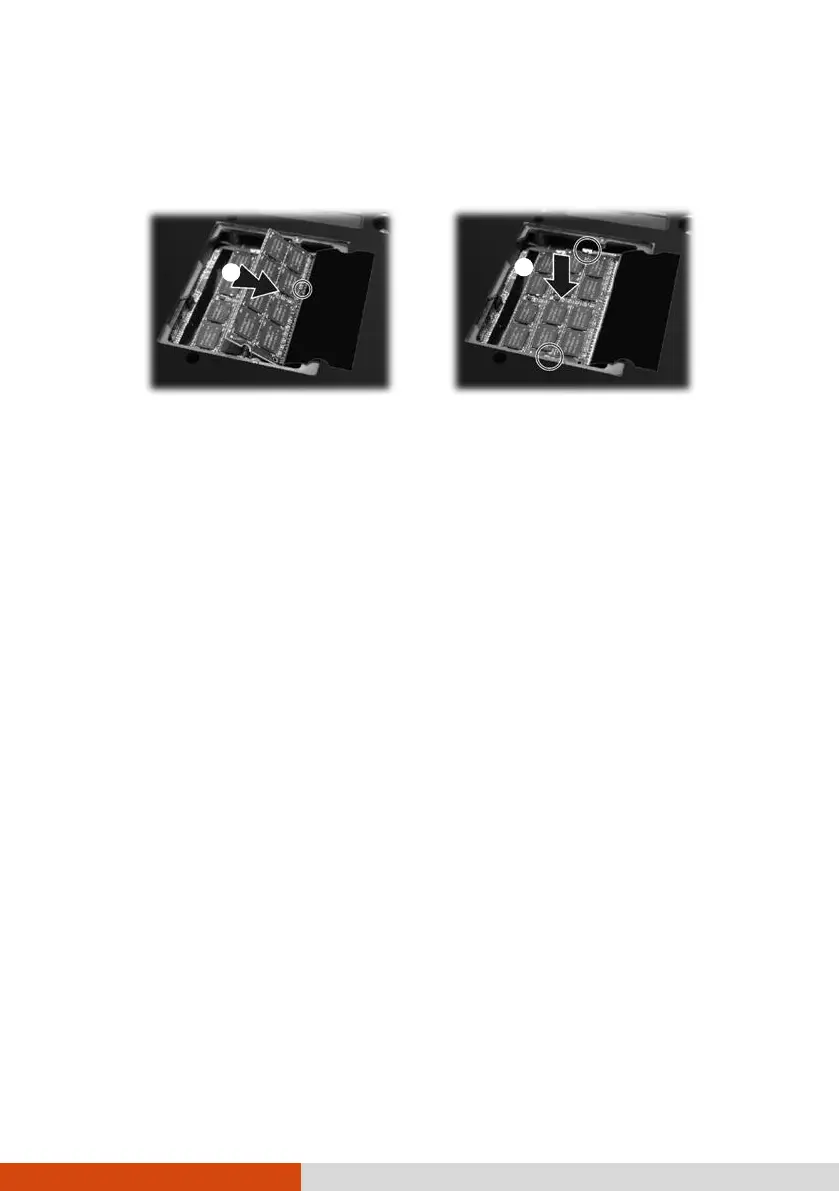
().
Then push down until the retaining clips lock the module into position
().
CAUTION: If the RAM module is difficult to insert or difficult to push down, do not
force it. Check once more to ensure that the module is positioned correctly.
5. Replace the compartment cover and secure with four screws.
6. Replace the battery pack.



 To Next Page