Instruction Manual ProfiLux 4 / 4e
EN 2019-01-22 24
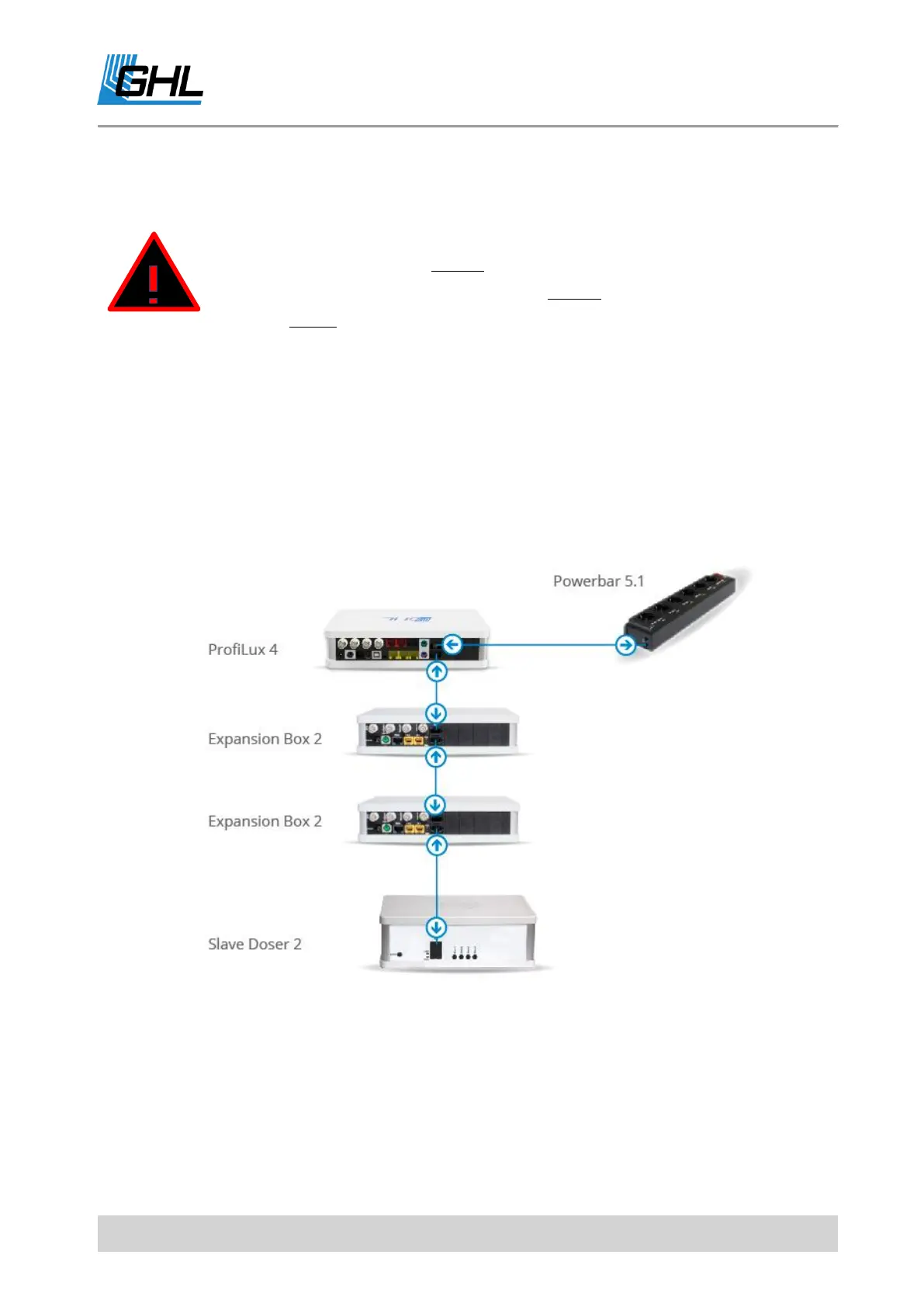
5.7.3 Exemplary Connection of ProfiLux 4 / 4e with PAB Devices
5.8 Connection to the Power Supply
Connect the ProfiLux 4 / 4e using the supplied power adapter to the power supply. Insert the
DC plug into the designated 12 V DC hollow socket on the rear panel and connect the power
connection cable with the plug to the power outlet.
DANGER
• PAB devices must always be linearly connected to each other.
• The last device on the PAB must always provide a free PAB port.
• Never connect the last two PAB devices through an additional PAB
connection cable.
• Such a ring connection leads to malfunctioning and is not allowed.



 To Next Page