Instruction Manual ProfiLux 4 / 4e
EN 2019-01-22 45
7.2 Installation
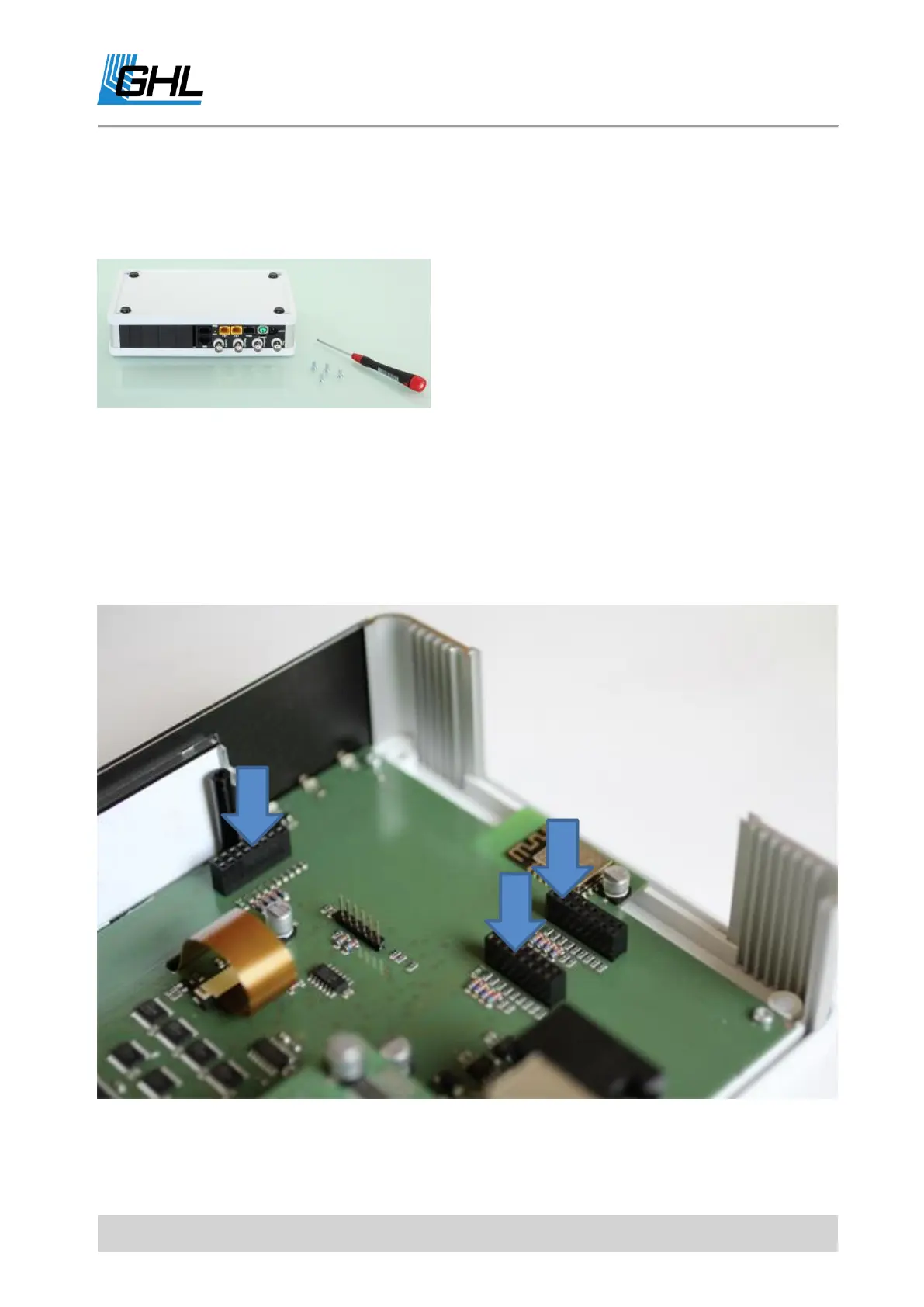
7.2.1 How to Open the Housing
Turn ProfiLux 4 / 4e upside down and carefully
loosen the 4 Allen screws in the 4 corners of the
housing bottom plate. Pull the screws out and
reverse the housing together with the bottom
plate again.
Best grip bottom plate and housing cover on the
right and left housing edge simultaneously and exert slight pressure while turning. Set the
housing down again and lift the cover carefully.
Side panels, housing front as well as the black module cover plates on the rear panel are now
loose.
The expansion slots of ProfiLux4 / 4e:
Two of the slots are accessible externally. At the third expansion slot inside the housing,
solely Expansion Cards which require no access from the outside can be connected. (E.g. PLM
PWC).



 To Next Page