Instruction Manual ProfiLux 4 / 4e
EN 2019-01-22 42
6.5 Save and Load Settings
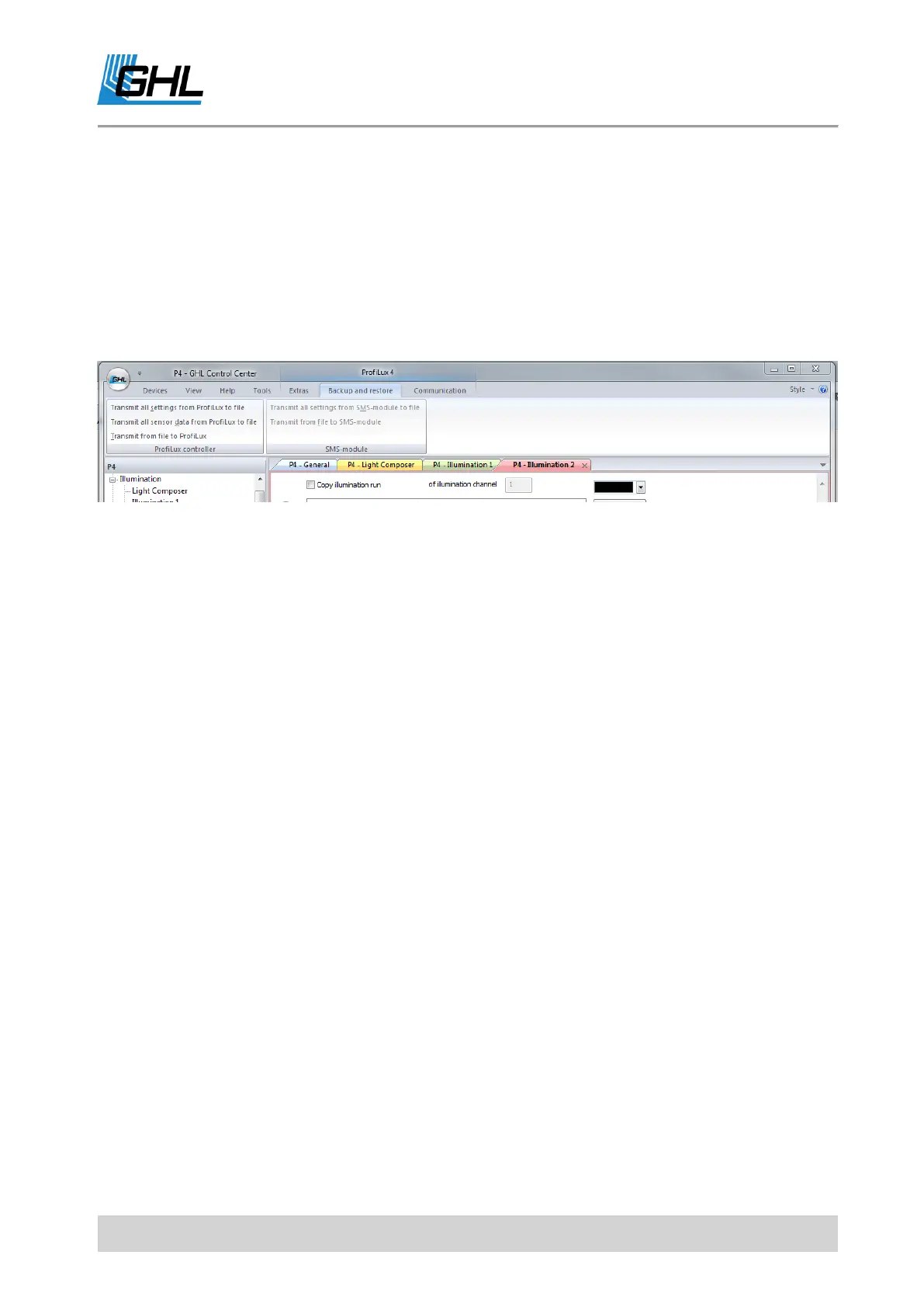
If you want to back up your settings to restore them after a firmware update for example,
there are the following functions provided under "Backup and restore" in the ribbon bar.
The option to load and save settings is also interesting for retailers who make the initial
startup for their customers. So the once found settings can be replicated quickly and safely
for a certain tank type.
6.5.1 Saving Settings
Settings of the connected ProfiLux 4 / 4e or sensor data (= settings of the controllers and
calibration data) of ProfiLux 4 / 4e are stored in a file (File name .par).
- How to read the settings or sensor data from the ProfiLux?
The PC program uses parameter definition files (file extension .def) to know which settings
should be available or read out in the connected ProfiLux Controller. These files are located
in the GHL Control Center program directory.
The appropriate parameter definition file must exist for the firmware version of the
respective device. For the firmware version 7.00 of the ProfiLux 4, for example, the file is
called ParaList_V702_Profilux4.def
6.5.2 Loading Settings
Settings or sensor data are loaded from a file (file extension .par) and transferred to the
respective device. If the file comes from a ProfiLux with a different firmware version as the
target device, a warning is issued.
Settings that originate from a device with a firmware version older than the firmware version
of the target device can be loaded without problems. Conversely, problems can occur.
If a problem occurs during the transfer of the settings to the respective device, a message is
displayed. If the message is ignored, the transmission of the remaining settings is continued.
If the device type does not fit, the operation is aborted completely.



 To Next Page