Instruction Manual ProfiLux 4 / 4e
EN 2019-01-22 28
6 Operation
6.1 Operation on the Device
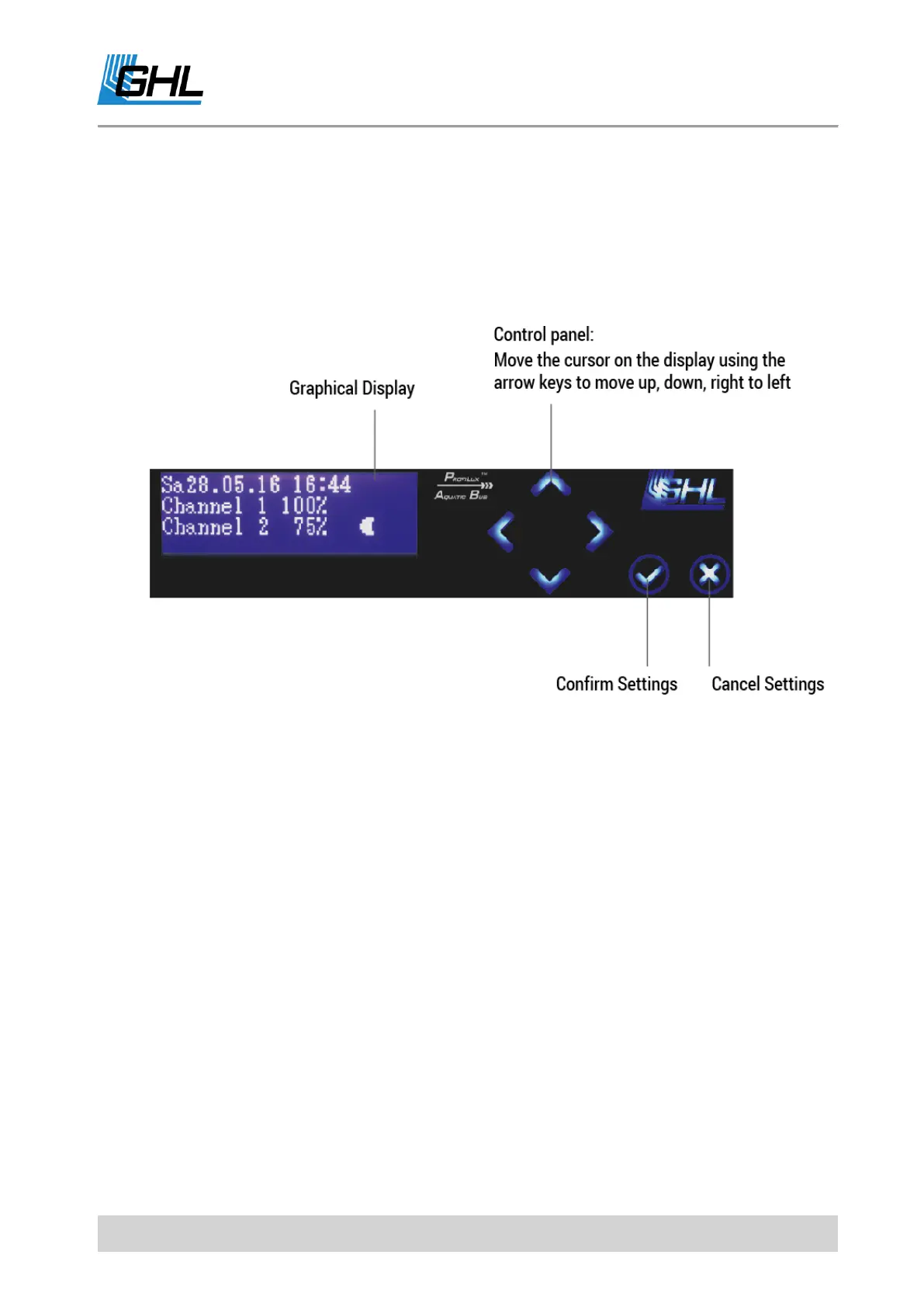
Use the navigation buttons (arrow keys) on the device to make settings or desired changes to
your settings.
Set the time and date first.
If you have connected the optional DCF module (radio clock receiver), “Use DCF” is activated
and the DCF signal can be received, the time and date are set automatically after the power
supply is connected.
Press any arrow key to enter. You can move up and down from the right to the left with the
arrow keys in the menu.
The operation of the device is very simple. Use the up and down arrow keys to navigate
through the menus and make a selection.
To confirm the selection of a menu item, press the confirmation key (Check mark button:
Confirm input = Return). This will take you to the submenus.
Make the desired changes and save them with the confirmation key. Press the Cancel key
(Cross mark button: Cancel input = Escape) to abort entries.
After each setting process, you are asked if you want to save the changed settings. Only after
confirmation with Yes, the new settings are accepted and saved. These settings are also



 To Next Page