Instruction Manual ProfiLux 4 / 4e
EN 2019-01-22 29
stored in the nonvolatile memory (FRAM, independent of the mains voltage) and are restored
after voltage interruption.
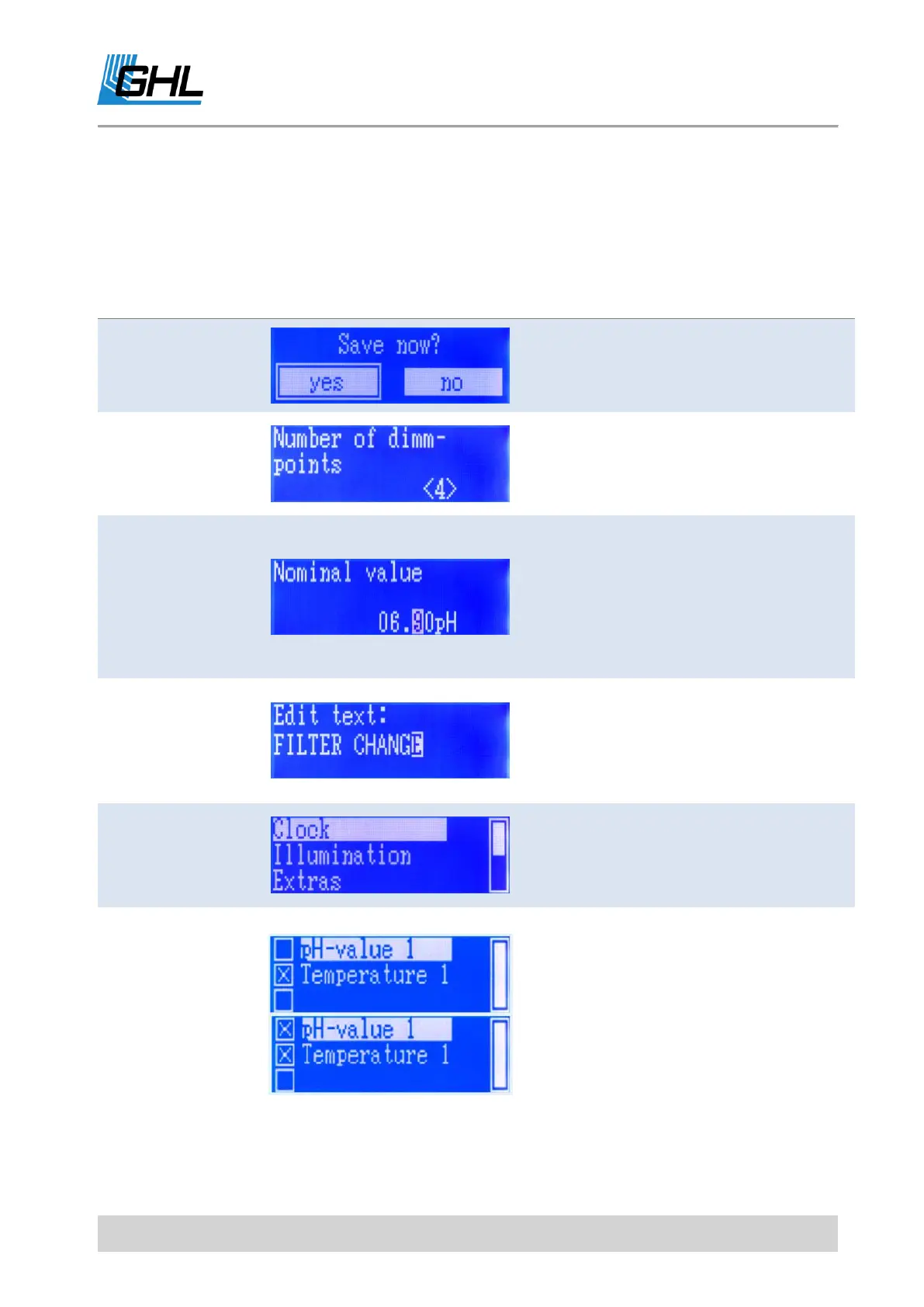
The following types of dialogs are used when operating the device::
Use the left-arrow key to select Yes, use
the right-arrow key to select No. The
current selection is marked with a
frame. Confirm with RETURN.
Use the up-arrow to increase the
number, decrease with down-arrow.
Confirm with RETURN.
Enter a value, date
or time
Use left and right arrow keys to select
the digit of the number you want to
change. The cursor shows the currently
selected location. Use arrow up to
increase the position, decrease with
arrow down. Confirm the set number
with RETURN.
Text input, e.g.
Memory text
Use left-arrow and right-arrow to select
the location in the text you want to
change. Use up and down-arrow to
change the character. Confirm the set
text with RETURN.
Simple selection-
Selection of an
option or a menu
point
Use the up and down-arrow to select an
entry, confirm with RETURN.
Multiple selection -
Several options can
be selected at the
same time
Use up and down-arrow to select an
entry. Use right arrow key to select the
entry (then the box is displayed
checked). Deselect the entry with the left
arrow key (empty box is displayed).
Confirm with RETURN.
* Above illustrations are exemplary.



 To Next Page