Instruction Manual ProfiLux 4 / 4e
EN 2019-01-22 46
You can further extend ProfiLux 4 / 4e with an additional Expansion Box 2 and include even
more resources such as sensor connections, 1-10 V interfaces and switching outputs
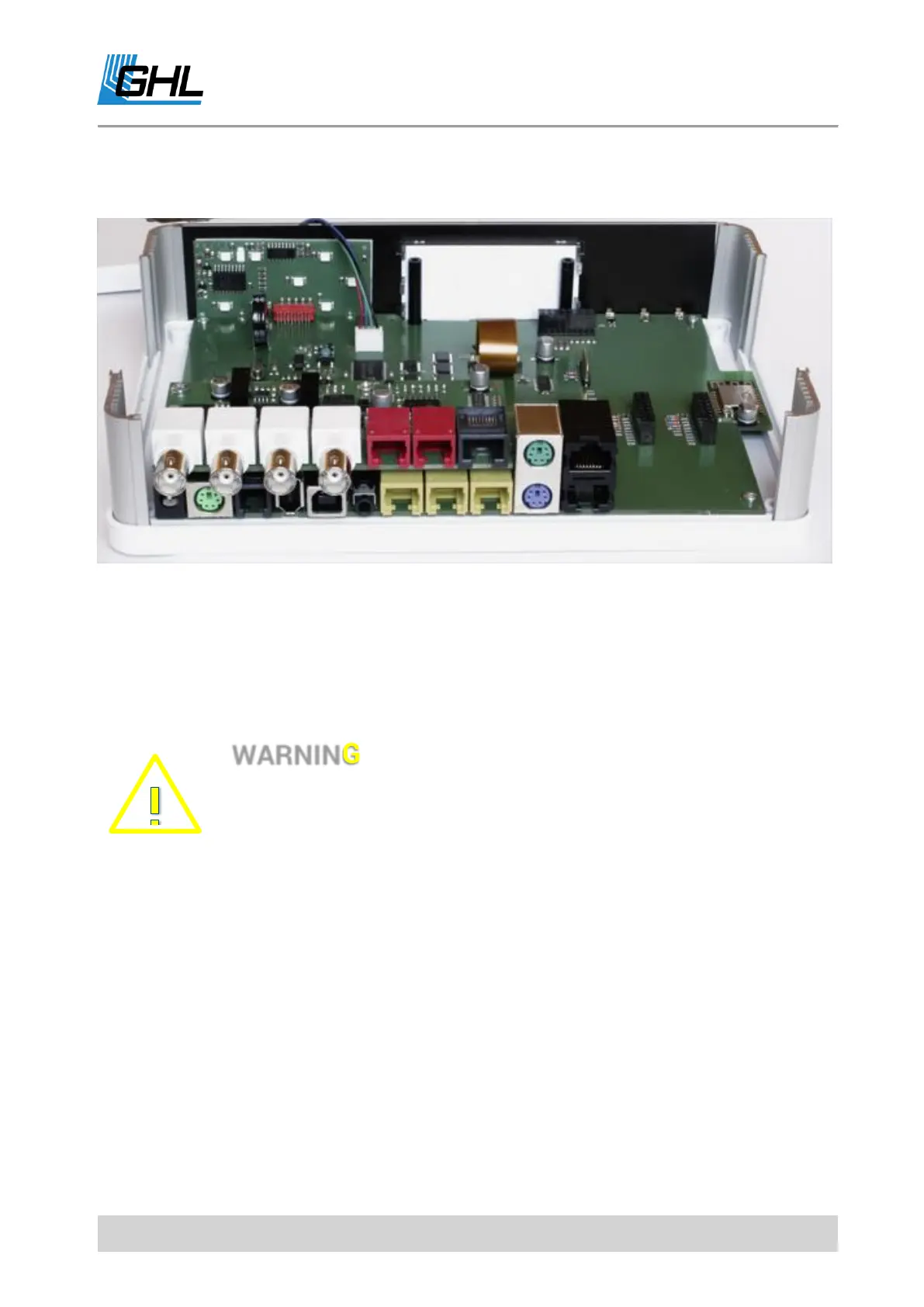
On the right, the empty slots for plugging in the modules are seen in the illustration above.
On the left, you see the ex-works built-in connections.
7.2.2 How to Insert Modules
Remove unneeded module cover plates and plug in a new module in any slot.
• Never insert modules by using excessive force!
• All Expansion Cards are designed to fit with their pins right into the
sockets of the slots.
• Insert the card into the slot. All of the Expansion Card contact pins
must be seated in a socket.
• The front side of the Expansion Card must– as the factory pre-built
modules - fit exactly in the housing rear wall.
7.2.3 How to Close the Housing
Now the housing can be closed again.
First, carefully attach the housing cover. Make sure the front panel, side panels, and the
module plates as well as module cover plates slide exactly into the grooves of the lid. If
necessary, slightly correct their position. Please do not use excessive force!



 To Next Page