Omnia Configurator - Creating a New Configuration Configuring Omnia PCB
MDE-5369G FlexPay™ IV (with Omnia V04.07) Programming and Service Manual · March 2021 Page 5-17
Notes: 1) If Idle Media is enabled, media advertisements can run during a POS application
download. Gilbarco recommends disconnecting the Applause Media System Site
Server or waiting to turn ON the Idle Media until the units are fully up and running
with the POS.
2) Side A/B A/V, Idle and Busy tests were removed and replaced with “Diagnostic A/V
tests” in
version 03.02 and higher. For more information, refer to “Omnia
Configurator - Diagnostic” on page 5-31.
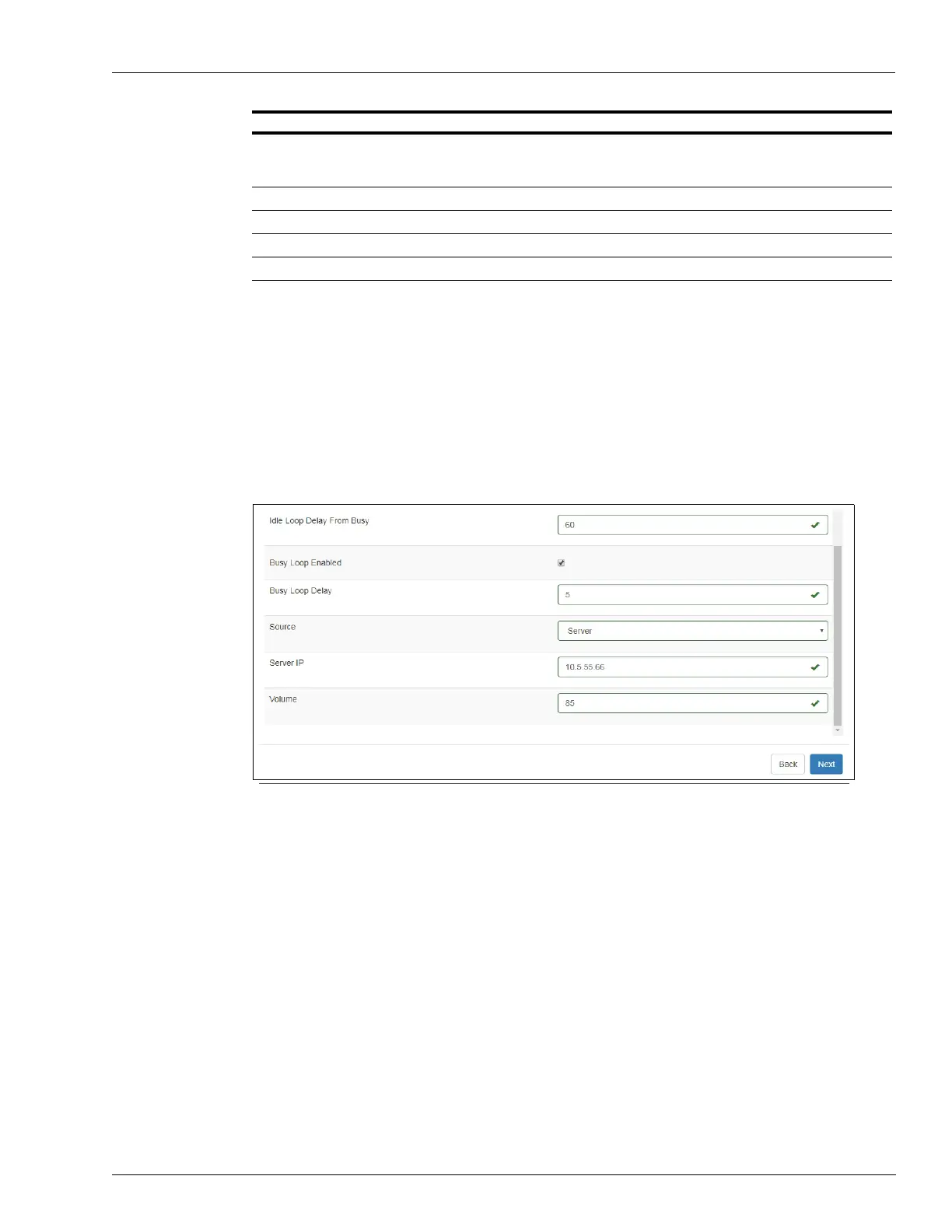
Figure 5-21: Applause Configuration Settings - 2
Note: Ensure to check the Idle Loop Enabled and Busy Loop Enabled boxes for sites
applicable.
2 Click Next.
Busy Loop Enabled Turn the Busy Media ON or OFF. Select to turn ON if you want the media to run when
the unit is in busy condition. If you do not want the media to run when the unit is busy,
set as Delay.
Busy Loop Delay(s) Number of seconds to delay before starting the busy media loop.
Source Server
Server IP Applause server IP address should be changed (recommended 10.5.55.66).
Volume Video volume 1-100
Field Configuration Settings



 To Next Page