Configuring Omnia PCB Omnia Configurator - Creating a New Configuration
Page 5-12 MDE-5369G FlexPay™ IV (with Omnia V04.07) Programming and Service Manual · March 2021
Omnia Configurator - Creating a New Configuration
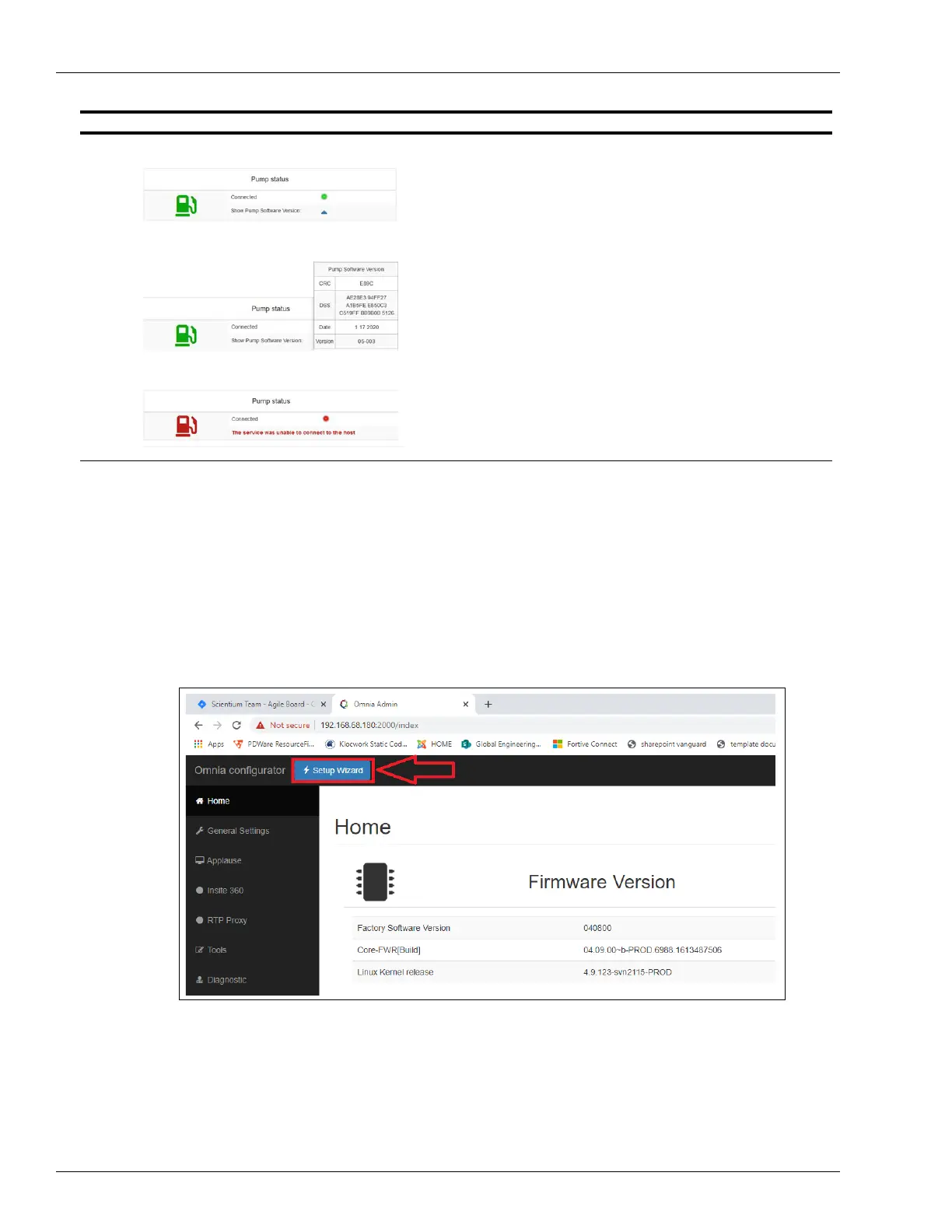
You can create or modify a new Omnia configuration by going through each page of the
Omnia Configurator Web UI or by using the Setup Wizard (see Figure 5-18).
Figure 5-18: Setup Wizard
The following section describes the configuration and settings available in the Omnia
Configurator, which also describes the settings available in the Setup Wizard.
Green Icon = Pump communication OK
Yellow Icon = Communica
tion problems that can be
automatically resolved
Red Icon = Pump communication Dow
n
Connected:
Green light = Pump
connection OK
Yellow light = Co
nnection problems that can be
automatically resolved
Red light =
Pump communication Down
If pump connection works, select the blue arrow and
pump
software version is shown.
In case of problems, error message is displayed.
Status Screen Description



 To Next Page