Configuring Omnia PCB Omnia Configurator - Creating a New Configuration
Page 5-16 MDE-5369G FlexPay™ IV (with Omnia V04.07) Programming and Service Manual · March 2021
Omnia Configurator - Applause
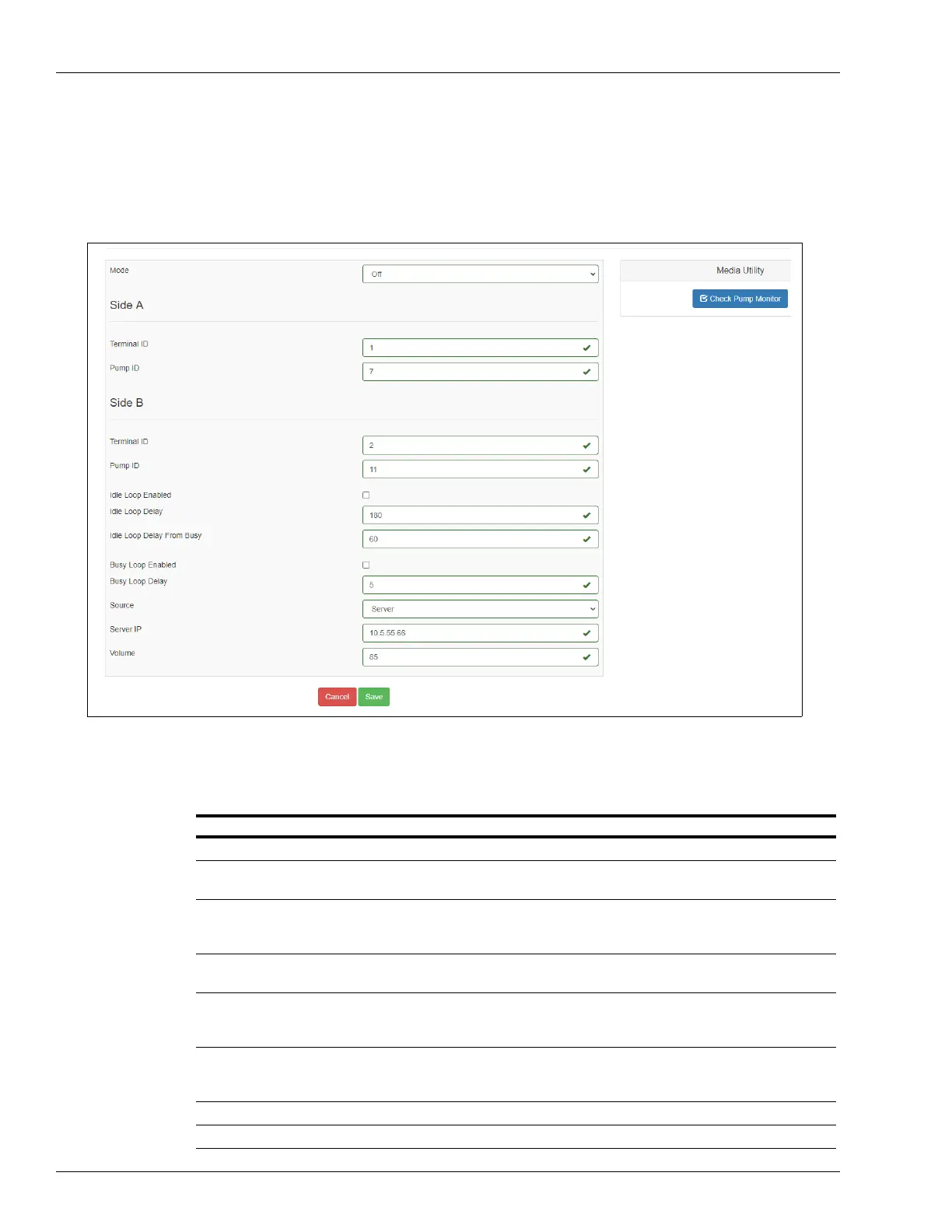
1 If applicable, click Applause in the left navigation menu to open the Applause Configuration
page as shown in Figure 5-20.
Figure 5-20: Applause Configuration Settings
Note: 1) Scroll down to see all programming fields on the configuration pages.
2) Ensure to check the Idle Lo
op Enabled and Busy Loop Enabled boxes for sites
applicable.
.
Field Configuration Settings
Mode Set the Media mode to Applause Media System.
Side A - Terminal ID Set the Terminal ID to match the actual CRIND ID programmed in the unit
programming or fueling position.
Side A - Pump ID Set the Pump Monitor ID to match the actual pump ID programmed in the unit
programming. (If connected to Passport POS system, all IDs will be 7 for side A and
11 for side B).
Side B - Terminal ID Set the Terminal ID to match the actual CRIND ID programmed in the unit
programming or fueling position.
Side B - Pump ID Set the Pump Monitor ID to match the actual pump ID programmed in the unit
programming. (If connected to Passport POS system, all IDs will be 7 for side A and
11 for side B).
Idle Loop Enabled Enable or disable the Idle Media. Select to turn ON if you want the media to run when
the unit is in idle condition. If you do not want media to run when the unit is idle, set as
disable.
Idle Loop Delay(s) Number of seconds of delay before starting idle media loop.
Idle Loop Delay From Busy Number of seconds of delay before starting idle media loop after busy loop.



 To Next Page