Configuring Omnia PCB GVR Cloud Registration Insite360 Configuration
Page 5-40 MDE-5369G FlexPay™ IV (with Omnia V04.07) Programming and Service Manual · March 2021
GVR Cloud Registration Insite360 Configuration
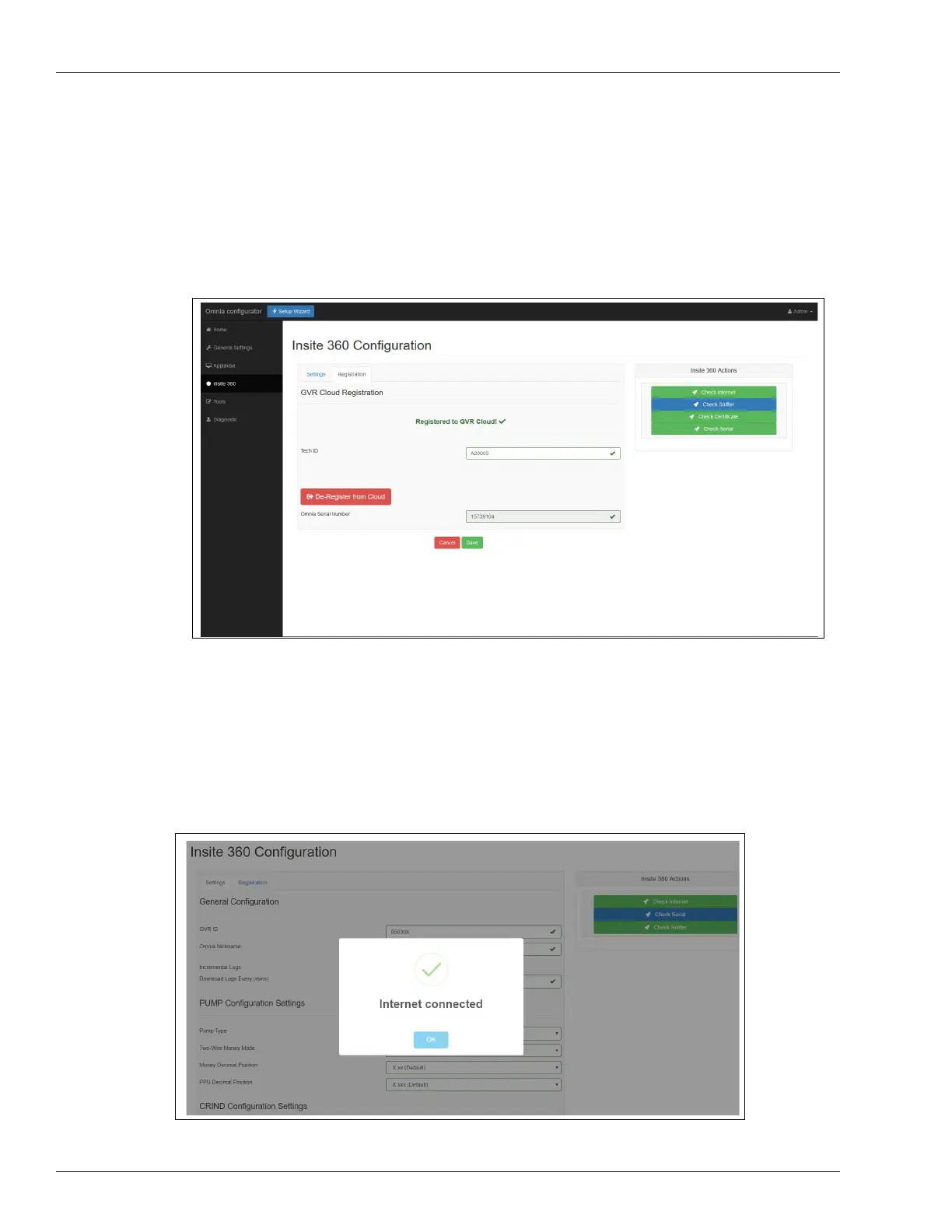
To view, modify, and test current Insite360 Settings, proceed as follows:
1 Select the Insite360 tab on the left sidebar of the web page.
Figure 5-54: Insite360
2 Confirm the Pump Serial Interface protocol setting, and click Save. PCN Version 04.xx.xx
supports Real Time Protocol, which is required for remote management of door sensors.
Click Save.
3 Check Internet connection using the CLOUD Utility.
Figure 5-55: Checking Internet Connection



 To Next Page